Advanced Features
Changing the Initial Settings [Custom Setting Mode]
49
Changing Procedure
1
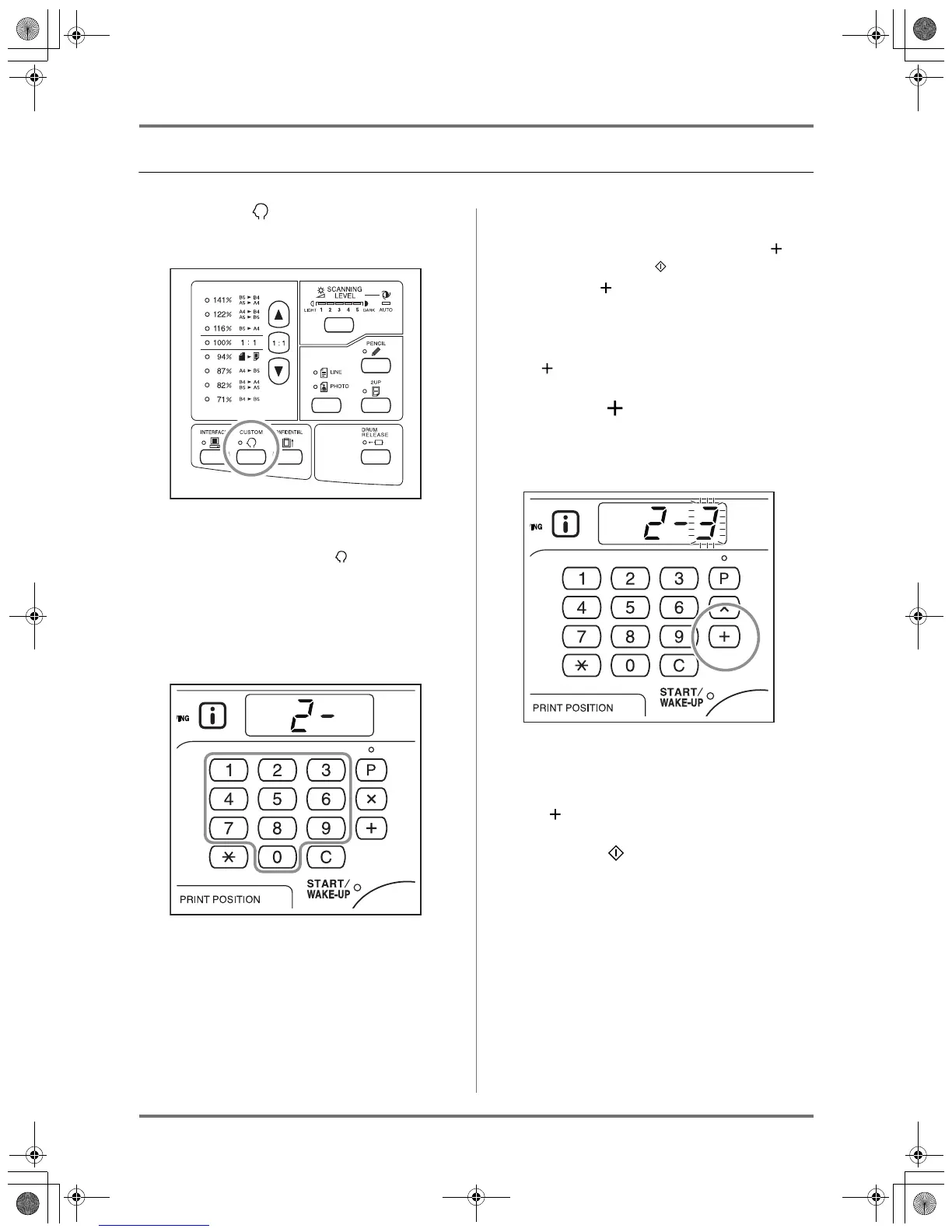
Press the key to turn on its indica-
tor.
Note:
• To exit the Custom Setting mode, turn off the
indicator by pressing the key again.
2
Enter an item number to be changed,
using the Print Quantity keys.
The Print Quantity Display shows the selected item
number.
Note:
• To restore the initial settings for the Custom
Setting mode, enter “99” and press the key,
and then press the key.
• Press the key to view the Total Quantity Dis-
play (30), Master Quantity Display (31), and
Average Display (32).
The display is switched between the first 3 dig-
its and the last 4 digits each time you press the
key.
3
Press the key.
Pressing this key allows you to select a parameter
number.
The currently set parameter number blinks.
4
Enter a parameter number using the
Print Quantity keys.
If you want to change multiple parameters, press
the key and repeat steps 2 through 4 for them.
5
Press the key to complete the
settings.
The changed contents are programed and the
normal mode is restored.
KZ30_UG.book Page 49 Monday, December 21, 2009 11:11 AM









 To Next Page