Utility Software Guides
RISO-ADMIN features
18
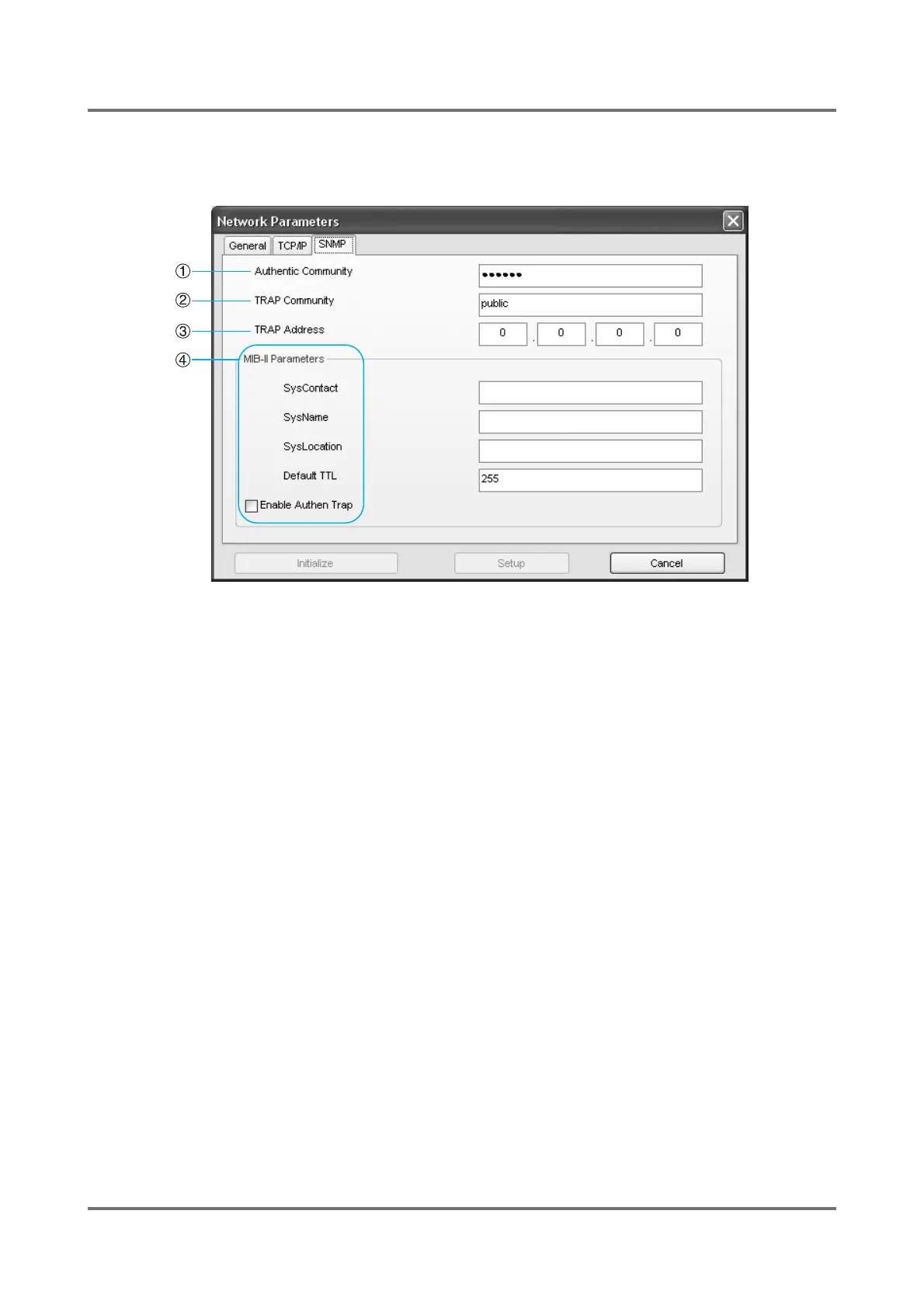
[SNMP] tab
The network configuration of a RISO printer which is required for the SNMP administrative tool can be specified here.
1) Authentic Community
The computer which belongs to this community only can
view the MIB-II parameters of a RISO printer specified
here. Up to 15 characters are available for this commu-
nity name.
2) TRAP Community
This community name is used when a RISO printer
sends a TRAP signal to a specified address. Up to 15
characters are available for this community name.
3) TRAP Address
This is the IP address of the location where TRAP sig-
nals are to be sent. When [0.0.0.0] is specified here, no
TRAP signal will be sent from a RISO printer.
4) MIB-II parameters
• SysContact
The mail address (up to 255 characters) of your sys-
tem administrator will normally be entered here.
• SysName
The host name or domain name (up to 255 charac-
ters) of a RISO printer will normally be entered here.
• SysLocation
The location (up to 255 characters) of a RISO printer
will normally be entered here.
• DefaultTTL
This indicates the allowable existence time of IP pack-
ets. Leave this value as it is (255).
• Enable Authen Trap
If this check box is selected, a TRAP signal will be
sent to the specified TRAP address whenever an
unauthorized computer tries to view the MIB-II param-
eters of a RISO printer.



 To Next Page