Utility Software Guides
RISO-MONITOR features
30
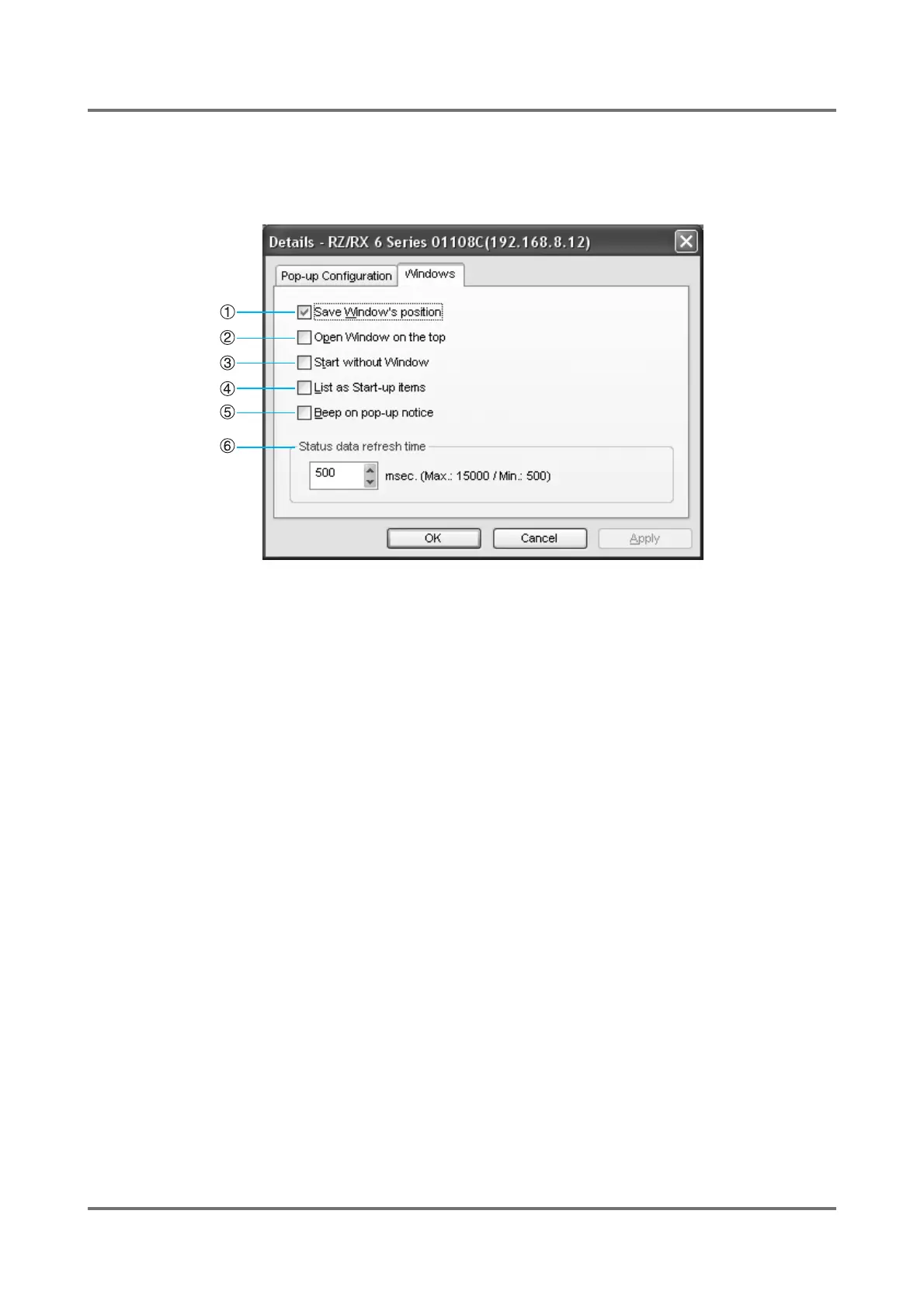
[Windows] tab
You can change the startup configuration of RISO-MONITOR here. The available options are as follows.
Select the checkboxes you want to set.
1) [Save Window's position]
Opens the [RISO-MONITOR] window at the same posi-
tion on the screen as in the previous time.
2) [Open Window on the top]
Always opens the [RISO-MONITOR] window over other
existing windows on the screen.
3) [Start without Windows]
Starts RISO-MONITOR without opening its window on
the screen, preparing the start-up icon on the windows
task bar.
4) [List as Start-up items]
Starts RISO-MONITOR immediately after the computer
system starts by placing its shortcut or program file in the
[Startup] folder.
5) [Beep on pop-up notice]
A beeping sound accompanies each pop-up notice.
6) [Status data refresh time]
Specifies the refresh time of the status data provided in
the [RISO-MONITOR] window.
Note:
• Increasing the Status data refresh time may reduce
the load on the network.



 To Next Page