Utility Software Guides
RISO-MONITOR features
29
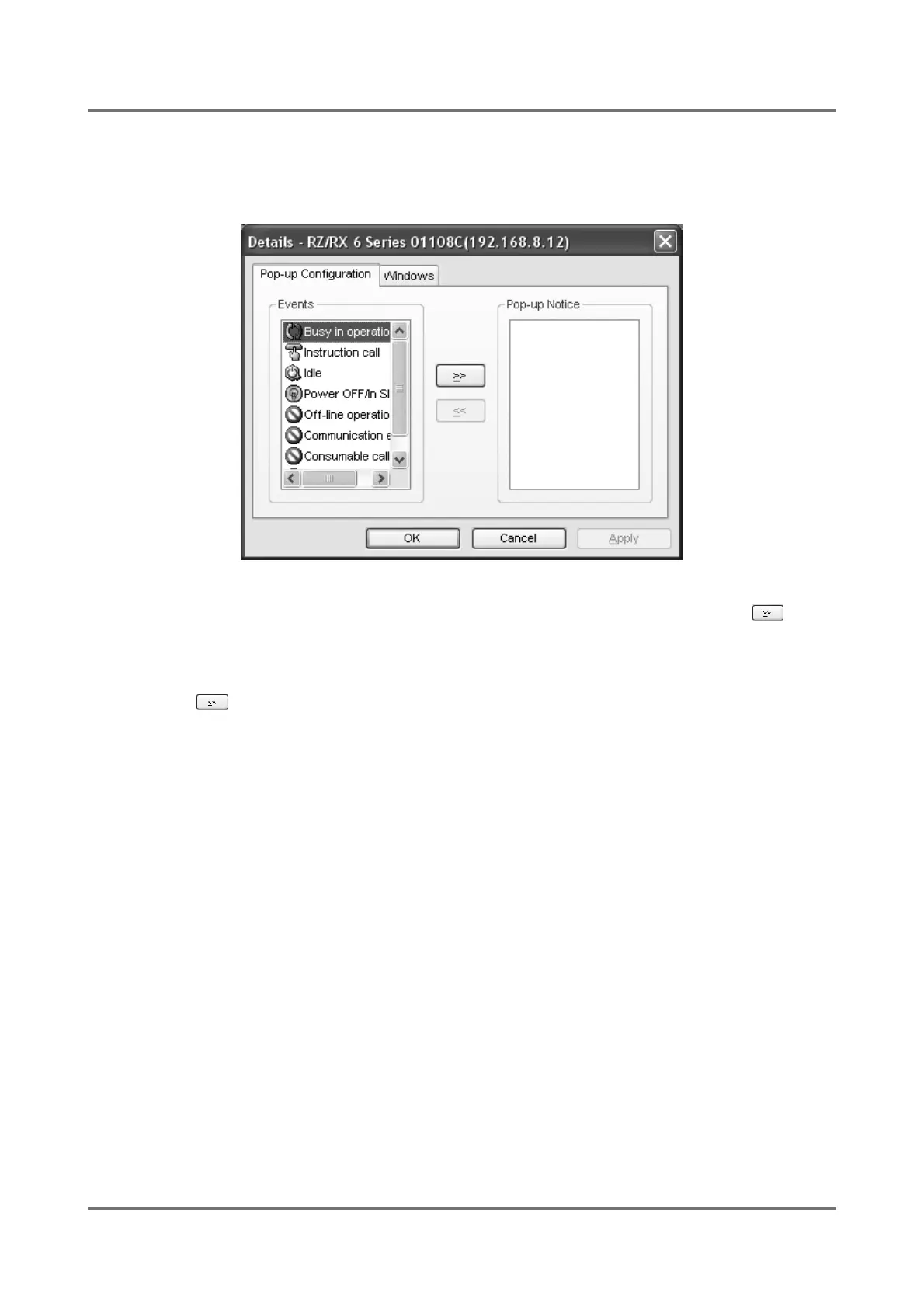
[Pop-up Configuration] tab
You can here specify in what status (event) of RISO printers you want an advice notice to pop up on your computer
screen using RISO-MONITOR for status monitoring.
The names of the events which can cause an advice notice to pop up are listed in the [Events] box on the left side.
If you want to specify an event as a pop-up notice condition, select it in the [Events] box and click on the button.
The selected event name is then shifted to the [Popup Notice] box on the right side, leading an advice notice to pop
up when the event concerned occurs.
If you want to cancel the pop-up notice attribute of an event, on the other hand, select it in the [Pop-up Notice] box
and click on the button. The selected event name is then returned to the [Events] box, preventing an advice
notice from popping up even when the event concerned occurs.



 To Next Page