Utility Software Guides
<Column> About RISO-PRINT
39
You can also click on the [Search] button and
browse the network for RISO printers. The
[Search for Print Server] dialog box:
Clicking on the [Configure] button allows you to
set up a broadcast address.
Clicking on the [Search Again] button will search
again.
Note:
• The [Queue Name] must not be set to anything
other than "lp".
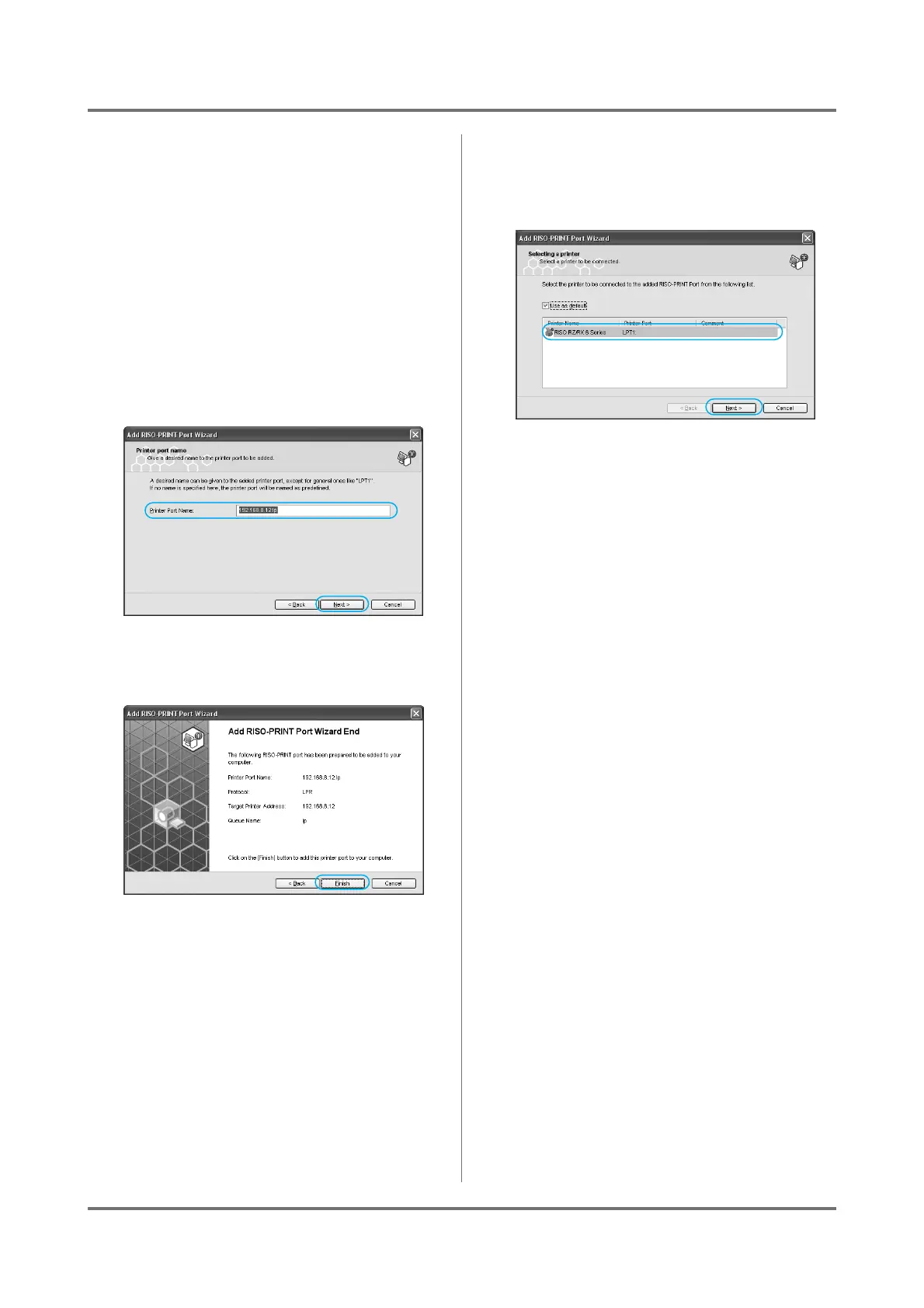
5
Confirm the [Printer Port Name], and
click on the [Next] button.
6
Click on the [Finish] button.
7
Select a RISO printer from the
[Printer Name] list, and click on the
[Next] button.
If you check the [Use as default] box, the printer
selected in the list will be designated as the
default printer.
8
Click on the [Finish] button.



 To Next Page