23
7. Control menu
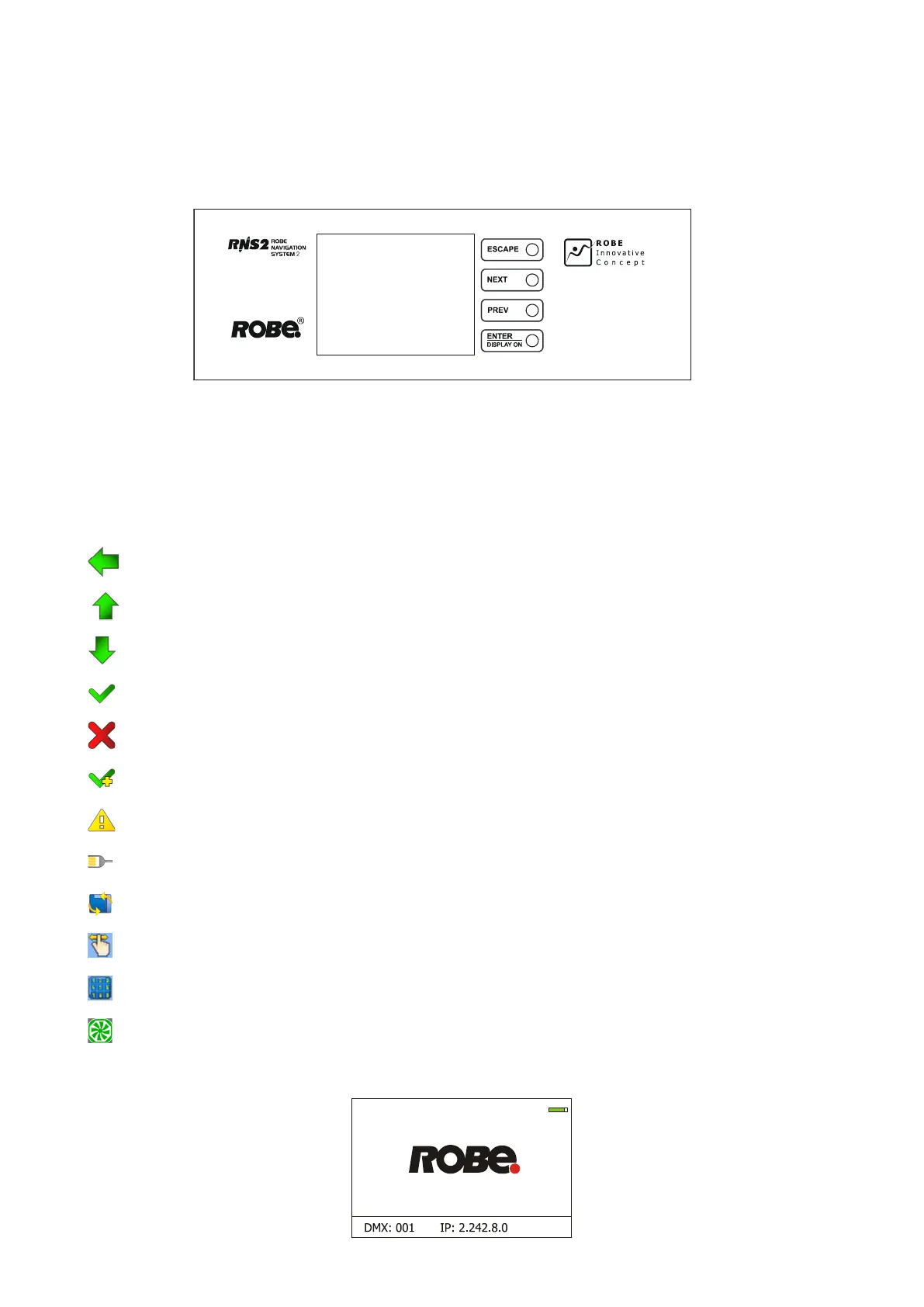
The Robin Esprite is equipped with the QVGA Robe touch screen with battery backup which
allows you to set the xture´s behaviour according to your needs, obtain information on its operation, control
all range of eects and program it in stand-alone mode.
The xture´s menu can be controlled either by the control buttons or directly by touching the icon.
Control buttons on the front panel:
[ESCAPE] button used to leave the menu without saving changes.
[NEXT] , [PREV] buttons for moving between menu items and symbols, adjusting values.
[ENTER/Display On] button used to enter the selected menu (menu item) and to conrm adjusted value.
If the xture is disconnected from mains, the button switches the touch screen on.
Icons used in the touch screen menu:
- [back arrow] used to move back to the previous screen (menu).
- [up arrow] used to move up on the previous page.
- [down arrow] used to move down on the next page.
- [conrm] used to save adjusted values, to leave menu or to perform desired action.
- [cancel] used to leave menu item without saving changes.
- [conrm+copy] used to save adjusted values and copy them to the next prog. step.
- [warning icon] used to indicate some error which has occurred in the xture.
- [Ethernet] used to indicate Ethernet connected.
- [menu rotation] used to rotate menu 180 degrees from current orientation.
- [slider control] used to recall slider system for setting desired value.
- [keyboard control] used to recall keyboard system for setting desired value.
- [air lters cleaning] used to signal that cleaning period of the air lters elapsed.
The menu page displays icons for each function that you can perform from the touch screen.
After switching the xture on, the touch screen shows the screen with the ROBE logo:















 To Next Page