28
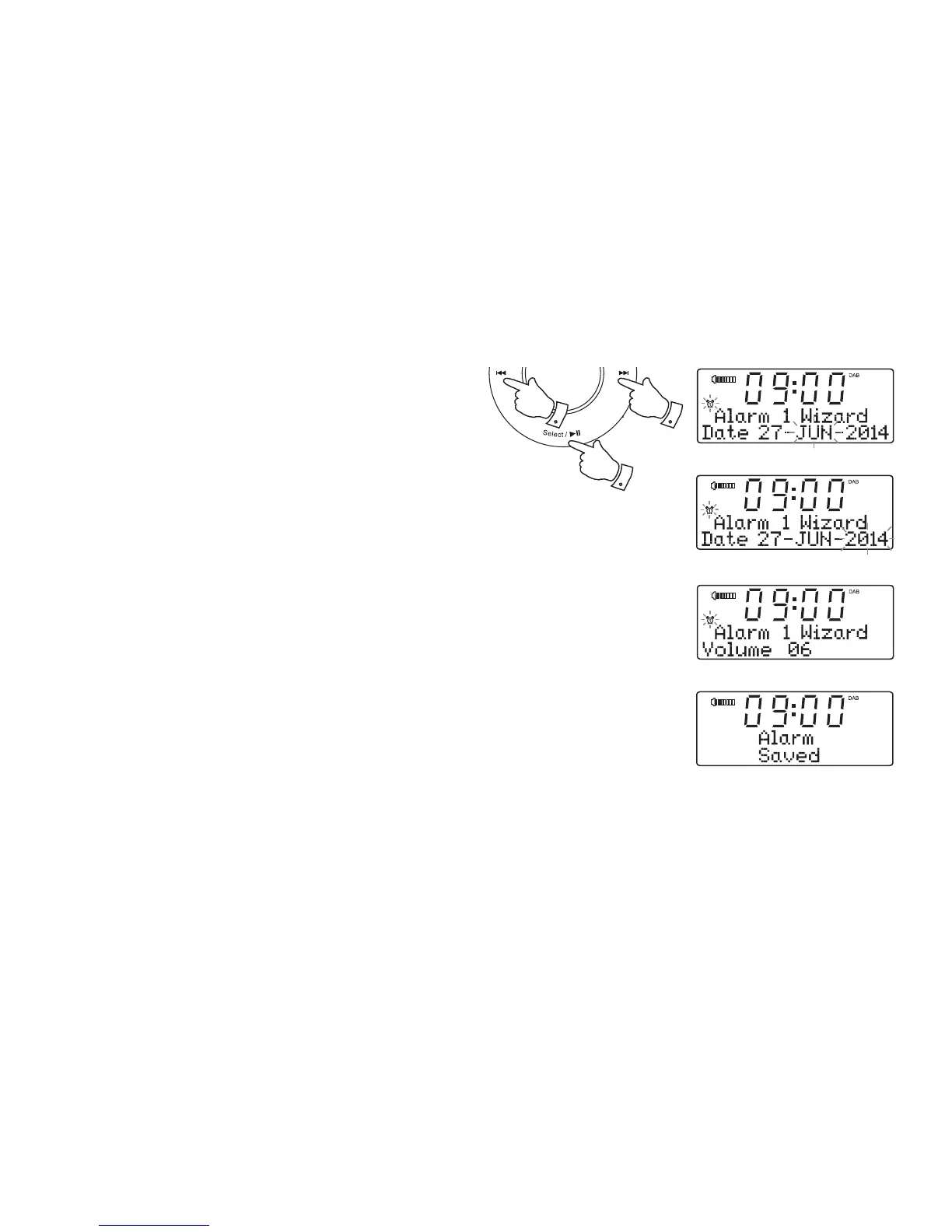
12. Press and release the Select button to enter the alarm day setting.
The alarm month will fl ash on the display.
13. Press the Tuning Up or Down buttons to choose the alarm month.
14. Press and release the Select button to enter the alarm month setting.
The alarm year will fl ash on the display.
15. Press the Tuning Up or Down buttons to choose the alarm year.
16. Press and release the Select button to enter the setting.
17. The alarm volume will show on the display. The clock radio uses the
saved volume setting for each alarm when it sounds.
18. Press the Tuning Up or Down buttons to select the desired alarm
volume.
19. Press and release the Select button to confi rm the alarm settings.
'Alarm Saved' will show on the display. The clock radio will exit the
alarm menu.
13-18 13-18
12-19












 To Next Page