3.2 Switch Board
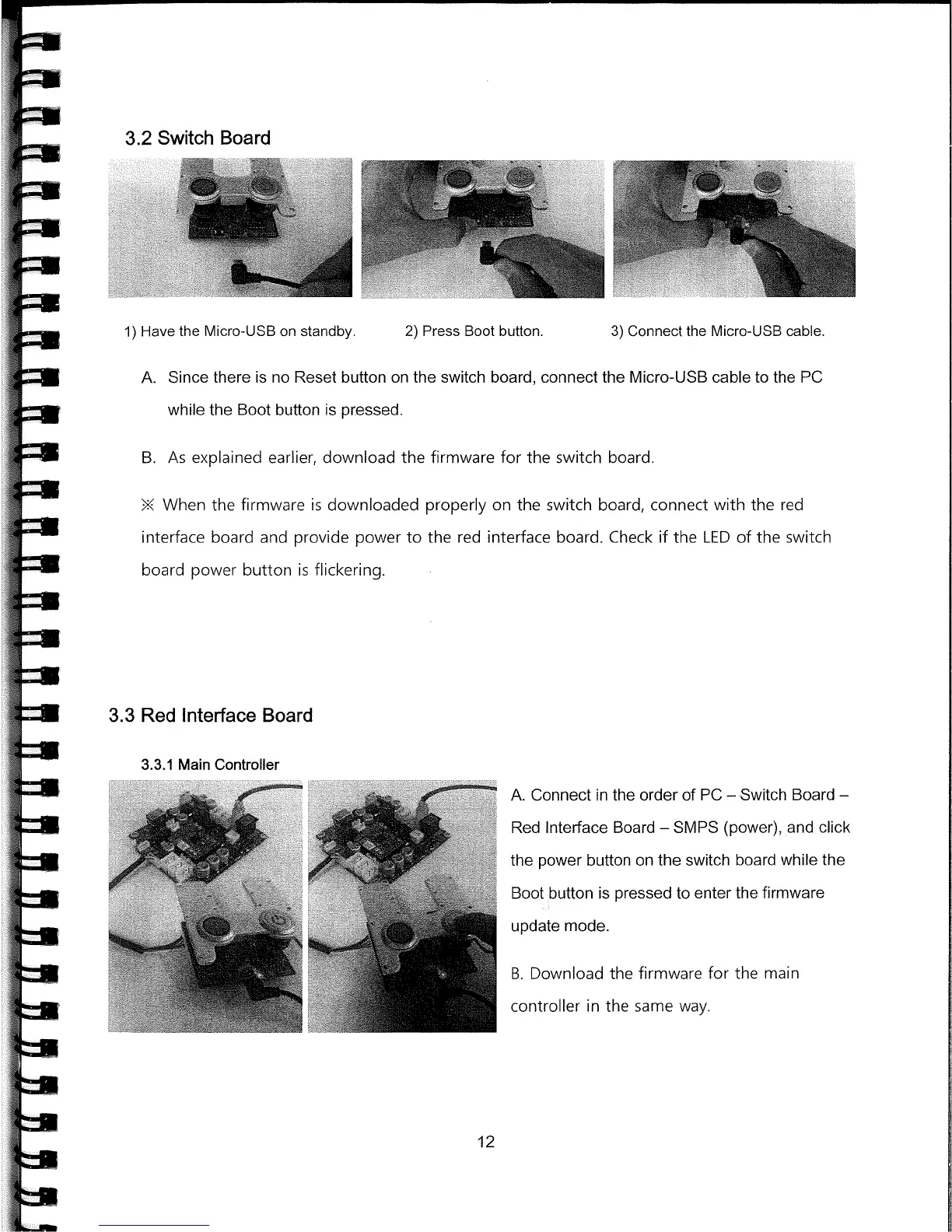
1) Have the Micro-USB on standby.
2) Press Boot button.
3) Connect the Micro-USB cable.
A.
Since there is no Reset button on the switch board, connect the Micro-USB cable to the PC
while the Boot button is pressed.
B.
As explained earlier, download the firmware for the switch board.
When the firmware is downloaded properly on the switch board, connect with the red
interface board and provide power to the red interface board. Check if the LED of the switch
board power button is flickering.
3.3
Red Interface
Board
3.3.1 Main Controller
A.
Connect in the order of PC
-
Switch Board
-
Red Interface Board
-
SMPS (power), and click
the power button on the switch board while the
Boot button is pressed to enter the firmware
update mode.
B.
Download the firmware for the main
controller in the same way.
12



 To Next Page