3. FIRMWARE DOWNLOAD
*Fi
rmware
download is not required unless update notice is released by Robobuilder (p9p13).
The four boards to download the firmware are head board, switch board, and red interface board
(main controller, sub controller). The program used to download the firmware is 'Flash Loader
Demo.exe'. Be careful as each board requires different switches to be pressed before downloading the
firmware.
3.1 Head Board
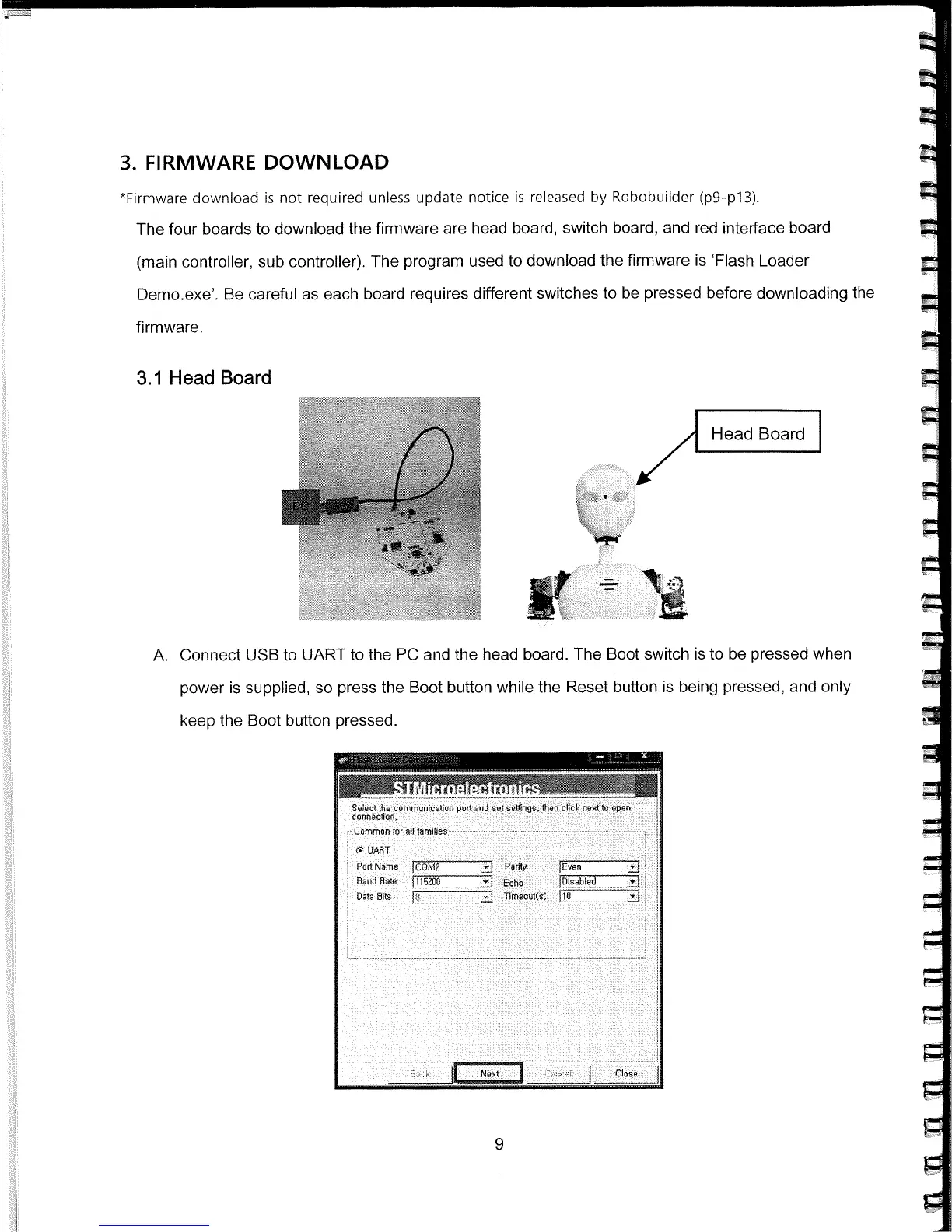
A. Connect USB to UART to the PC and the head board. The Boot switch is to be pressed when
power is supplied, so press the Boot button while the Reset button is being pressed, and only
keep the Boot button pressed.
Por
t
Name
I
cO
..:J
Paflty
Baud
R
a
te
lTiöTiJ
Echo
}i5ii
Data Bits
J
Tfrnout(s
Nt
F
IE



 To Next Page