©
JUMPER, 4Pin Cable: JUMPER, 4Pin Cable part is divided into 'SAM-1XX' and 'SAM-5!2X'.
Connect the jumper and cable for SAM-160, 210 to 'SAM-1XX' and, SAM-3, 5, 30, 100 to 'SAM-
512X'.
4.3 SAM ID SETTING DIRECTION
©
Prepare SAM Interface Single Board, Power Supply (18.5V), SAM Motor(motor for ID setting),
4Pin Cable (cable that fits the motor), and SAM_Programmer.exe.
©
First, connect the power line (18.5V) to the SAM Interface Single Board, and connect the jumper
and 4Pin Cable that corresponds to the SAM Motor specification.
©
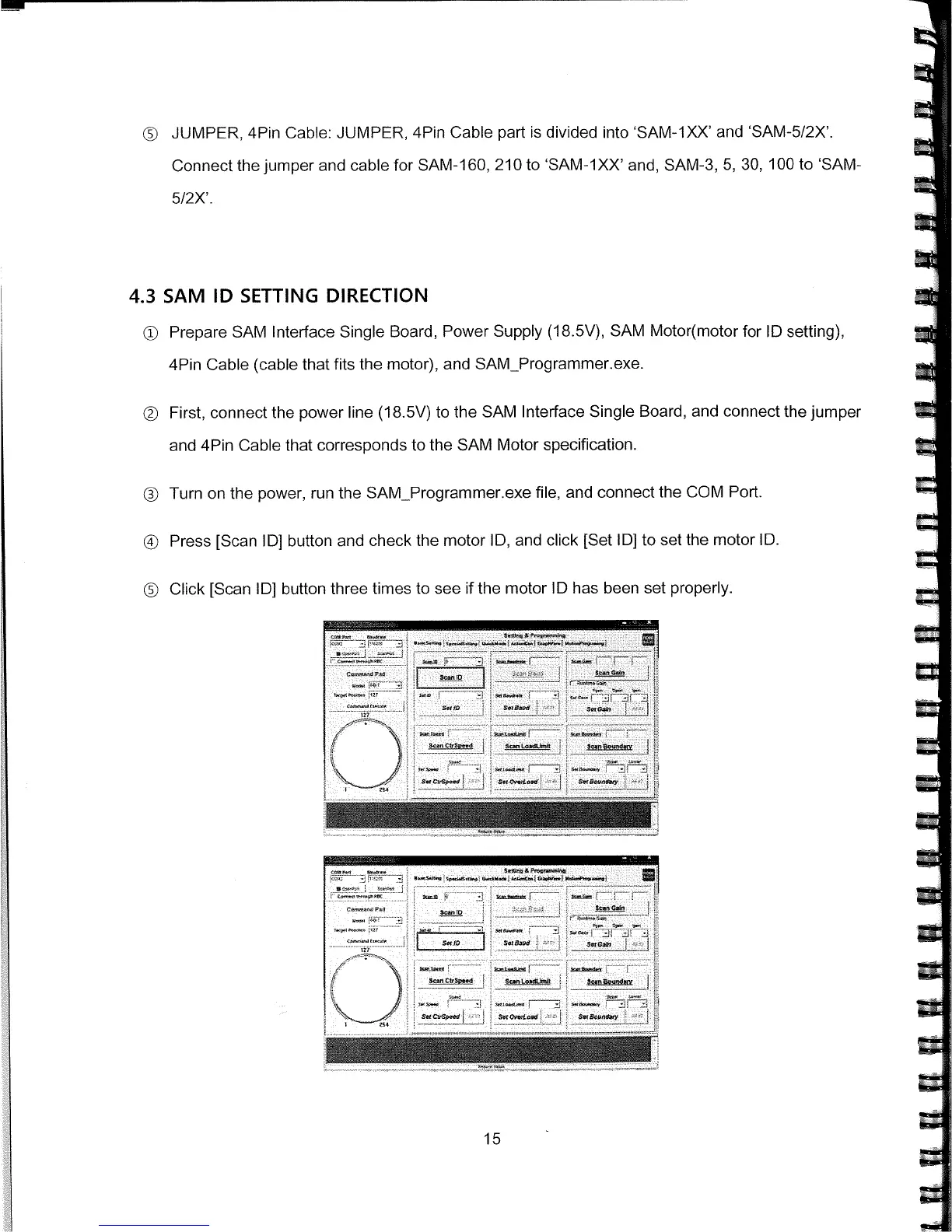
Turn on the power, run the SAM_Programmer.exe file, and connect the COM Port.
ij Press [Scan ID] button and check the motor ID, and click [Set ID] to set the motor ID.
©
Click [Scan ID] button three times to see if the motor ID has been set properly.
15



 To Next Page