Robustel M1200 User Guide
RT_UG_M1200_v.1.0.2 9 Apr., 2018 21/78
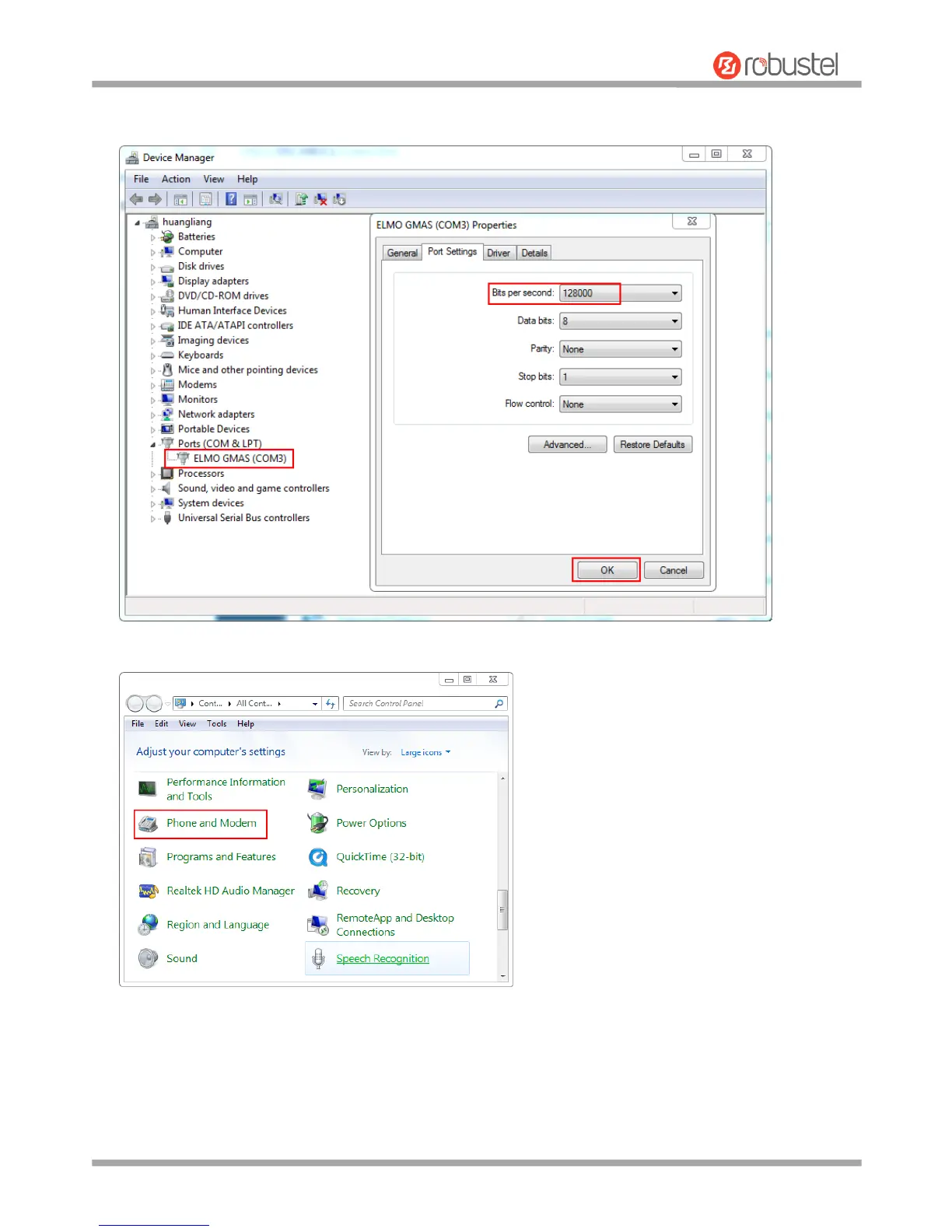
2. After the device USB is connected to the computer, check the identified serial port, right-click the Properties,
and set the serial port rate.
3. In the Control Panel, select Phone and Modem, add a modem.


 To Next Page