Robustel M1200 User Guide
RT_UG_M1200_v.1.0.2 9 Apr., 2018 42/78
3.7 Interface > Cellular
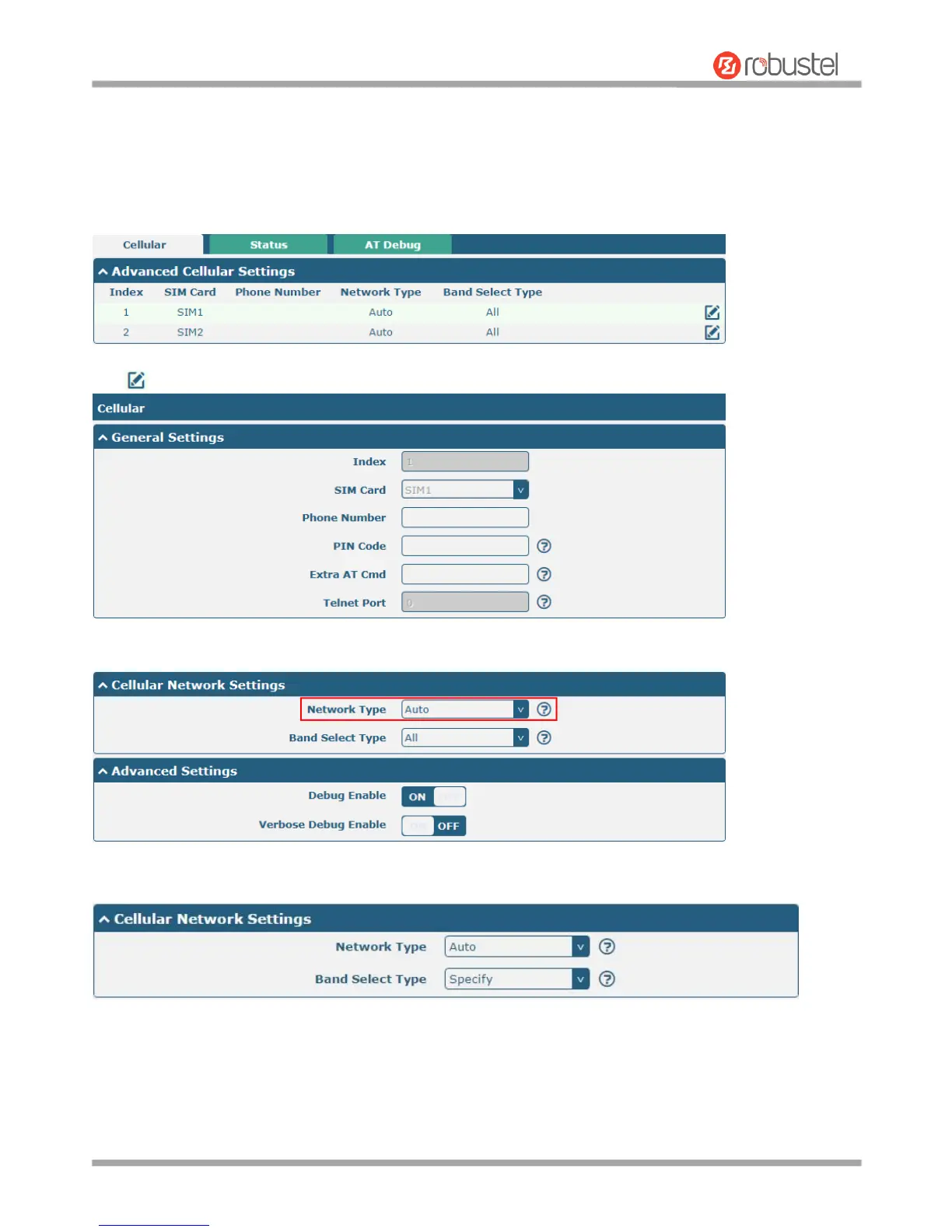
This section allows you to set the related parameters of Cellular. M1200 has two SIM card slots, but do not support
two SIM cards online simultaneously due to its single-module design. If insert single SIM card at the first time, SIM1
slot and SIM2 slots are available.
Click of SIM 1 to edit the parameters.
The window is displayed as below when choosing “Auto” as the network type.
The window is displayed as below when choosing “Specify” as the band select type.


 To Next Page