Robustel M1200 User Guide
RT_UG_M1200_v.1.0.2 9 Apr., 2018 69/78
3.23 System > Tools
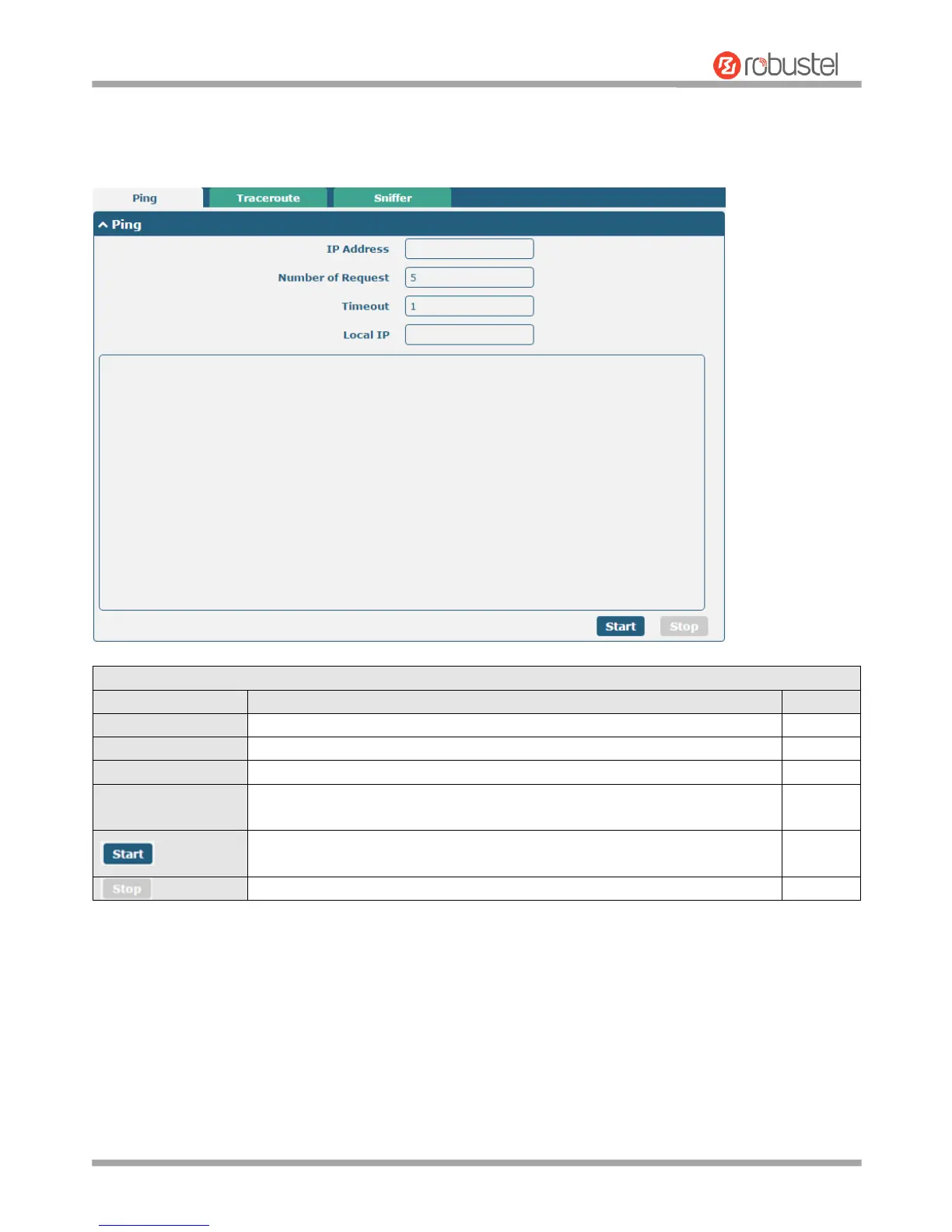
This section provides users three tools: Ping, Traceroute and Sniffer.
Enter the ping’s destination IP address or destination domain.
Specify the number of ping requests.
Specify the timeout of ping requests.
Specify the local IP from cellular WAN, Ethernet WAN or Ethernet LAN. Null
stands for selecting local IP address from these three automatically.
Click this button to start ping request, and the log will be displayed in the
follow box.
Click this button to stop ping request.


 To Next Page