Robustel M1200 User Guide
RT_UG_M1200_v.1.0.2 9 Apr., 2018 33/78
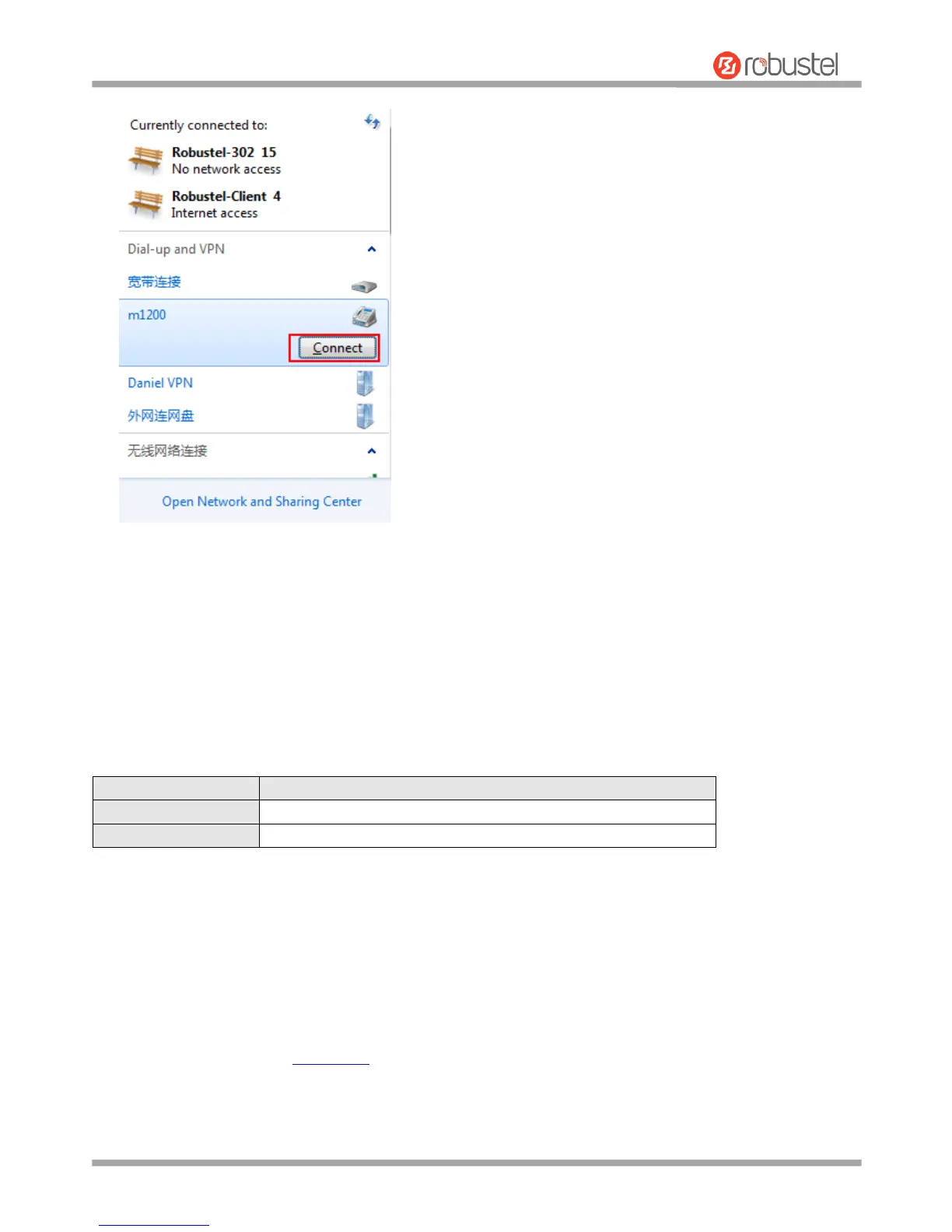
3. Click Connect to establish a connection with the device.
4. After dialing successfully, open it on the browser: 192.168.0.1.
3.2 Factory Default Settings
Before configuring your gateway, you need to know the following default settings.
3.3 Log in the Gateway
To log in to the management page and view the configuration status of your gateway, please follow the steps below.
1. On your PC, open a web browser such as Internet Explorer, Google and Firebox, etc.
2. From your web browser, type the IP address of the gateway into the address bar and press enter. The default IP
address of the gateway is 192.168.0.1, though the actual address may vary.
Note: If a SIM card with a public IP address is inserted in the gateway, enter this corresponding public IP address
in the browser’s address bar to access the gateway wirelessly.


 To Next Page