Robustel M1200 User Guide
RT_UG_M1200_v.1.0.2 9 Apr., 2018 61/78
Click the toggle button to enable/disable the TLS/SSL option.
Enter the SMTP server IP Address or domain name.
Enter the SMTP server port.
Enter the username which has been registered from SMTP server.
Enter the password of the username above.
Enter the source address of the email.
Enter the subject of this email.
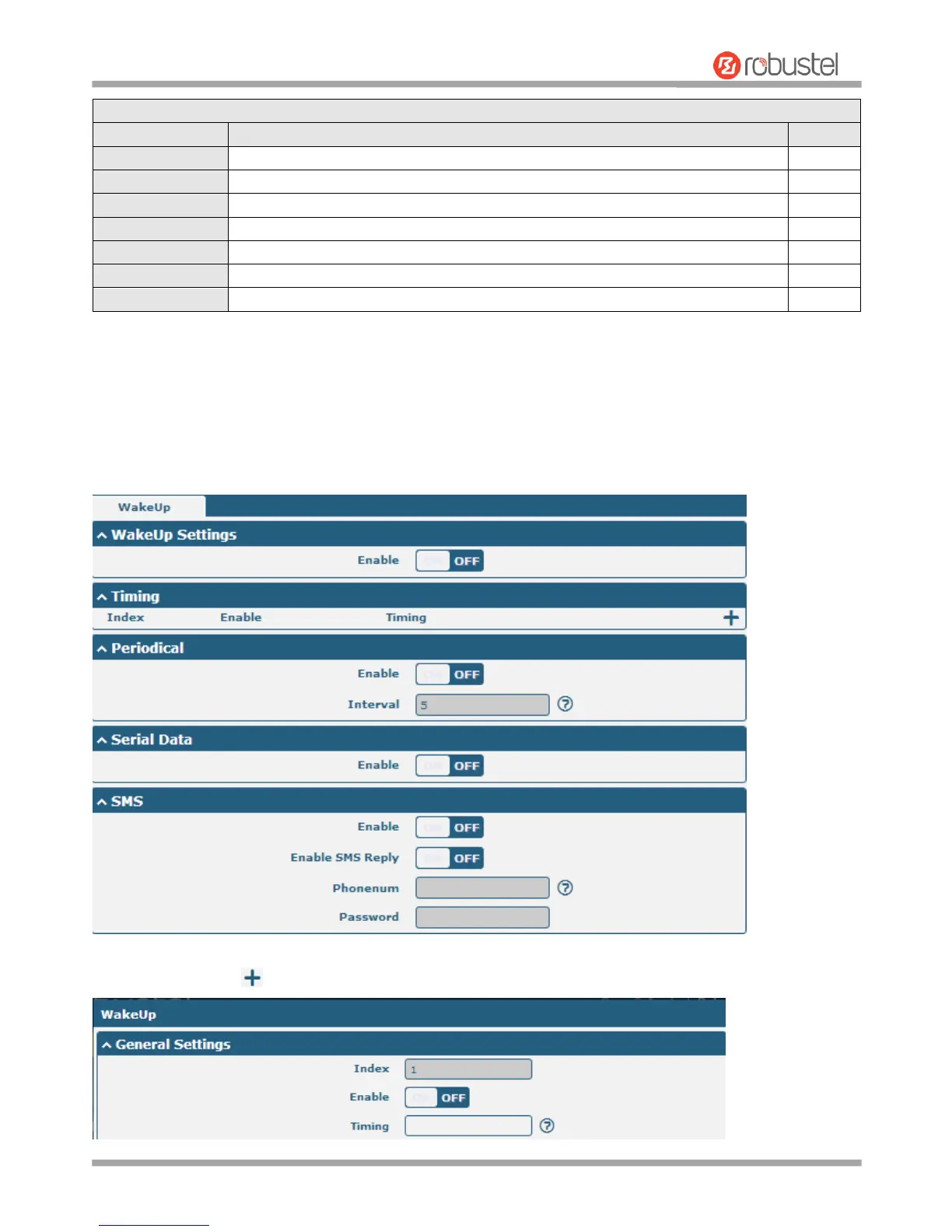
3.15 Services > WakeUp
Gateway supports a variety of wake-up dialing policies, including regular wake-up, interval wake-up, serial data
wake-up, and SMS wake-up. Here, users can set different wake-up policies.
Click on the right side of the Timing to add a wake-up time point. Up to 3 can be added.


 To Next Page