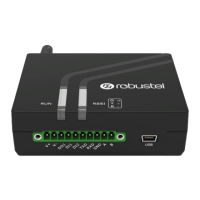
Robustel M1200 User Guide
RT_UG_M1200_v.1.0.2 9 Apr., 2018 7/78
Contents
Chapter 1 Product Overview ........................................................................................................................... 8
1.1 Key Features ............................................................................................................................................... 8
1.2 Package Contents ....................................................................................................................................... 9
1.3 Specifications ........................................................................................................................................... 10
1.4 Dimensions ............................................................................................................................................... 12
1.5 Ordering Information ............................................................................................................................... 12
Chapter 2 Hardware Installation .................................................................................................................... 13
2.1 PIN Assignment ........................................................................................................................................ 13
2.2 LED Indicators ........................................................................................................................................... 14
2.3 USB interface ............................................................................................................................................ 15
2.4 Insert or Remove SIM Card ...................................................................................................................... 16
2.5 Attach External Antenna (SMA Type) ....................................................................................................... 17
2.6 Mount the Gateway ................................................................................................................................. 17
2.7 Connect the Gateway to a Computer ....................................................................................................... 19
2.8 Power Supply ............................................................................................................................................ 19
Chapter 3 Initial Configuration ...................................................................................................................... 20
3.1 Configure the PC....................................................................................................................................... 20
3.2 Factory Default Settings ........................................................................................................................... 33
3.3 Log in the Gateway ................................................................................................................................... 33
3.4 Control Panel ............................................................................................................................................ 34
3.5 Status ........................................................................................................................................................ 35
3.6 Interface > Link Manager ......................................................................................................................... 37
3.7 Interface > Cellular ................................................................................................................................... 42
3.8 Interface > DIDO ....................................................................................................................................... 46
3.9 Interface > Serial Port ............................................................................................................................... 50
3.10 Services > Syslog ....................................................................................................................................... 55
3.11 Services > Event ........................................................................................................................................ 56
3.12 Services > NTP .......................................................................................................................................... 58
3.13 Services > SMS .......................................................................................................................................... 59
3.14 Services > Email ........................................................................................................................................ 60
3.15 Services > WakeUp ................................................................................................................................... 61
3.16 Services > DDNS ....................................................................................................................................... 63
3.17 Services > SSH........................................................................................................................................... 64
3.18 Services > Web Server .............................................................................................................................. 65
3.19 Services > Advanced ................................................................................................................................. 66
3.20 System > Debug ........................................................................................................................................ 66
3.21 System > Update ...................................................................................................................................... 67
3.22 System > App Center ................................................................................................................................ 67
3.23 System > Tools .......................................................................................................................................... 69
3.24 System > Profile ........................................................................................................................................ 71
3.25 System > User Management .................................................................................................................... 73
Glossary............................................................................................................................................................. 75


 To Next Page
 Loading...