Robustel M1200 User Guide
RT_UG_M1200_v.1.0.2 9 Apr., 2018 20/78
Chapter 3 Initial Configuration
The gateway supports webpage configuration. The supported browsers are IE8.0 or above, Google, Firefox, etc. The
supported operating systems are Windows XP, Windows 7 and Windows 10. For M1200, the method of connecting to
the gateway is to use a PC to make a PPP dial-up connection to the device so that users can configure it on the web
page through the mini USB port.
3.1 Configure the PC
Establishing a PPP Server on the device side to monitor dialing request from the serial port, then use the serial port
to establish a PPP connection with PC to establish IP channel. On the PC side, configure the following for different
operating systems:
Here take Windows 7 as example, and the configuration for windows system is similar.
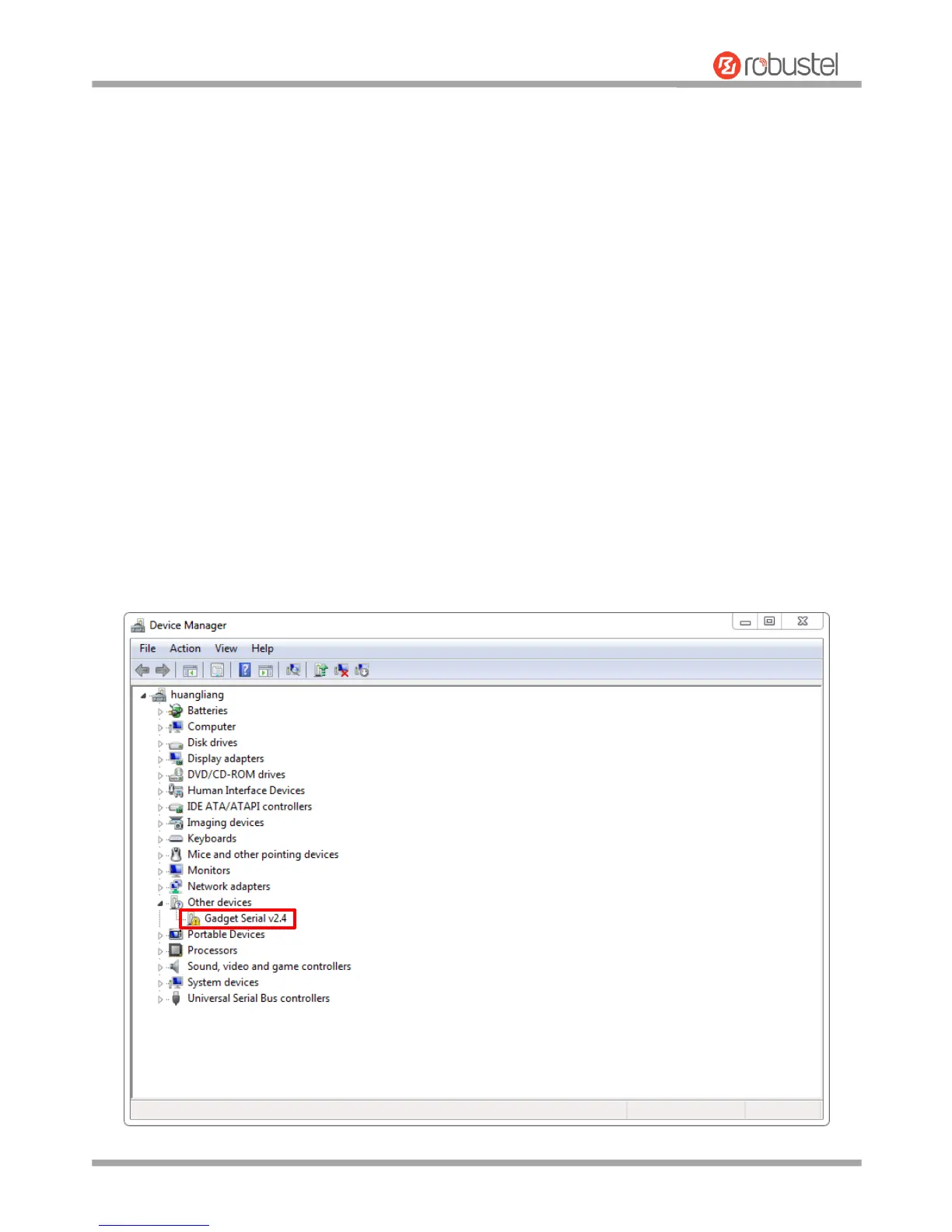
1. After the device is powered on, the PC detects the new serial port and tries to install the driver. If the PC can not
automatically install the driver, as shown in the figure below, you need to manually add the driver; please follow
the readme operation tips under m1200_ppp_configure\usb_driver in the attachment. Please download from
the official website or consult technical support for the corresponding attachments.


 To Next Page