24
Listening to the Demo Songs
3. Listen to the Demo Songs
1
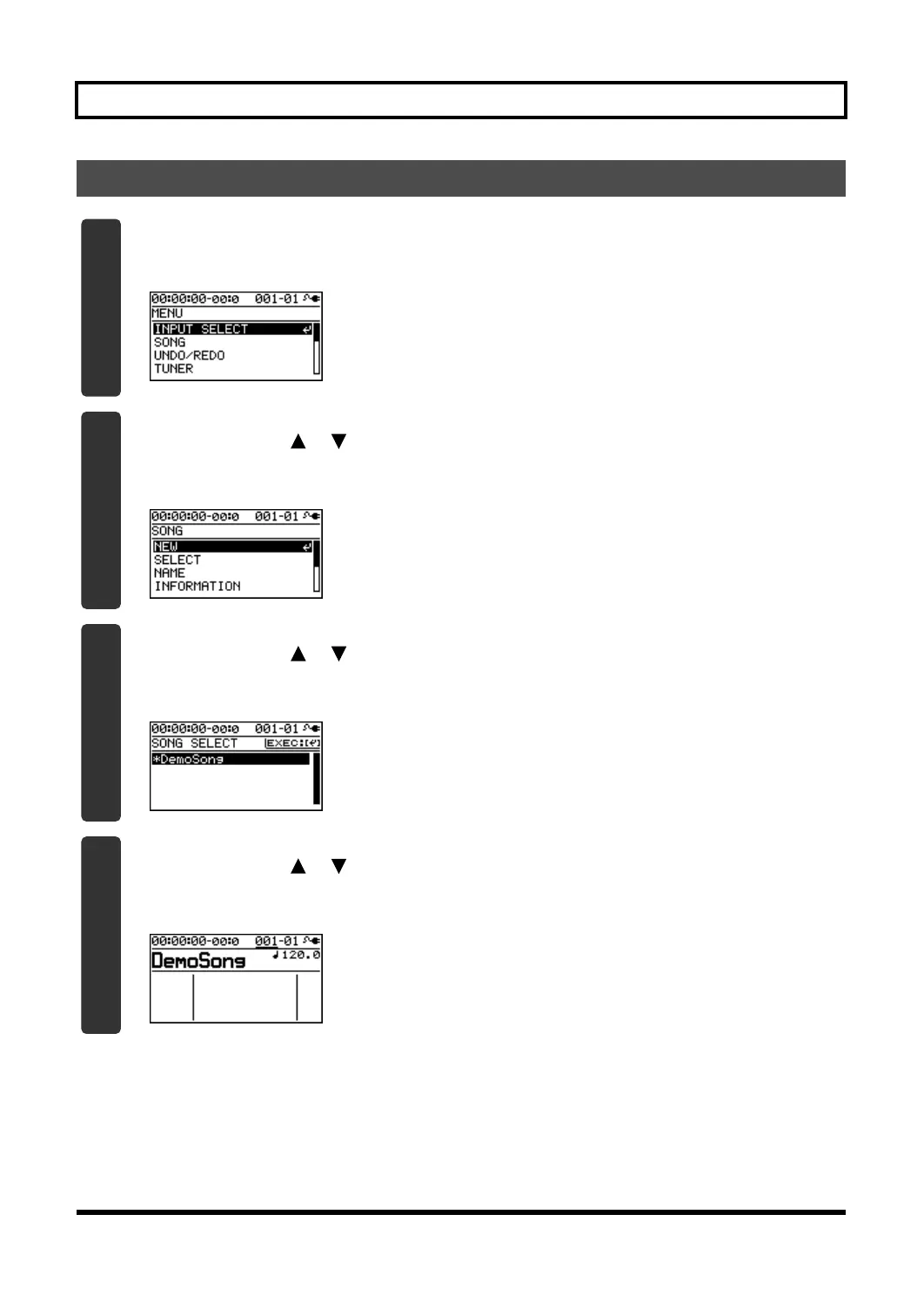
Press the [MENU] button.
The MENU screen will appear.
D_Menu_Input.eps
2
Use the CURSOR [ ] [ ] buttons to move the cursor to “SONG,” and press the
[ENTER] button.
The SONG screen will appear.
D_Song_New.eps
3
Use the CURSOR [ ] [ ] buttons to move the cursor to “SELECT,” and press the
[ENTER] button.
The SONG SELECT screen will appear.
4
Use the CURSOR [ ] [ ] buttons to move the cursor to “DemoSong,” and press the
[ENTER] button.
The play screen will appear.
BR800_e.book 24 ページ 2010年3月2日 火曜日 午後6時40分



 To Next Page
 Loading...


