91
EditingMasteringUsing USBConvenient
Functions
Appendixes Quick StartGetting Ready
to Record
Recording/
Playback
Using
Effects
Using
Rhythm
Playing Patterns
Here’s how to select one of the internal patterns and make it
play repeatedly.
1
Press the [RHYTHM] button.
The [RHYTHM] button will light, indicating that
Rhythm is turned on.
2
Use the CURSOR [ ] [ ] buttons to move the
cursor to “TYPE.”
3
Turn the dial to select “PATTERN.”
4
Use the CURSOR [ ] [ ] buttons to move the
cursor to “PATRN.”
5
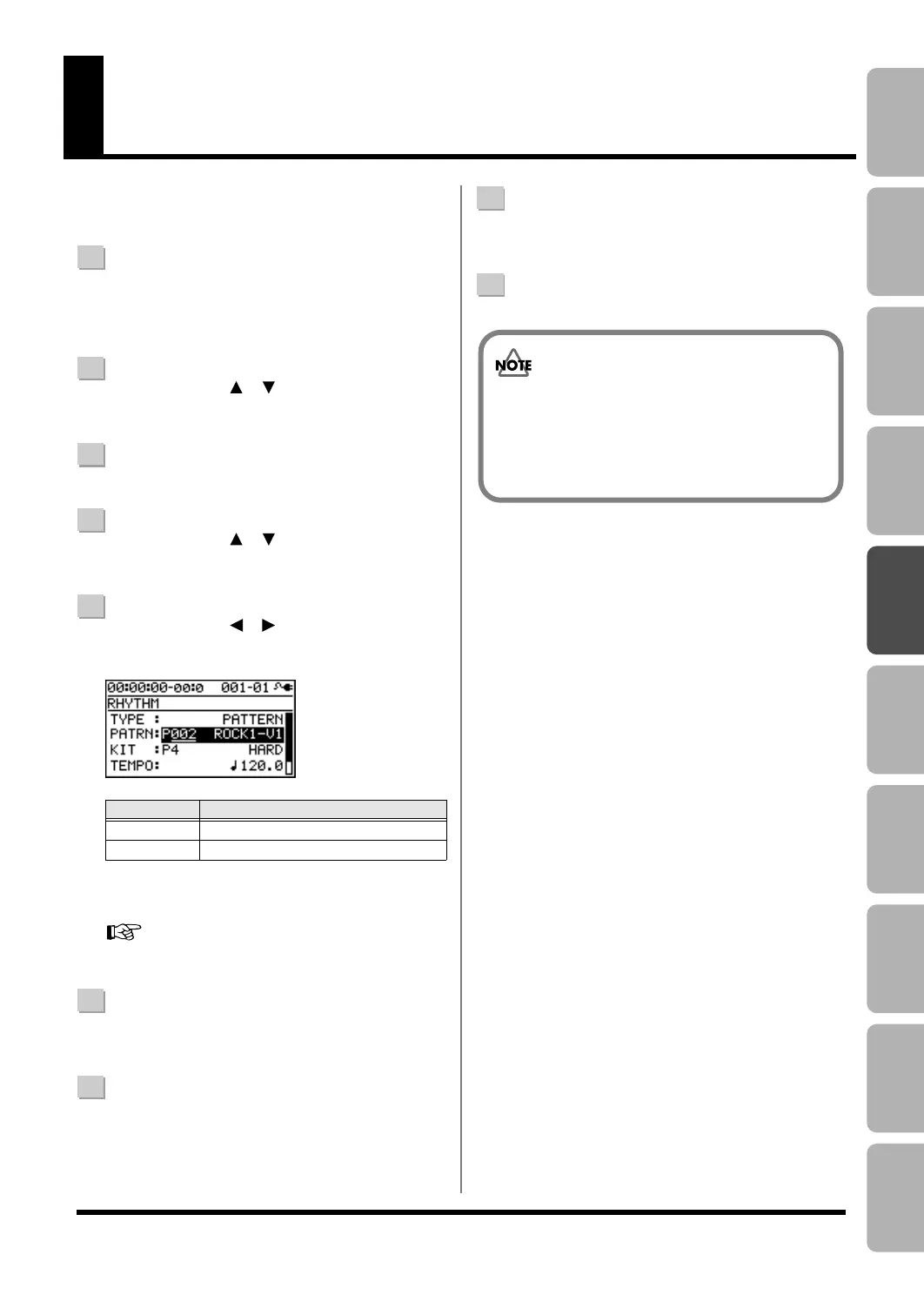
Use the CURSOR [ ] [ ] buttons and the dial to
select the pattern that you want to play.
D_Rhythm_Pattern.eps
*1 On your computer, you can create your own
original patterns using “BR-800 Rhythm Editor.”
“Using BR-800 Rhythm Editor” (p. 88)
6
Press the [EXIT] button a number of times to return to
the play screen.
7
Press the [PLAY] button.
The recorder will begin playback, and the rhythm will
also play.
8
Use the [RHYTHM] fader and the [MASTER] fader to
adjust the volume appropriately.
9
To stop playback, press the [STOP] button.
Setting
Explanation
P001–P327
Preset patterns 1–327
S001–S100 Song patterns 1–100 *1
• When the BR-800 is shipped from the factory, the
song patterns (S001–S100) contain no data, so
nothing will play even if you select them.
• The pattern “P327: BREAK” contains only rests.
No sounds will be heard if you select this pattern.
BR800_e.book 91 ページ 2010年3月2日 火曜日 午後6時40分



 To Next Page
 Loading...


