36
Recording
The BR-800 manages your recordings in units called
“songs.”
To record a new song, carry out the procedure below.
1
Press the [MENU] button.
2
Use the CURSOR [ ] [ ] buttons to move the
cursor to “SONG,” and press the [ENTER] button.
D_Song_New.eps
3
Use the CURSOR [ ] [ ] buttons to move the
cursor to “NEW,” and press the [ENTER] button.
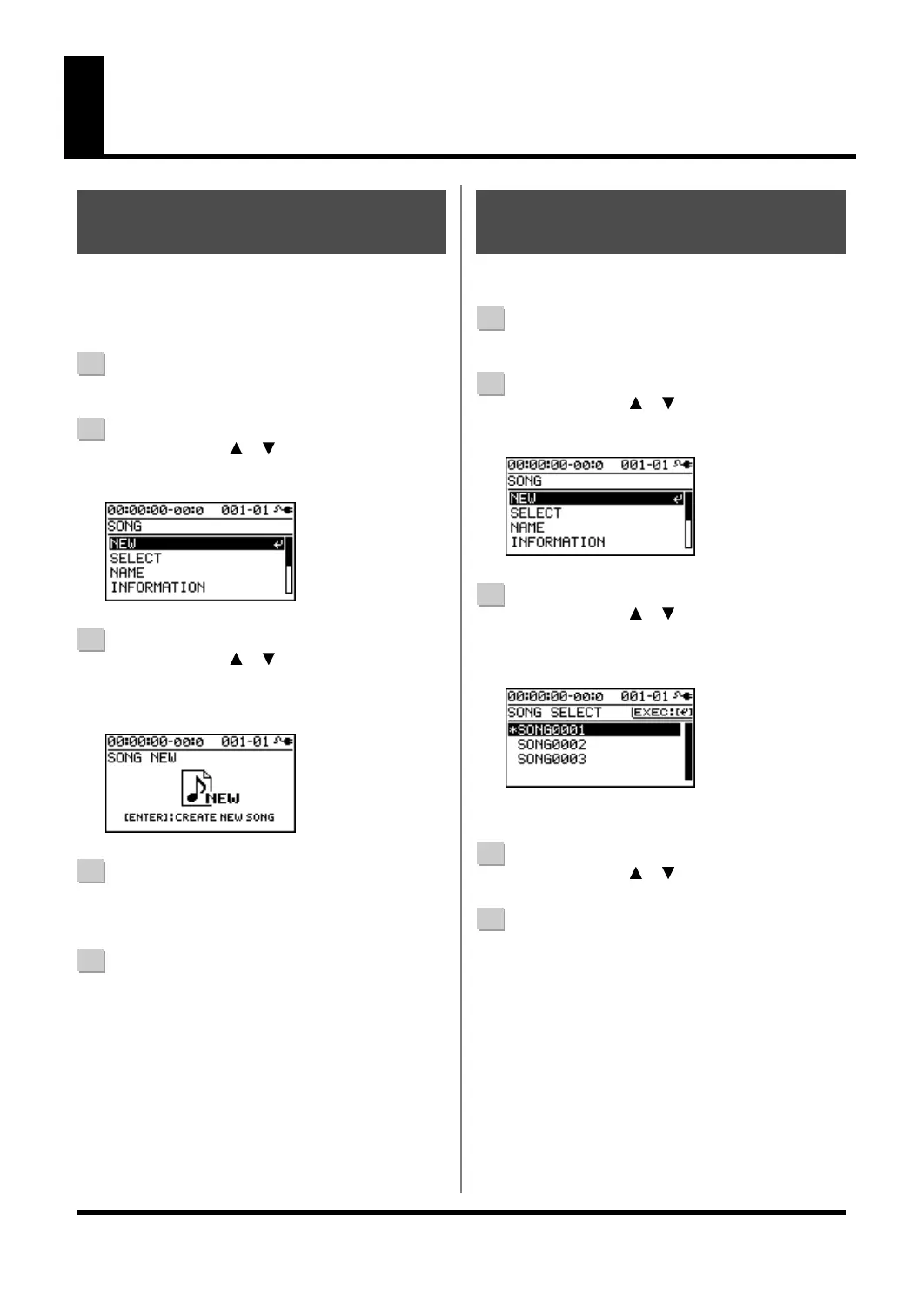
The SONG NEW screen will appear.
D_SongNew.eps
4
Press the [ENTER] button.
The display will ask “Are you sure?”
5
Press the [ENTER] button.
A new song will be created, and you will return to the
play screen.
* The display will indicate “Keep power on!” while the data is
being updated. Never turn off the power while this message
is shown.
Select the song that you want to record.
1
Press the [MENU] button.
2
Use the CURSOR [ ] [ ] buttons to move the
cursor to “SONG,” and press the [ENTER] button.
D_Song_New.eps
3
Use the CURSOR [ ] [ ] buttons to move the
cursor to “SELECT,” and press the [ENTER] button.
The SONG SELECT screen will appear.
D_Song_Select.eps
An “*” is displayed next to the currently selected song.
4
Use the CURSOR [ ] [ ] buttons to select a song.
5
Press the [ENTER] button.
The song will be selected, and you’ll return to the play
screen.
* The display will indicate “Keep power on!” while the data is
being updated. Never turn off the power while this message
is shown.
Creating a New Song
(SONG NEW)
Selecting a Song
(SONG SELECT)
BR800_e.book 36 ページ 2010年3月2日 火曜日 午後6時40分



 To Next Page
 Loading...


