EasyManua.ls Logo

Roland SUPER JX - Page 45

Roland SUPER JX
88 pages
Print Icon
To Next Page IconTo Next Page
To Previous Page IconTo Previous Page
Loading...
@
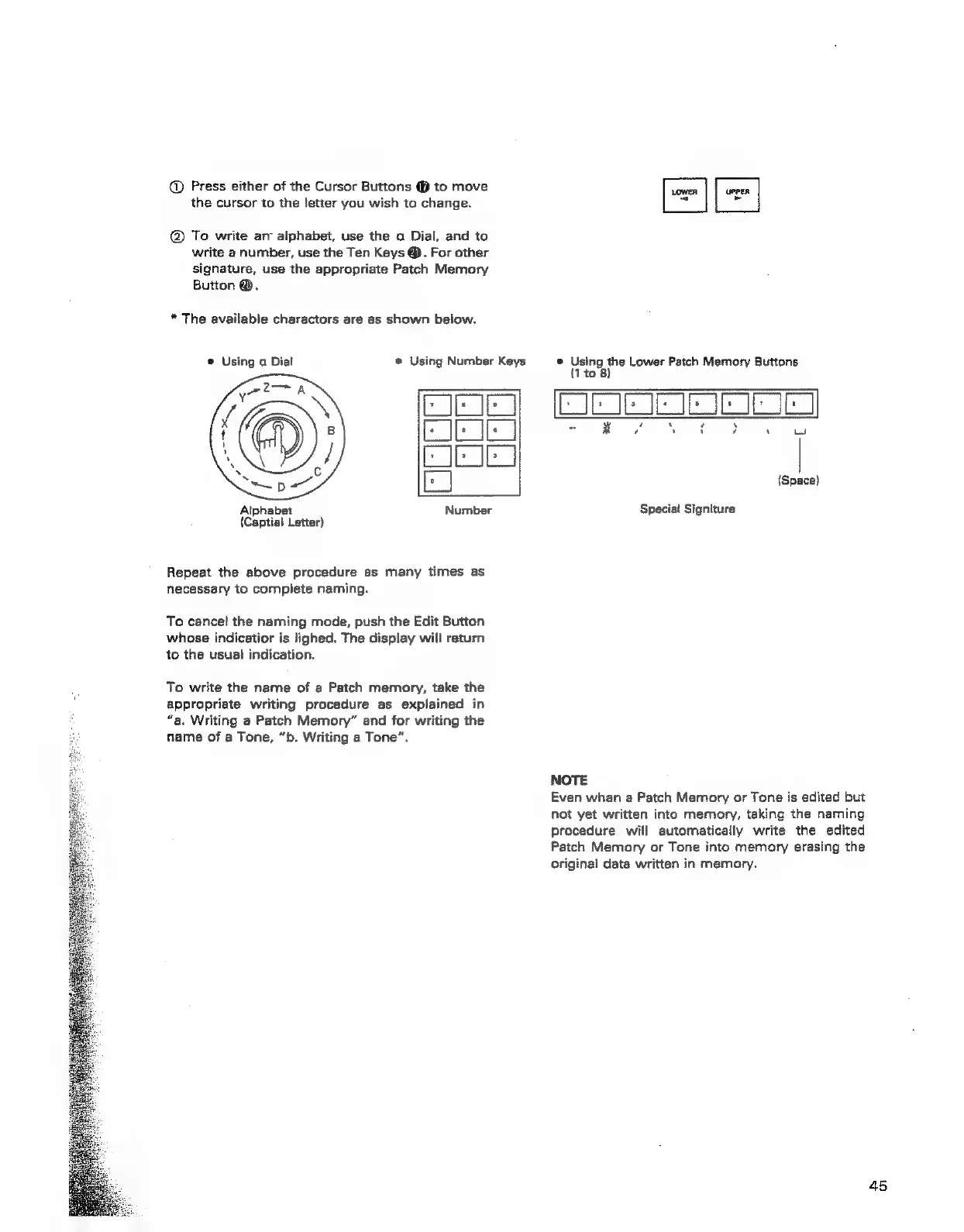
Press
either
of
the
Cursor
Buttons
@
to
move
the
cursor
to
the
letter
you
wish
to
change.
@
To
write
ary
alphabet,
use
the
a
Dial,
and
to
write
a
number,
use
the
Ten
Keys
@).
For
other
signature,
use
the
appropriate
Patch
Memory
Button
@.
*
The
available
charactors
are
as
shown
below.
@
Using
a
Dial
®
Using
Number
Keys
UPPER
~
®
Using
the
Lower
Patch
Memory
Buttons
{1
to
8)
Alphabet
(Captial
Letter)
Repeat
the
above
procedure
as
many
times
as
necessary
to
complete
naming.
To
cancel
the
naming
mode,
push
the
Edit
Button
whose
indicatior
is
lighed.
The
display
will
return
to
the
usuai
indication.
To
write
the
name
of
a
Patch
memory,
take
the
appropriate
writing
procedure
as
explained
in
“a.
Writing
a
Patch
Memory”
and
for
writing
the
name
of
a
Tone,
“b.
Writing
a
Tone”.
omc
exec
wey
yw
a
(Space)
Special
Signiture
NOTE
Even
whan
a
Patch
Memory
or
Tone
is
edited
but
not
yet
written
into
memory,
taking
the
naming
procedure
will
automatically
write
the
edited
Patch
Memory
or
Tone
into
memory
erasing
the
original
data
written
in
memory.