Quick Start Guide
13
January 2017
Note
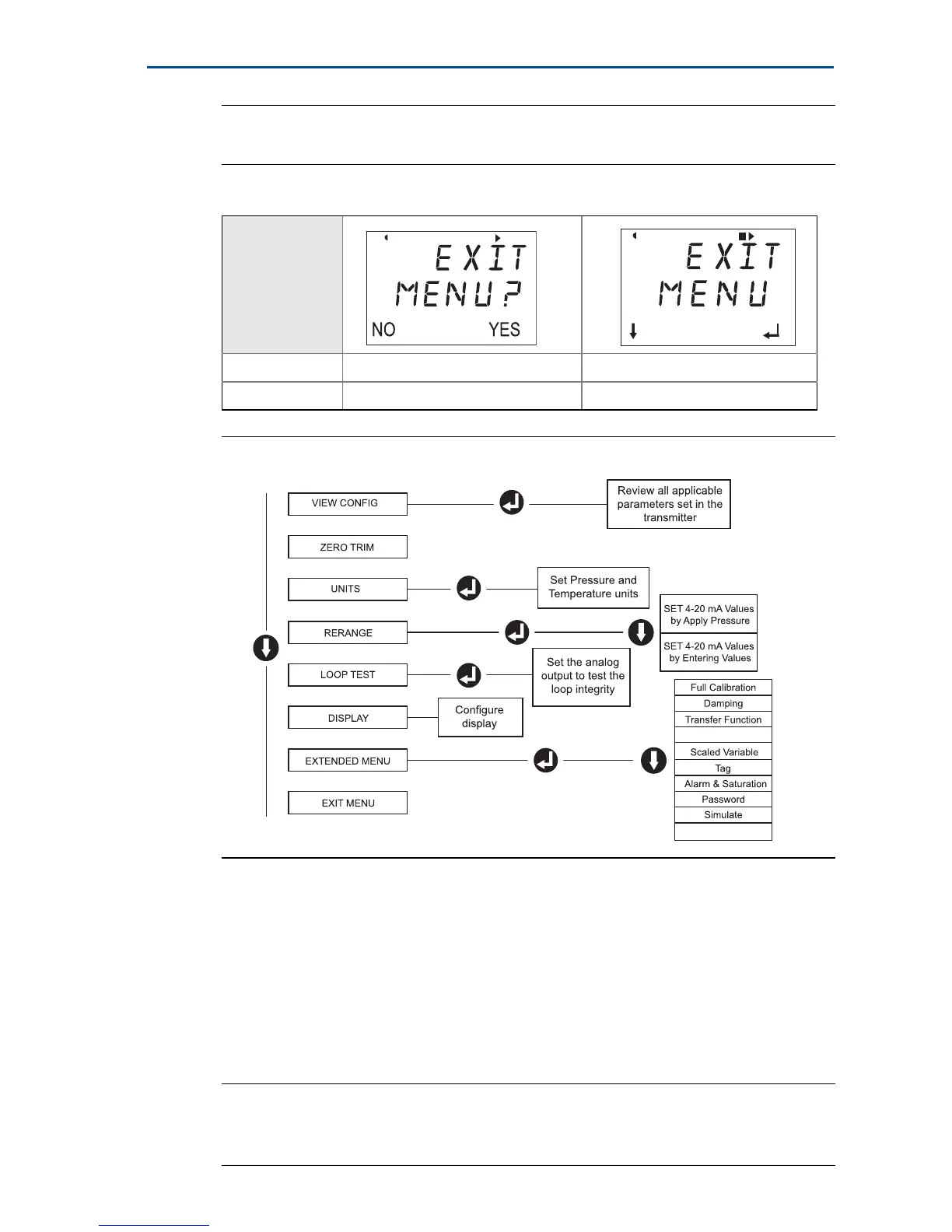
See Figure 10 on page 15 to confirm external button functionality.
Figure 9. LOI Menu
Switch HART revision mode
If the HART configuration tool is not capable of communicating with HART
Revision 7, the Rosemount 3051 will load a generic menu with limited
capability. The following procedures will switch the HART revision mode from
the generic menu:
1. Manual Setup > Device Information > Identification > Message
a. To change to HART Revision 5, Enter: HART5 in the Message field.
b. To change to HART Revision 7, Enter: HART7 in the Message field.
Note
See Table 3 on page 11 to change HART Revision when the correct device driver
is loaded.
Table 4. LOI Button Operation
Button
Left No SCROLL
Right Yes ENTER
Assign PV
HART Revision



 To Next Page