AC750 Wireless Dual Band Gigabit Router RNX-AC750RT User Manual
- 130 -
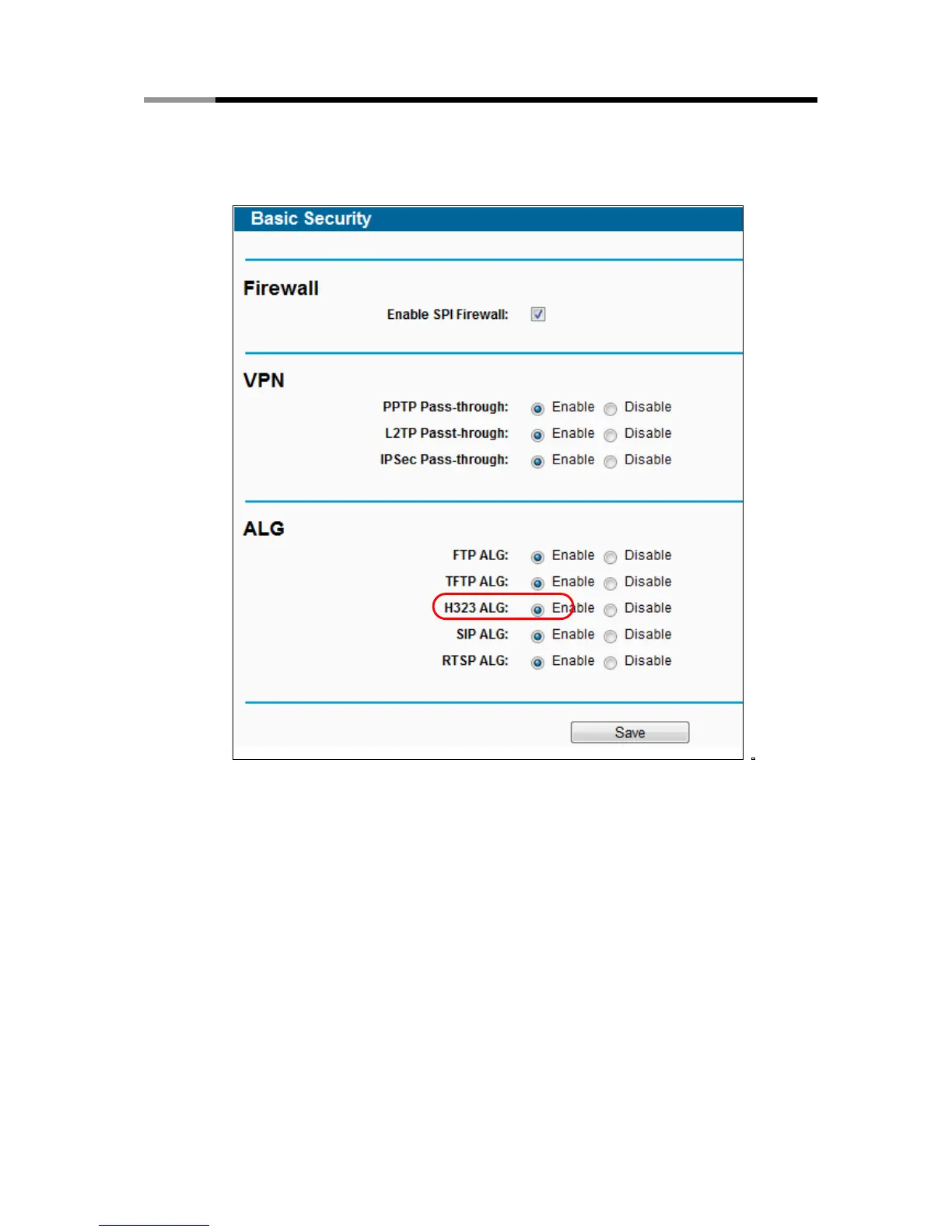
5) How to enable H323 ALG: Log in to the router, click the “Security” menu on the left of
your browser, and click “Basic Security” submenu. On the “Basic Security” page,
check the Enable radio button next to H323 ALG. Remember to click the Save button.
Figure A-7 Basic Security
4. The wireless stations cannot connect to the router.
1) Make sure the "Wireless Radio Band" is enabled.
2) Make sure that the wireless stations' SSID accord with the router's SSID.
3) Make sure the wireless stations have right KEY for encryption when the router is
encrypted.
4) If the wireless connection is ready, but you can’t access the router, check the IP Address
of your wireless stations.



 To Next Page