AC750 Wireless Dual Band Gigabit Router RNX-AC750RT User Manual
- 12 -
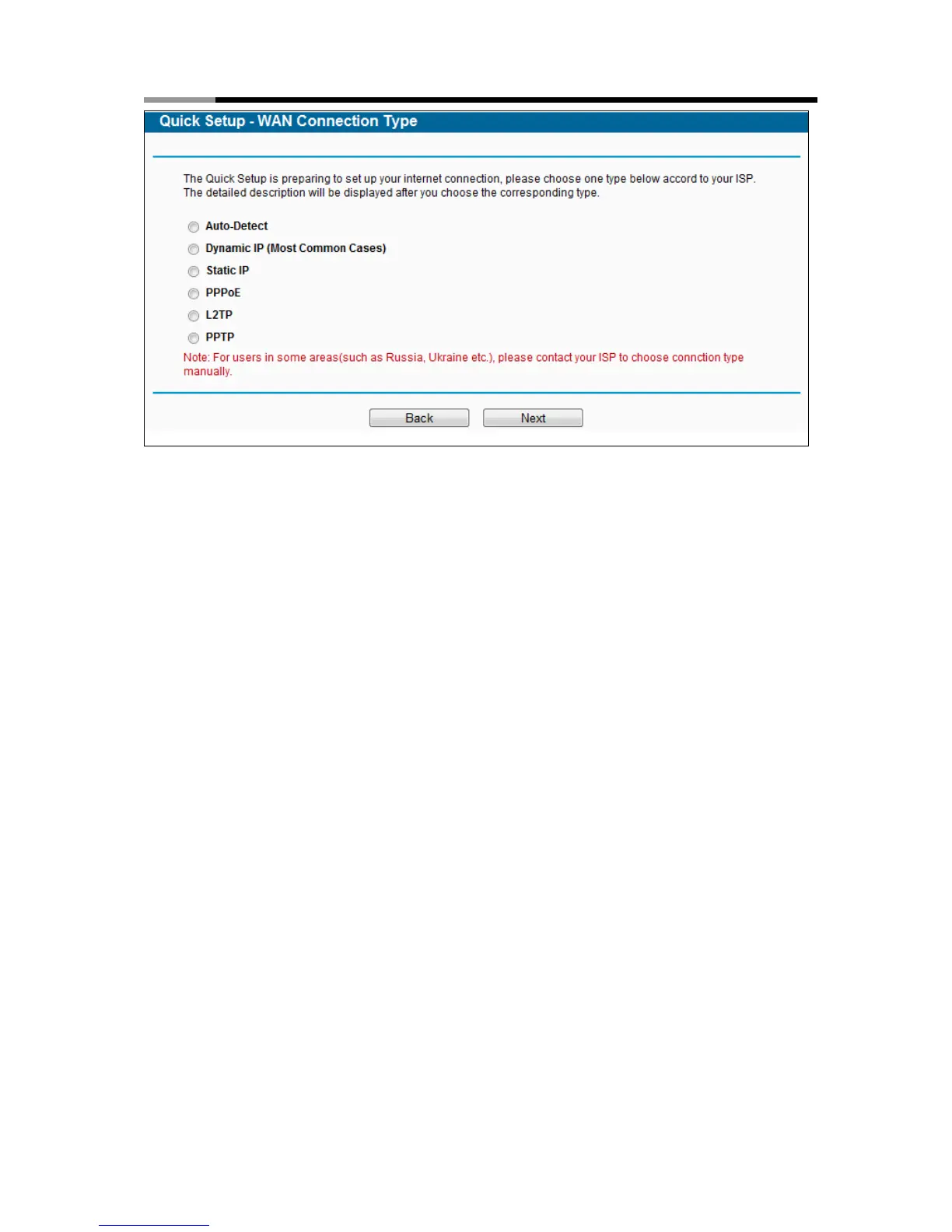
Figure 3-6 WAN Connection Type
The router provides Auto-Detect function and supports five types of WAN connection: Dynamic IP,
Static IP, PPPoE, L2TP, and PPTP. It’s recommended that you make use of the Auto-Detect function.
If you are sure of what kind of connection type your ISP provides, you can select the very type and click
Next to go on configuring.
4. If you select Auto-Detect, the router will automatically detect the connection type your ISP
provides. Make sure the cable is securely plugged into the WAN port before detection. The
appropriate configuration page will be displayed when an active Internet service is
successfully detected by the router.
Note:
If Auto-Detect fails, you can select the connection type your ISP provides in Figure 3-6, and
follow the configuring procedures below to continue.
1) If the connection type detected is Dynamic IP, there will appear the MAC Clone page (as
shown in Figure 3-7). In most cases, there is no need to clone the MAC address. You can
select “No, I do NOT need to clone MAC address” and then click Next. If it is necessary
in your case, please select “Yes, I need to clone MAC address” and then click Next.



 To Next Page