AC750 Wireless Dual Band Gigabit Router RNX-AC750RT User Manual
- 13 -
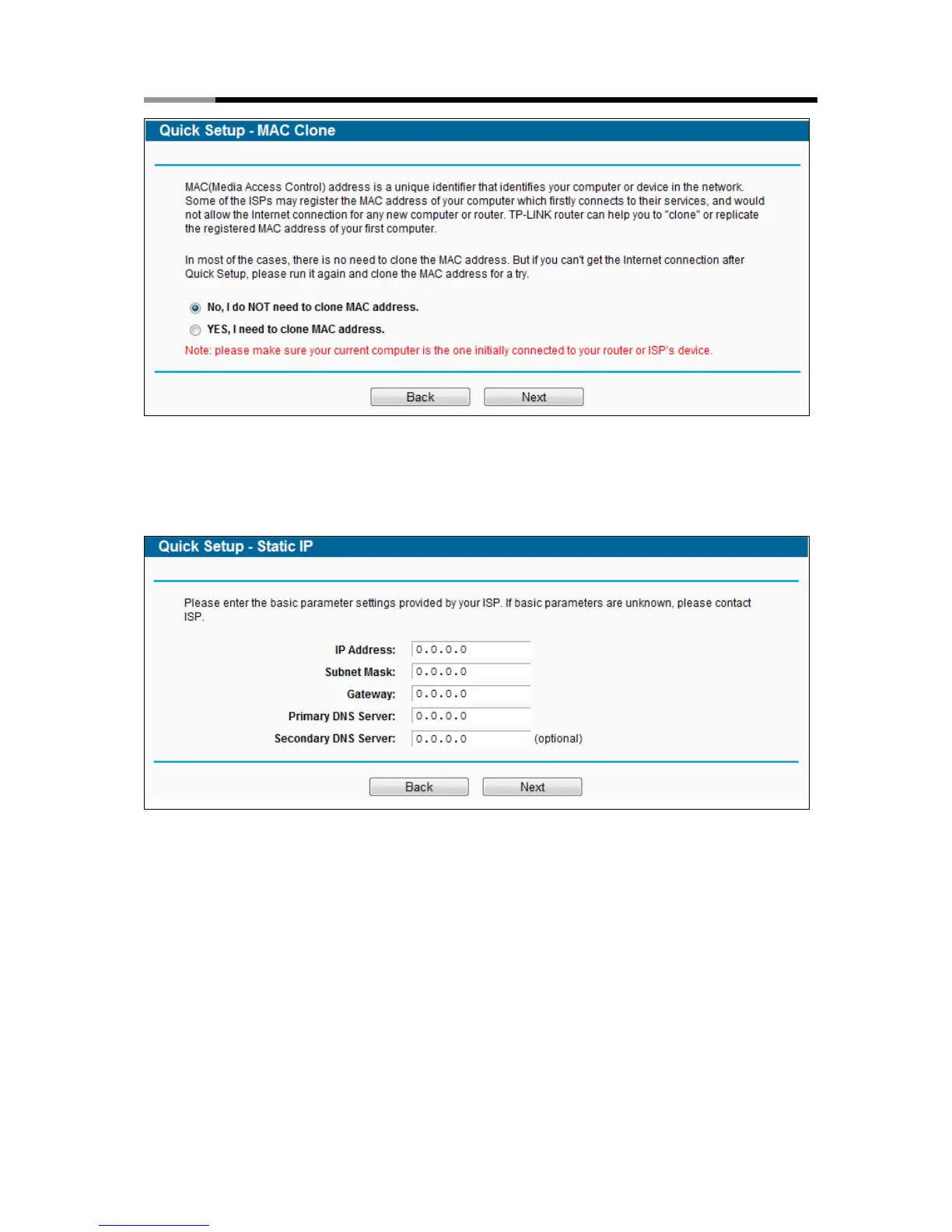
Figure 3-7 Quick Setup – MAC Clone
2) If the connection type detected is Static IP, the next screen will appear as shown in
Figure 3-8. Configure the following parameters and then click Next to continue.
Figure 3-8 Quick Setup - Static IP
IP Address - This is the WAN IP address as seen by external users on the Internet
(including your ISP). Your ISP will provide you with the IP address you need to enter
here. Enter the IP address into the field.
Subnet Mask - The Subnet Mask is used for the WAN IP address. Your IPS will provide
you with the subnet mask which is usually 255.255.255.0.
Gateway - Your ISP will provide you with the Gateway address which is the ISP server’s
address. Enter the gateway IP address into the box if required.
DNS Server - (Optional)Enter the DNS Server IP address into the box if required.



 To Next Page