AC750 Wireless Dual Band Gigabit Router RNX-AC750RT User Manual
- 14 -
Secondary DNS Server-(Optional) If your ISP provides another DNS server, enter it
into this field.
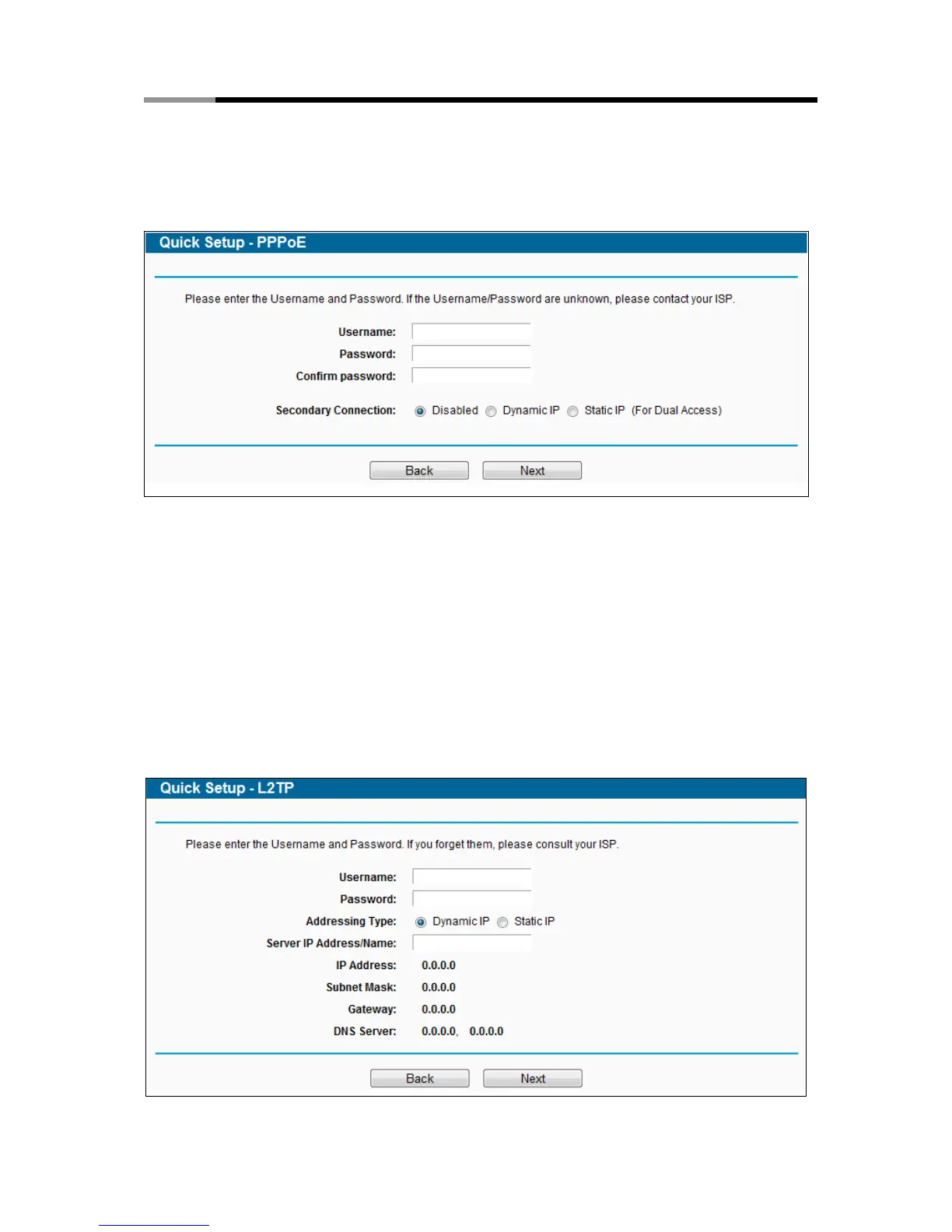
3) If the connection type detected is PPPoE, the next screen will appear as shown in Figure
3-9. Configure the following parameters and then click Next to continue.
Figure 3-9 Quick Setup – PPPoE
User Name/Password - Enter the User Name and Password provided by your ISP.
These fields are case-sensitive. If you have difficulty with this process, please contact
your ISP.
Confirm Password - Enter the password again to make sure that the password is
correct.
4) If your connection type is L2TP, select L2TP in Figure 3-6 and the next screen will appear
as shown in Figure 3-10.Configure the following parameters and then click Next to
continue.
Figure 3-10 Quick Setup – L2TP



 To Next Page