68
5-31) AGE CHECK
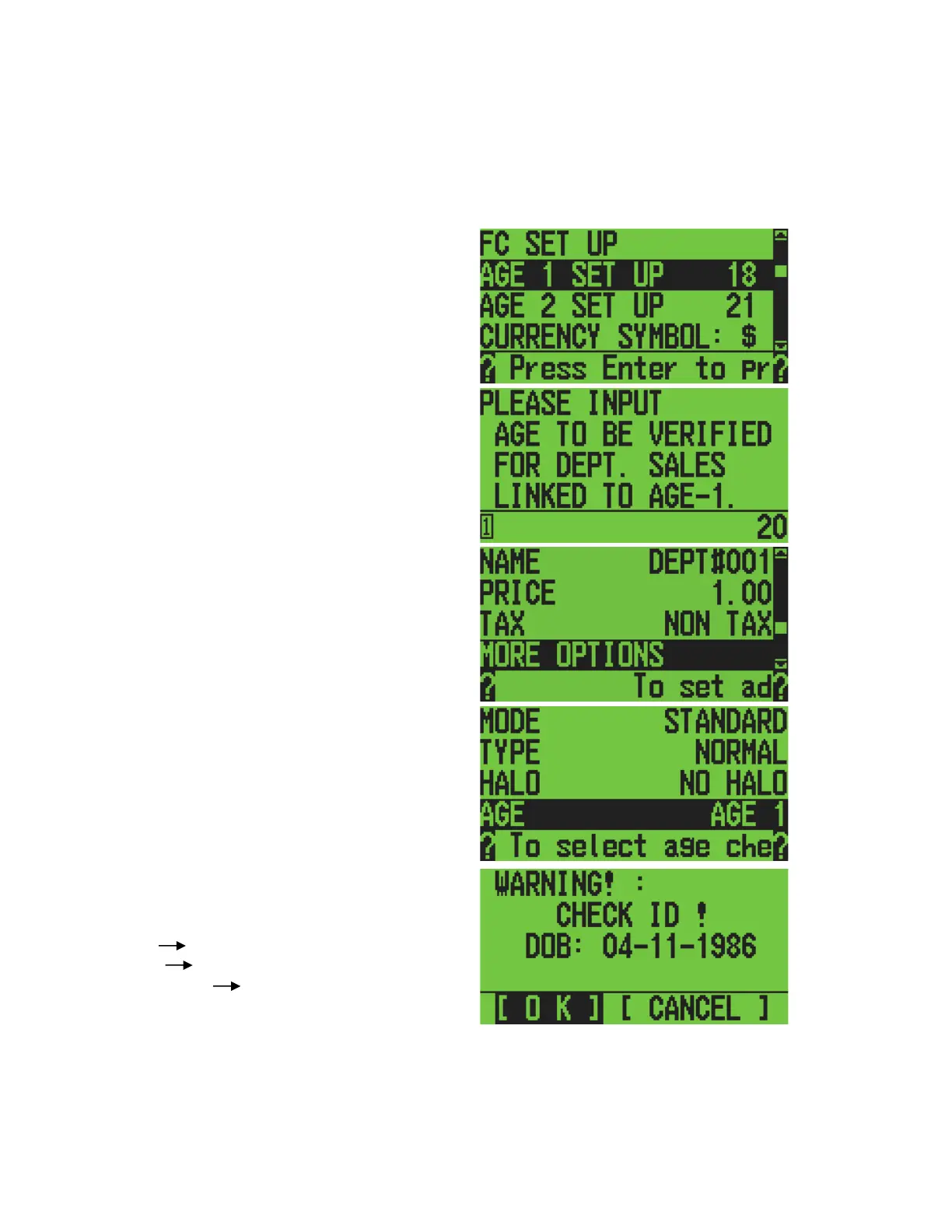
When the item is registered, a warning of the age limitation may be displayed. It is necessary
to set the age value at OTHERS SET UP and DEPARTMENT SET UP.
OTHERS SET UP:
Example:
Setting the value of 20 years old in AGE 1
DEPARTMENT SET UP:
Example:
Setting is AGE 1.
SALES REGISTRATION:
Example:
Dept1 AGE 1
AGE 1 20
Date of Birth Apr. 11, 1986
When you register the above item, a warning is displayed. You can decide whether to sell the
item by pressing the right or left arrow. Then press the [amount tend/total] key.



 To Next Page