QUICK START
10.
Run
a check
tape
of
aU
programming.
Do
this
oy
pressing
[AMTTEt·mrrOTALj
whllEi
the
rontrollock
Is
sliliin
the
P
posWon.
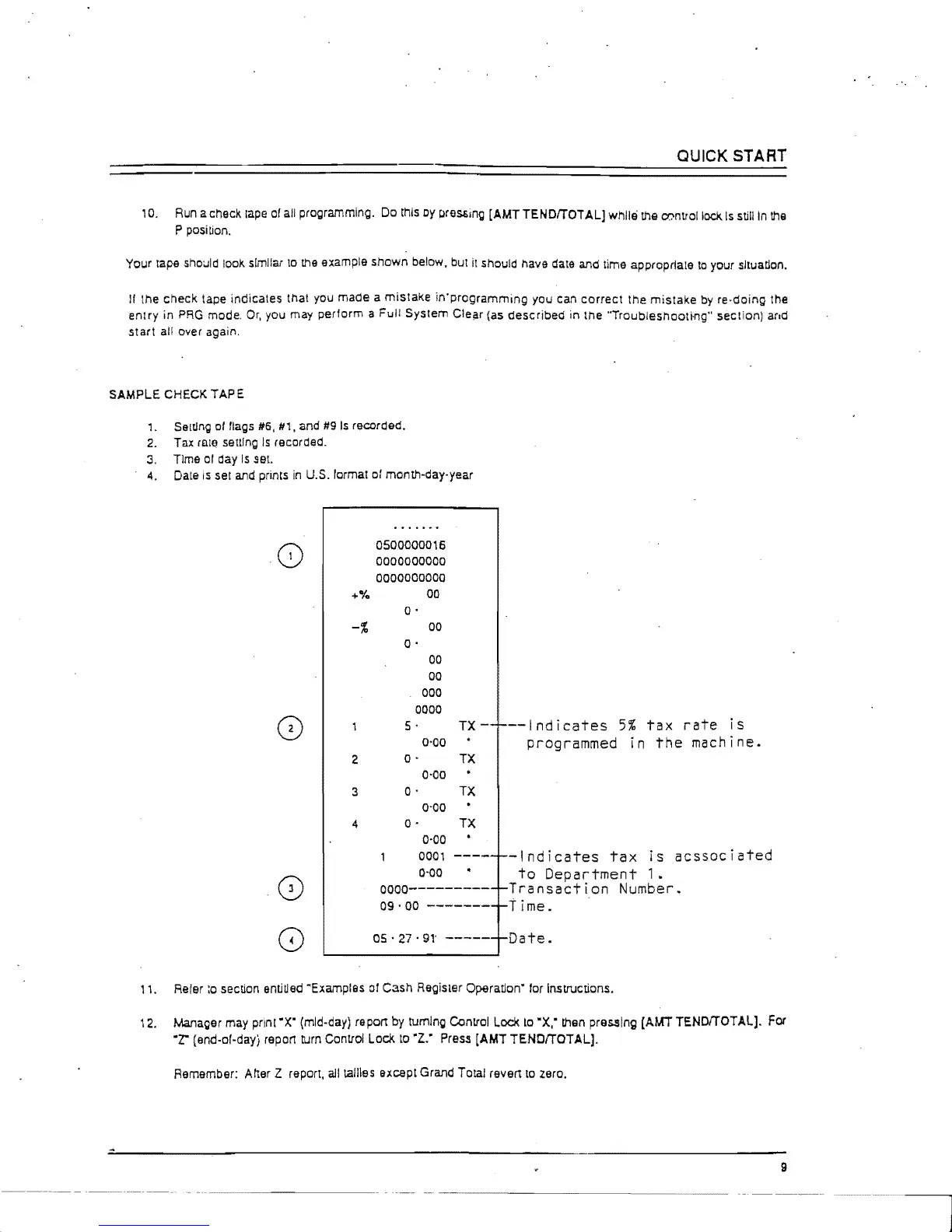
Your tape should look similar
10
the
example shown below, but it should have date and time appropriate
to
your sltuatlon.
1/
the check tape indicates thai you made a mistake in'programming you can correct the
mistake
by
re·doing the
entry
in
PRO
mode,
Or,
you may perform a
Full
System Clei:ir (as described in the "Troubleshootfng" section) and
start
allover
again,
SAMPLE
CHECK TAP E
1.
Seltlng
01
flags
1/6,
111,
and
119
Is
recorded.
2.
Tax rllw senlng
Is
recorded.
3,
Time
01
day
Is
set.
4.
Dale
is
set
and
prints
in
U.S. lormal
01
month-day-year
0500000016
0000000000
0000000000
00
o·
-%
00
2
3
o·
00
00
000
0000
5 .
0'00
o·
0'00
o·
0'00
TX-
I---Indicates
5%
tax
rate
is
programmed in
the
machine.
TX
TX
4 0 - TX
0-00
0001
-----1--1
nd
i
cates
tax
is
acssoc
i
ated
0-00
to
Department
1.
0000----------1-
T
ran
sac
t
ion
N
umbe
r .
09
.
00
--------1-
Time.
as·
27
.
91'
------I-Date.
,
,.
Reier
:0
section
entiUed
-Examples
01
Cash Regisler Operatlon' lor Instructions.
12.
lVianager
may pnnt
'X'
(mid-day) report
by
tumlng Conllol Lock
to
'X:
then
pressing [AMT
TENorrOTAL].
For
'1."
(end-of-daYi report turn Conllol Lock
to
'Z:
Press
[AMT TENOrrOTALJ.
Remember: Aher Z report,
all
tallies except Grand Total revert
to
zero.
9



 To Next Page