GETriNG
TO
KNOW YOUR/CASH REGISTER·
Begin
to
get acquainted with your new electronic cash register
by
taking a dose look al the control
loc~.,
display area, and
keyboard
on
the
lace of the machine. Also, learn
the
functions
01
the
lour sets
01
keys supplied
In
your accessories pack.
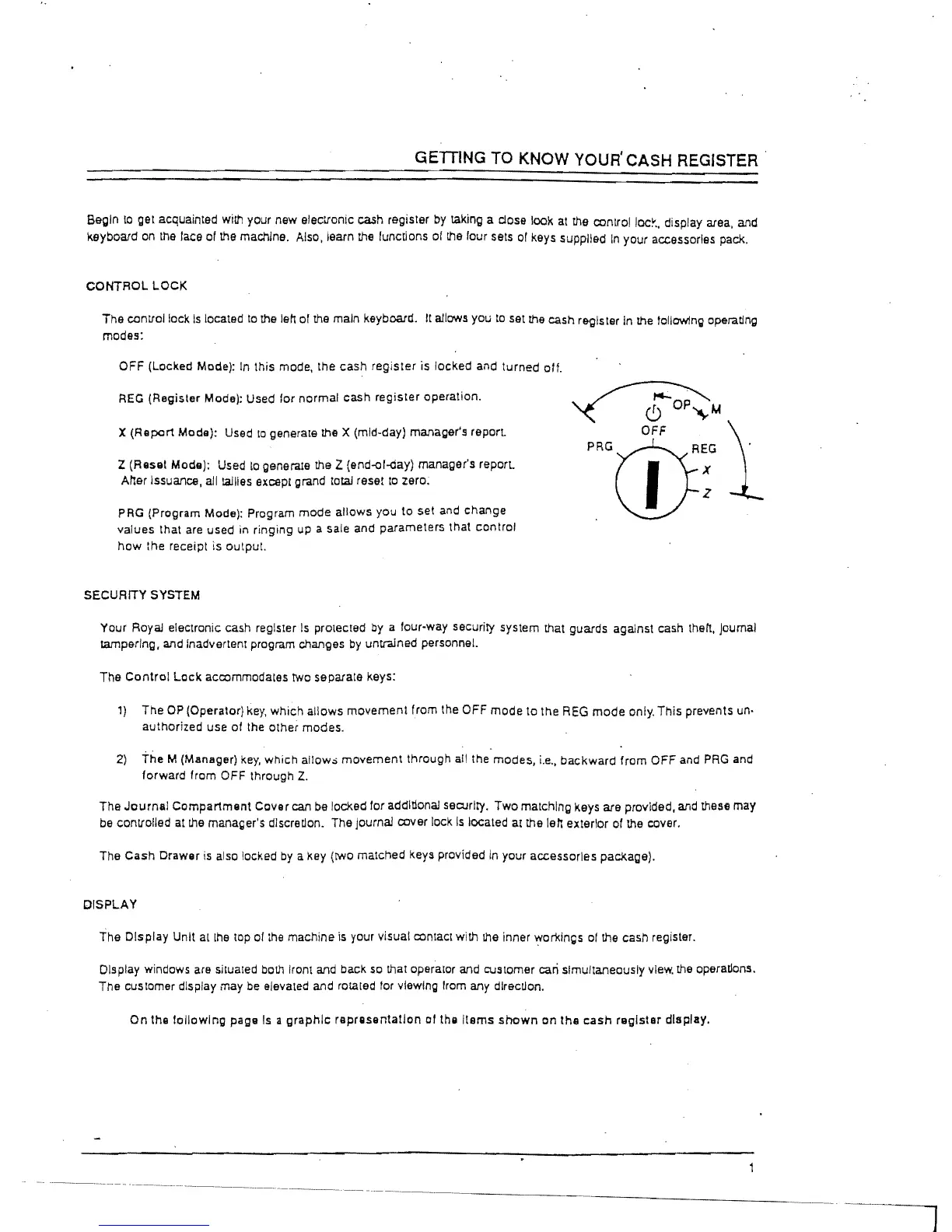
CONTROL LOCK
The control lock
Is
located
to
the
lett
of
the
main keyboard. It allows you
to
set
the
cash register in
the
tollow1ng
operating
modes:
OFF (Locked Mode): In this mode, the cash register is locked and turned otf.
REG
(Register Mode): Used lor normal cash register operation.
X
(Report Modll): Used
to
generate the X (mid-day) manager's report.
Z
(Resat Moda); Used
to
generale the Z (end-ol-day) manager's report.
Atter Issuance, all tallies except grand total reset
to
zero;
PRG
(Program Mode): Program mode allows you
to
set
and
change
values that
are
used in ringing
up
a sale and parameters that control
how
the receipt is output.
SECURITY SYSTEM
Your
Royal electronic cash register
Is
protected
by
a four-way security system that guards against cash
the
It,
Joumal
tampering,
at1d
Inadvertent program
chat1ges
by
untrained personnel.
The
Control
Lock
accommodales two separate keys:
1)
The
OP
(Operator)
key,
which allows movement from the OFF mode to the
REG
mode
only. This prevents un·
authorized use of the other modes.
2)
the M (Manager)
key,
Which allow;; movement through all the modes,
i.e.,
backward from OFF and
PRG
and
forward from
OFF through
Z.
The
Journal
Compartment Cover can
be
locked for additional security. Two matching keys are provided,
and
these may
be
controlled
at
the
manager's dlscrellon. The journal cover lock
Is
located at the lett exterior of the cover.
The Cash Drawer
is
also locked
by
a key
(twO
matched keys provided
in
your accessories package).
DISPLAY
The
Display Unit
allhe
lOp
01
the
machine
is
your visual contact with
the
inner workings
01
the
cash register.
Display windows
are
situated both
IrOn!
and
back
so
that operator
and
customer
can
simultaneously
view.
the
operatlons.
The
customer display may
be
elevated and rota led
for
viewing Irom any direction.
On the following paga
Is
a
graphic
raprasenta!lon
or
the Itams
shown
en the
cash
raglster display.



 To Next Page