2-2 User Instructions MKP-4, BKP-4, WKP-4, TKP-4, and MKP12 Keypanels
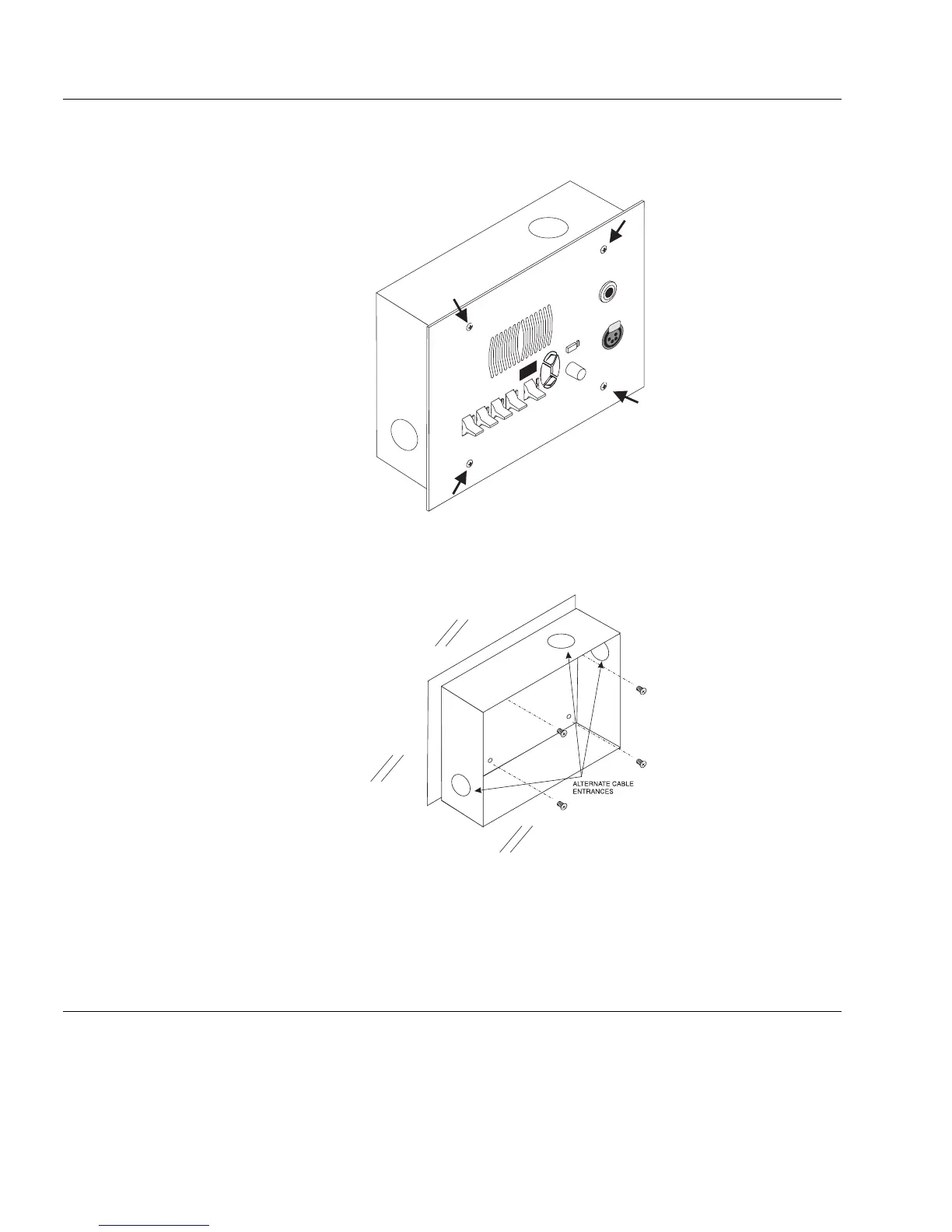
WKP-4 BOX INSTALLATION
1 If the WKP-4 was supplied assembled to the mounting box, remove the four (4) screws from
the front panel.
2 Mount the box in a suitable size wall opening using appropriate mounting screws (not
supplied).
3 Route the intercom and power wires into the box. Reinstall the front panel after all dip switch
settings and connections are completed as described on the following pages.
If you are not using conduit to route the cables, use a plastic bushing or similar device at the cable
entrance into the box to prevent abrasion of the wires.
TKP-4 BOX INSTALLATION
Insert the TKP-4 into a Tektronics equipment bay so that the spring clips are fully seated.
Ta lk
Listen
Call Waiting
Clear
Copy
Vol um e
Mic
Headset
Headset
PUSH



 To Next Page