EasyManua.ls Logo

RTS BTR-800 - User Manual

RTS BTR-800
88 pages
Print Icon
To Next Page IconTo Next Page
Loading...
F.01U.187.426
Rev. 19
JUNE / 2019
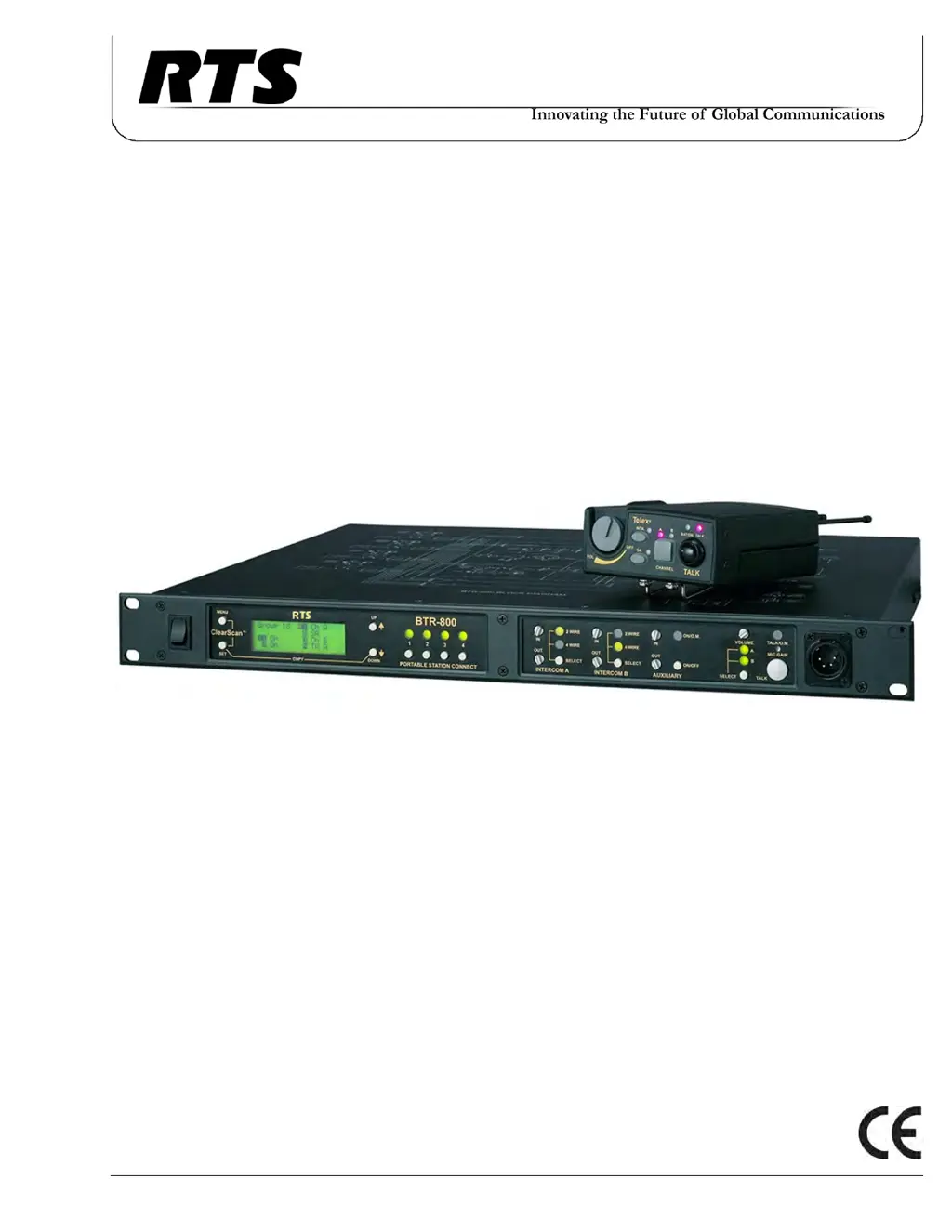
BTR-800, TR-800, TR-825
Professional Wireless Intercom System
Operating Instructions

Table of Contents

Questions and Answers

  • D
    debrapierceAug 13, 2025
    What to do if my RTS Intercom System picks up interference?
    • N
      Natasha MccarthyAug 13, 2025
      If your RTS Intercom System picks up signals other than wireless intercoms, ensure that all RTS beltpacks are turned on. For any unused receivers at the base, turn the audio off by deselecting the appropriate Portable Station Connect button. If the problem persists with the beltpack on, you may need to change the group. Ensure the base and beltpack settings match after any Group/Channel change.
  • N
    Nicholas ShawAug 16, 2025
    Why does my RTS Intercom System have dropouts when moving around?
    • E
      Emily RichardsonAug 16, 2025
      If you experience signal swooshing or complete signal loss when moving around the area of use with your RTS Intercom System, ensure that both antennas on the base and beltpack are connected and follow the location suggestions. Try changing the location of the base unit and antennas, or avoid the problematic areas with the remote beltpacks.
  • J
    Jacob OrtizAug 20, 2025
    How to fix feedback (squeal/howl) in RTS Intercom System with external speakers?
    • K
      Kellie SmithAug 20, 2025
      If you're getting a squeal or howl when moving around the area of use with external speakers on your RTS Intercom System, reduce the gain settings on both the beltpacks and the base, as they may be too high.
  • Z
    zacharyblanchardAug 25, 2025
    What causes no audio from RTS BTR-800 Intercom System base or beltpack headsets?
    • B
      Bailey WilsonAug 25, 2025
      If you're not getting any audio from your RTS Intercom System's base or beltpack headsets, check the Transmitter switch on both the base and beltpack. Also, check the talk LED to make sure it is on, and ensure the beltpack batteries are OK.
  • S
    Steve RogersAug 28, 2025
    Why is the output level low on my RTS BTR-800?
    • L
      lisa31Aug 28, 2025
      If your RTS Intercom System produces a low output level, check the gain setting on both the beltpacks and the base. They may be too low.
  • A
    Amy LeonAug 31, 2025
    How to eliminate hiss from my RTS BTR-800 Intercom System?
    • T
      Tommy HawkinsAug 31, 2025
      To eliminate the hiss from your RTS Intercom System, check the gain setting on all beltpacks and the base. They may be too low or too high. Also, make sure you are still well within range of the base station.
  • T
    Todd MorrowSep 4, 2025
    How to resolve frequency mismatch between RTS BTR-800 base and beltpack?
    • S
      Sara WagnerSep 4, 2025
      To resolve frequency mismatches between the base and beltpack of your RTS Intercom System, ensure the units are on the correct Group and Channels. If using three band base and beltpack units in the US, make sure you have switched the base station to the US channel map.
  • S
    sarah62Sep 8, 2025
    How to fix distortion in RTS BTR-800 Intercom System audio?
    • V
      Victor MerrittSep 8, 2025
      If your RTS Intercom System's audio quality seems distorted at medium to high input levels, reduce the microphone gain by adjusting the microphone gain control.

Summary

Introduction to RTS Wireless Intercom System

General Description

Provides an overview of the RTS BTR-800 UHF Synthesized Wireless Intercom systems and their capabilities.

System Features

Highlights key features of the BTR-800 system, including frequency agility, ClearScan, and compatibility.

BTR-800 Base Station Controls

Front Panel Controls and Connections

Details the functions of front panel controls and connectors on the BTR-800 base station.

BTR-800 Base Station Specifications

Overall Specifications

Lists general specifications for the BTR-800 base station, including frequency range, power, and dimensions.

Transmitter Specifications

Details the technical specifications related to the transmitter section of the BTR-800 base station.

Receiver Specifications

Details the technical specifications related to the receiver section of the BTR-800 base station.

TR-800 Beltpack Operation

TR-800 Top Panel Controls

Explains the controls and connections found on the top panel of the TR-800 beltpack.

TR-800 Beltpack Specifications

Receiver Specifications

Lists the technical specifications for the receiver component of the TR-800 beltpack.

Transmitter Specifications

Lists the technical specifications for the transmitter component of the TR-800 beltpack.

TR-825 Beltpack Operation

TR-825 Top Panel Controls

Details the controls and connections on the top panel of the TR-825 beltpack unit.

TR-825 Beltpack Specifications

Receiver Specifications

Details the technical specifications for the receiver section of the TR-825 beltpack.

Transmitter Specifications

Details the technical specifications for the transmitter section of the TR-825 beltpack.

Initial Equipment Setup Procedures

Unpacking Your RTS System

Instructions for unpacking the base station and beltpacks, and checking for damaged items.

Antenna Connection and Polarization

Guidance on connecting and orienting antennas for optimal RF signal performance.

Antenna Placement

Recommendations for optimal placement of antennas for reliable system operation.

Base Station Setup

Details on locating, powering, and connecting the base station, including switch settings.

Beltpack Setup

Instructions covering battery installation, antenna connection, and headset connection for beltpacks.

Battery Installation

Step-by-step guide for installing batteries in the beltpack units.

Beltpack Antenna Connection

Guidance on attaching the antennas to the TR-800 and TR-825 beltpacks.

Beltpack Headset Connection

Information on connecting headsets to the TR-800 and TR-825 beltpacks.

Pre-Walk-Thru Checklist

System Operation Guide

Frequency Plan Overview

Explanation of the frequency group and channel structure for the RTS wireless system.

System Quick Start

A rapid guide to get the base station and beltpacks operational.

Base Station Operation

Details on powering on, using the local headset, and configuring intercom/auxiliary connections.

BTR-800 Menu Structure

Main Screen Flowchart

Visual representation of the BTR-800 base station's menu navigation and screens.

TR-800 Beltpack Menu Structure

Beltpack Menu Structure Overview

Outlines the menu structure and navigation for TR-800 beltpack features.

TR-825 Beltpack Menu Structure

Beltpack Menu Structure Overview

Details the menu structure and navigation for TR-825 beltpack features.

Troubleshooting Common Issues

Technical Tips for Optimal Performance

Frequency Interaction Considerations

Discusses RF channel selection to minimize interference between devices.

Microphone Gain Adjustment

Guidance on adjusting microphone gain for optimal audio quality in various environments.

Battery Information and Care

Battery Life Expectations

Provides typical battery life hours for TR-800 and TR-825 beltpacks with different battery types.

Battery Warnings and Precautions

Important safety warnings and precautions for handling and using beltpack batteries.

Cold Temperatures and Batteries

Explains how cold temperatures affect battery life and offers solutions like using lithium cells.

Intercom Systems Specifications

RTS Intercom Specifications

Technical specifications for interfacing with RTS wired intercom systems.

Audiocom;Telex Intercom Specifications

Technical specifications for interfacing with Audiocom/Telex wired intercom systems.

Clear-Com Intercom Specifications

Technical specifications for interfacing with Clear-Com wired intercom systems.

Accessories and Replacement Parts

Antenna Models

Lists available antennas for the RTS system, including Bi-Directional Log Periodic and flexible dipole models.

Antenna Cables

Details available low loss antenna cables with TNC connectors and their lengths.

Power Cords and Dummy Loads

Lists power cords for different regions and intercom dummy loads.

Certification Information and Safety

FCC Compliance and Regulations

Information regarding FCC type acceptance, compliance rules, and user authority.

Mandatory Safety Instructions

Essential safety guidelines for base station installers and users, focusing on RF exposure.

Regional Compliance Information

European Compliance (CE)

Details European Union directives and restrictions for RTS wireless systems.

Industry Canada Certification

Information on certification to Industry Canada RSS-210 rules and RF exposure compliance.

Three Band Base Stations

Identifying a Three Band Unit

How to identify a three band base station unit based on its rear panel labeling.

Regulatory Changes and Three Band Operation

Explains regulatory changes affecting three band units and their channel maps.

Changing Channel Maps

Procedure for switching between normal and US channel maps on a three band base station.

RTS BTR-800 Specifications

General IconGeneral
BrandRTS
ModelBTR-800
CategoryIntercom System
LanguageEnglish

Related product manuals