BTR-800, TR-800, TR-825 System Operation 43
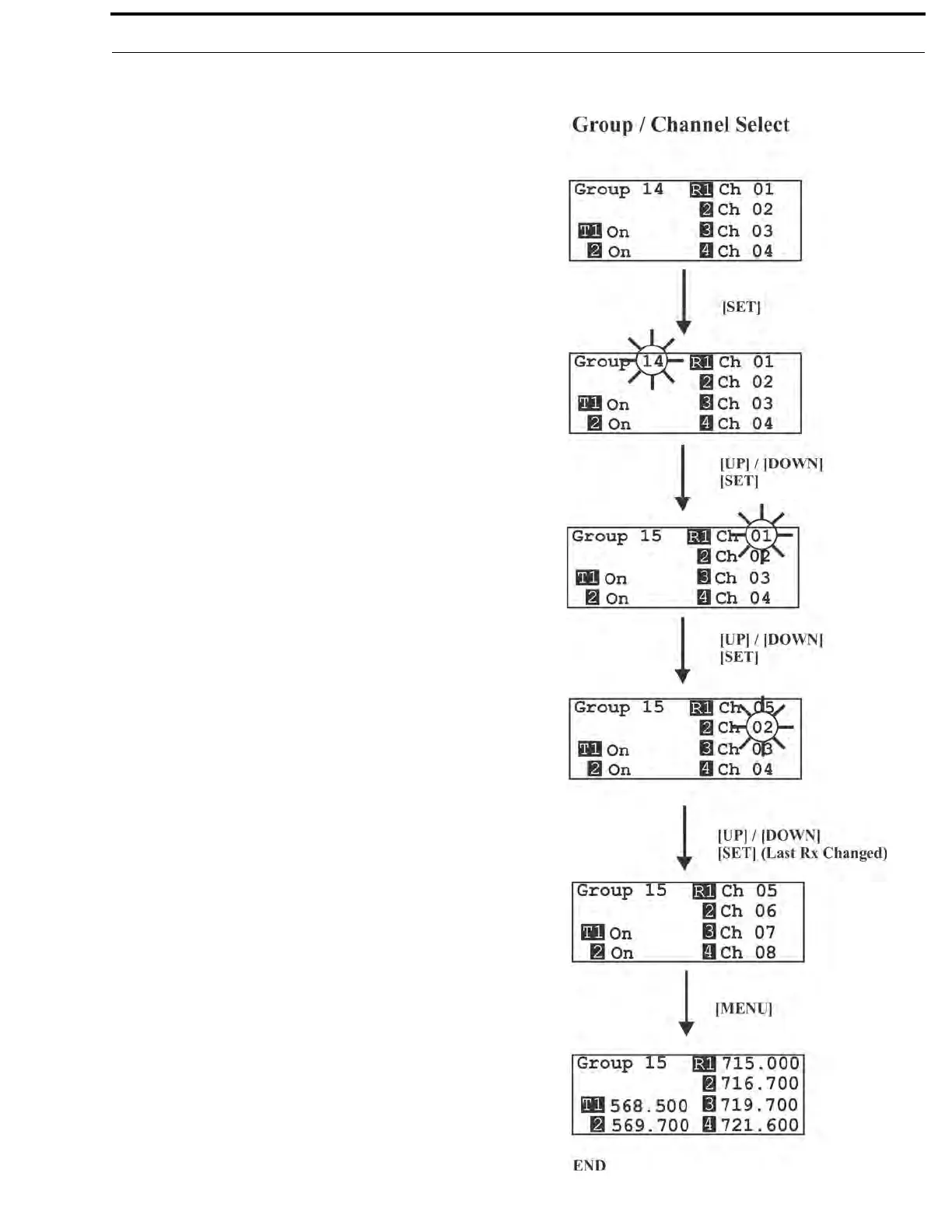
Group/Channel Select
The Group/Channel select screen allows the user to change the
group and select from a pre-determined number of channels on
each receiver.
• Press [MENU] once to enter the Group/Channel Select
Screen from the operating screen.
• Press [SET] to enter group edit. The group number will start
flashing. If [SET] is pressed again without pressing the
arrows, the display will go to receive 01 channel edit.
NOTE: A channel that does not have a frequency set for it
will have a dash to the right of it on the group/channel select
screen.
• The [UP]/[DOWN] arrows will change the group number.
Press [SET] again to set the group that was flashing. Now
the group number will stop flashing and R1’s channel
number will start to flash.
• The [UP]/[DOWN] arrows will change the receive channel
number. Press [SET] to set the channel that was selected.
Now the second channel number will start to flash. If [SET]
is pressed again without pressing the arrows, the display
will go to the next channel number.
• After the last receive channel is decided upon, pressing
[SET] will set that channel in the unit and start you over at
the beginning of the group/channel select screen with
nothing flashing.
• Pressing [MENU] will take you to the group/frequency
select screen. NOTE: Pressing [MENU] after activity has
occurred within the screen will return to the group/channel
select screen with nothing flashing. Any change that had
been done before the last [SET] was pressed will be
aborted.
• Setting two channels the same is not allowed. If a channel is
already set on the screen, the user no longer has that channel
as an option to set into one of the other receivers.



 To Next Page