BTR-800, TR-800, TR-825 System Operation 69
Audio Channel A Options
•
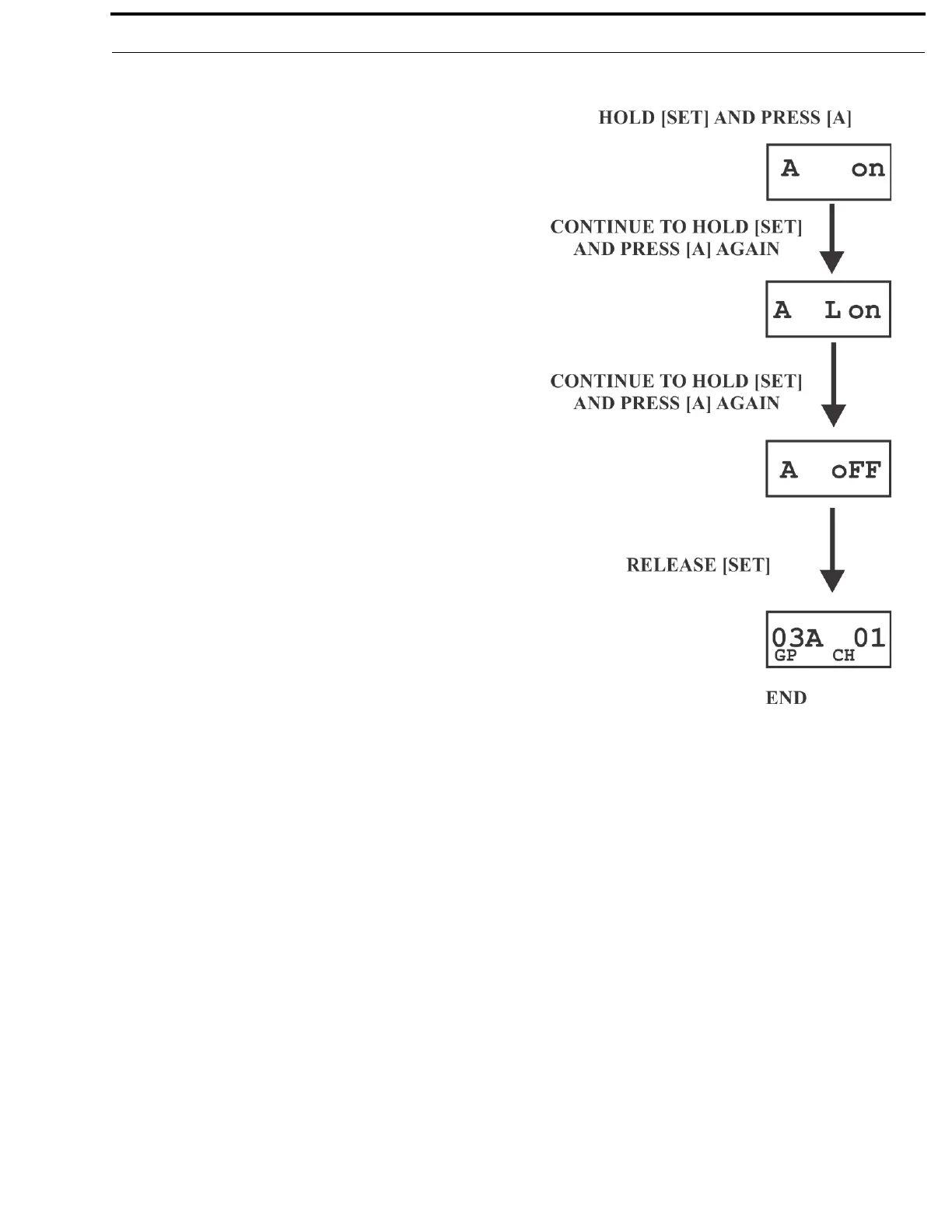
Press and hold [SET] then press [A] button to show the
channel A menu screen. The current setting of the button is
displayed on the LCD display; Channel A Talk-Latching
Off.
• While continuing to hold [SET], press the [A] button again
to move to the next option; Channel A Talk-Latching On.
• As you continue to hold [SET], press the [A] button once
more to move to the next option, Channel A Off.
• Release the [SET] button to accept the current displayed
setting and return to the Group/Channel screen.



 To Next Page