56 System Operation BTR-800, TR-800, TR-825
Stage Announce Enable/Disable
•
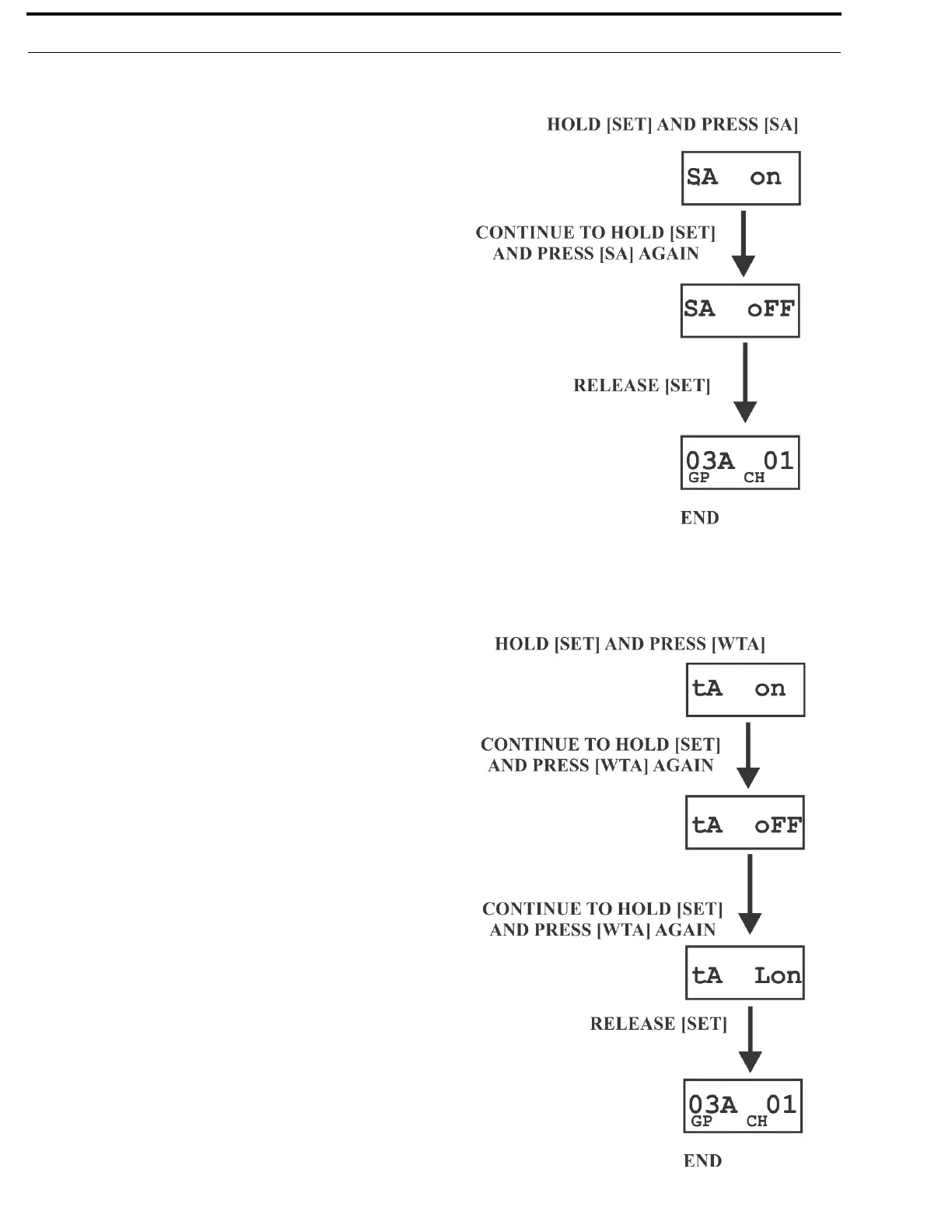
Press and hold [SET] then press the [SA] button to show the
SA enable/disable screen. The current setting of the feature
is displayed on the LCD.
• While continuing to hold [SET] press [SA] again to toggle
the display from ON to OFF or back. Release the [SET]
button to accept the current displayed setting and return to
the Group/Channel screen
Wireless Talk Around Enable/Disable
•
Press and hold [SET], then press the [WTA] button to show
the WTA enable/disable screen. The current setting of the
feature is displayed on the LCD.
• While continuing to hold [SET] press [WTA] again to cycle
the display from on, off, then L on (latch on). Release the
[SET] button to accept the current displayed setting and
return to the Group/Channel screen.



 To Next Page