BTR-800, TR-800, TR-825 System Operation 67
Stage Announce Enable/Disable
•
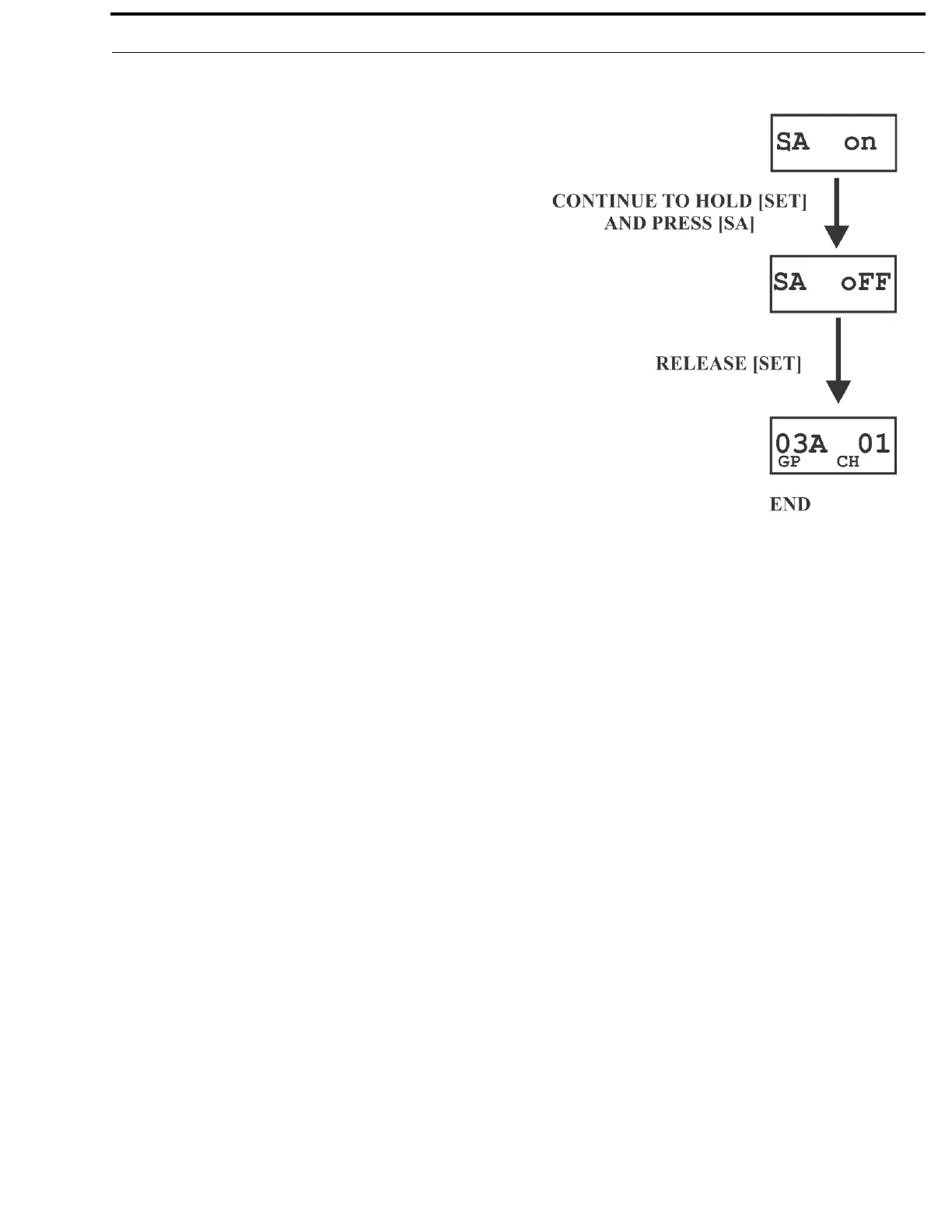
Press and hold [SET] then press the [SA] button to show the
SA enable/disable screen. The current setting of the feature
is displayed on the LCD display.
• While continuing to hold [SET] press [SA] again to toggle
the display from ON to OFF or back. Release the [SET]
button to accept the current displayed setting and return to
the Group /Channel screen.
NOTE: Wh
en SA is enabled and pressed, whatever is on;
A talk, B talk, or both goes out. No audio channels
show active when SA is pressed.



 To Next Page