Version 1.4 Page | 18
6.1 Contacts
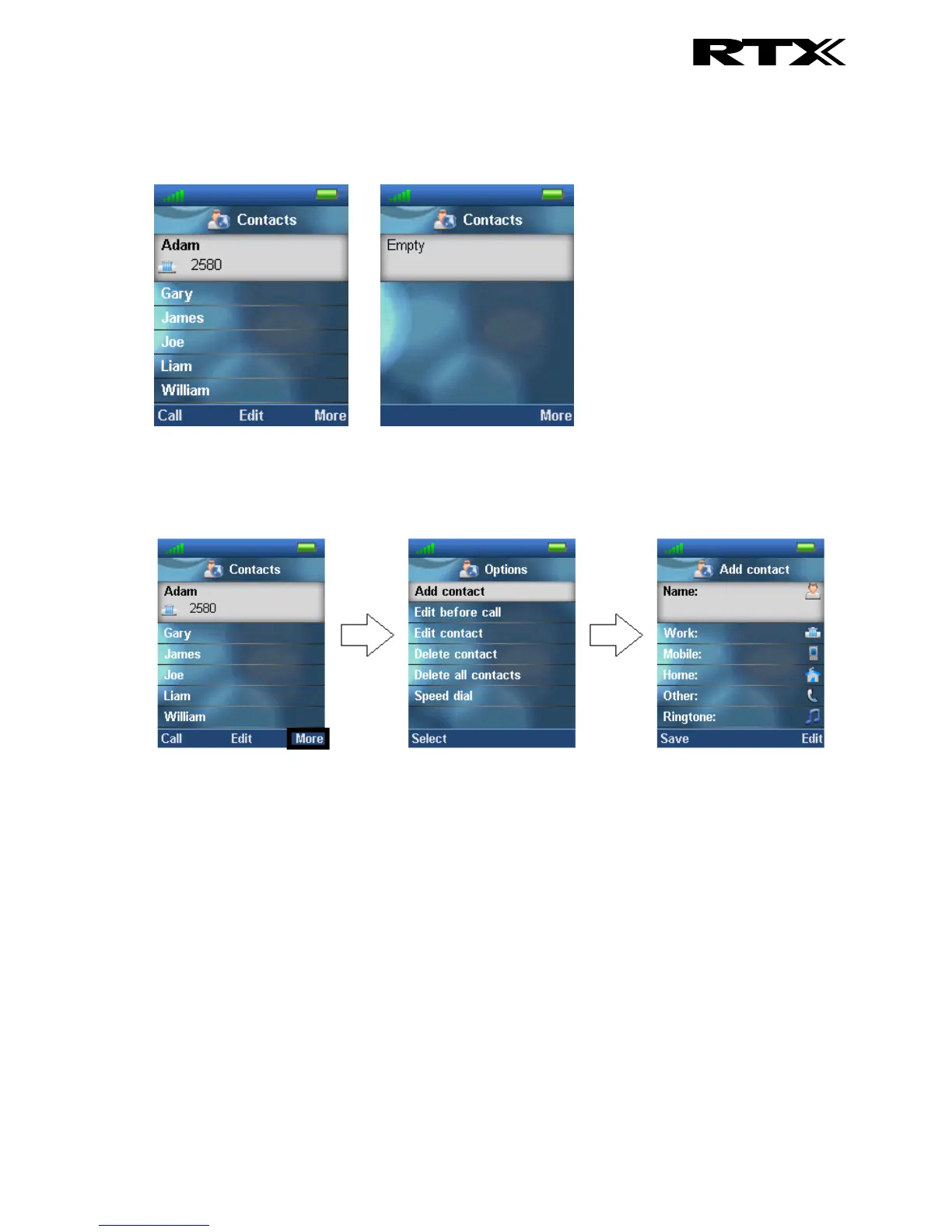
In this menu all the local contacts on the handset are displayed. Below both a full and an empty local
phonebook is displayed.
6.1.1 Add Contact
To add a new contact press the right softkey “More”, select “Add contact”, and the information
displayed in the menu tree below can be filled out for the contact.
Hereby, it is possible to edit the name, add different phone numbers (work, mobile, home, and other),
and add a specific ringtone to be used for exactly this contact.
To save a new contact, press the left softkey “Safe”.
6.1.2 Call/Edit a Contact
When the “Contacts” menu contains contacts it is possible to “Call” or “Edit” each contact with the left
and middle softkey, respectively.



 To Next Page