Version 1.4 Page | 23
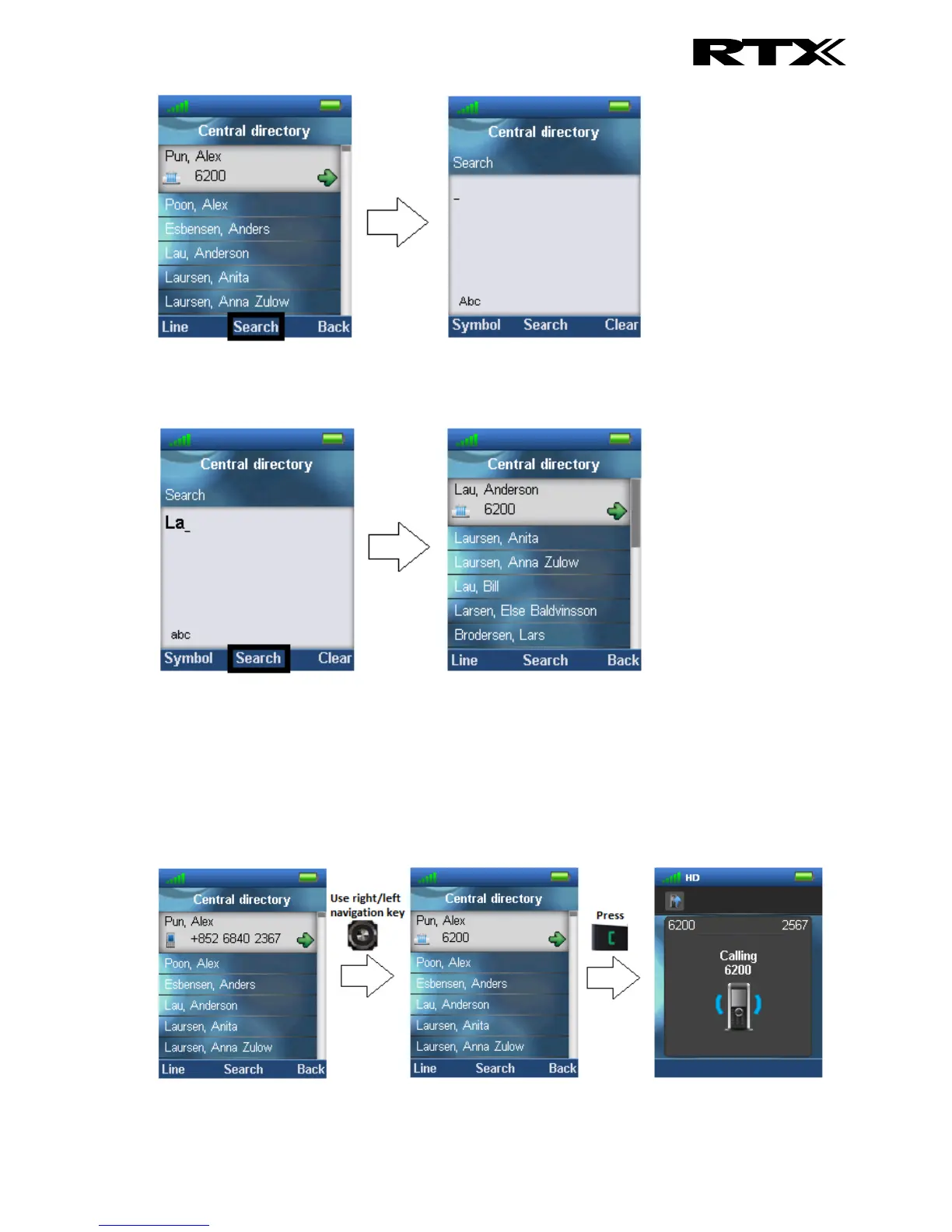
The search function is similar in these two modes. When typing something in the search field, and
pressing search the results of the search will be displayed. This is showed in the following images.
To scroll through the search results use the navigation keys up and down and you will scroll through
the list. If a green arrow is seen to the right of a contact (as seen above), this contact has more than
one number added, and to scroll through these different numbers use the left/right navigation keys.
6.2.2 Calling a Contact in the Central Directory
To call a contact from the central directory press the green “Off-hook” button, and the contact number
that currently appears on the screen will be called.



 To Next Page