Version 1.4 Page | 48
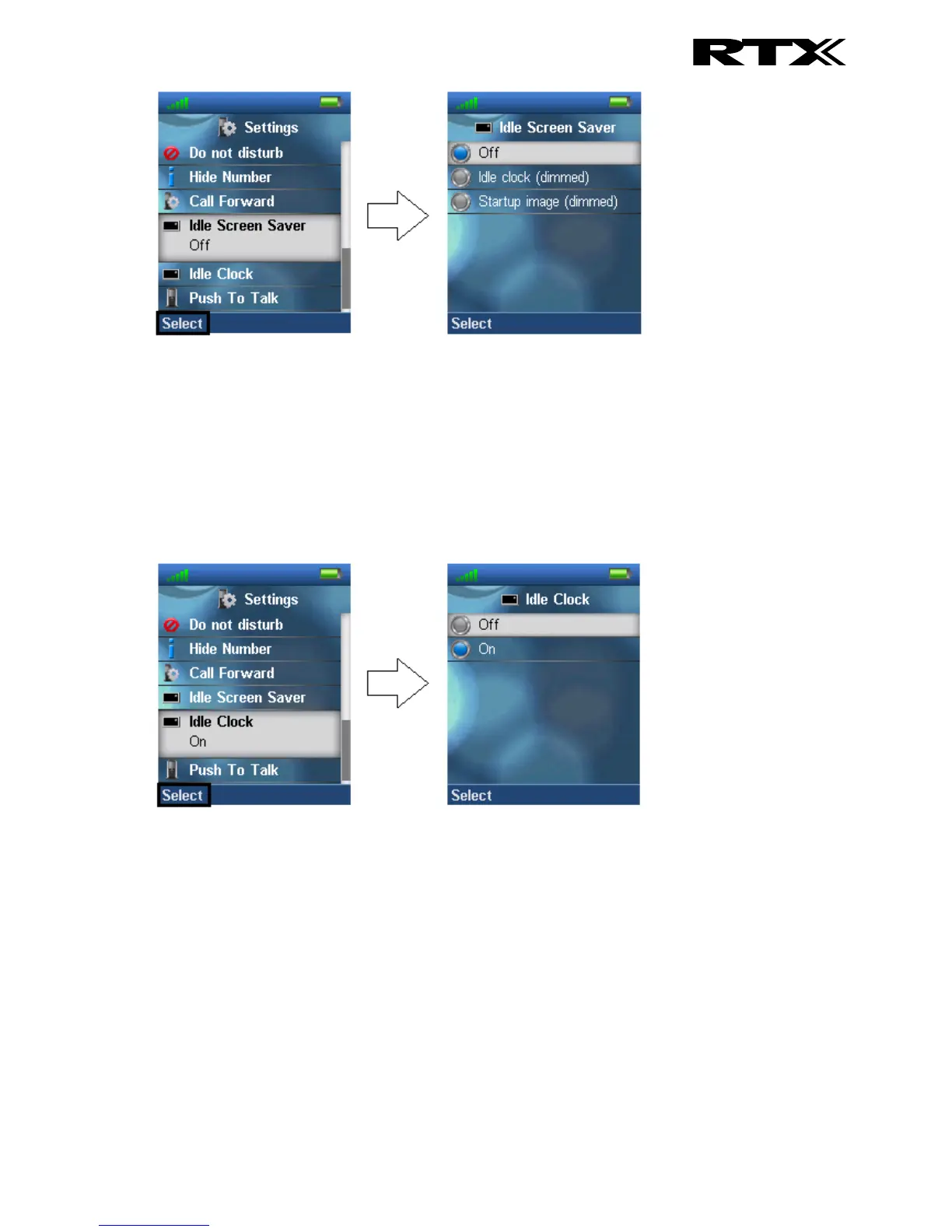
Idle clock (dimmed)
By choosing this option the handset will show the idle screen with dimmed lights when the handset
enters power save mode when in charger.
Startup image (dimmed)
If this option is selected the handset will show the startup image with dimmed lights when the handset
enters power save mode when in charger.
6.5.14 Idle Clock
The “Idle Clock” function controls if the clock is showed in the idle display or not.
By selecting “Off” the idle clock will not be displayed in idle, and by selecting “On” the clock is
displayed in idle.
6.5.15 Push To Talk
This feature enables the handset to function like a Walkie Talkie by pressing and holding the mute-
button on the left side of the handset.



 To Next Page