Version 1.4 Page | 51
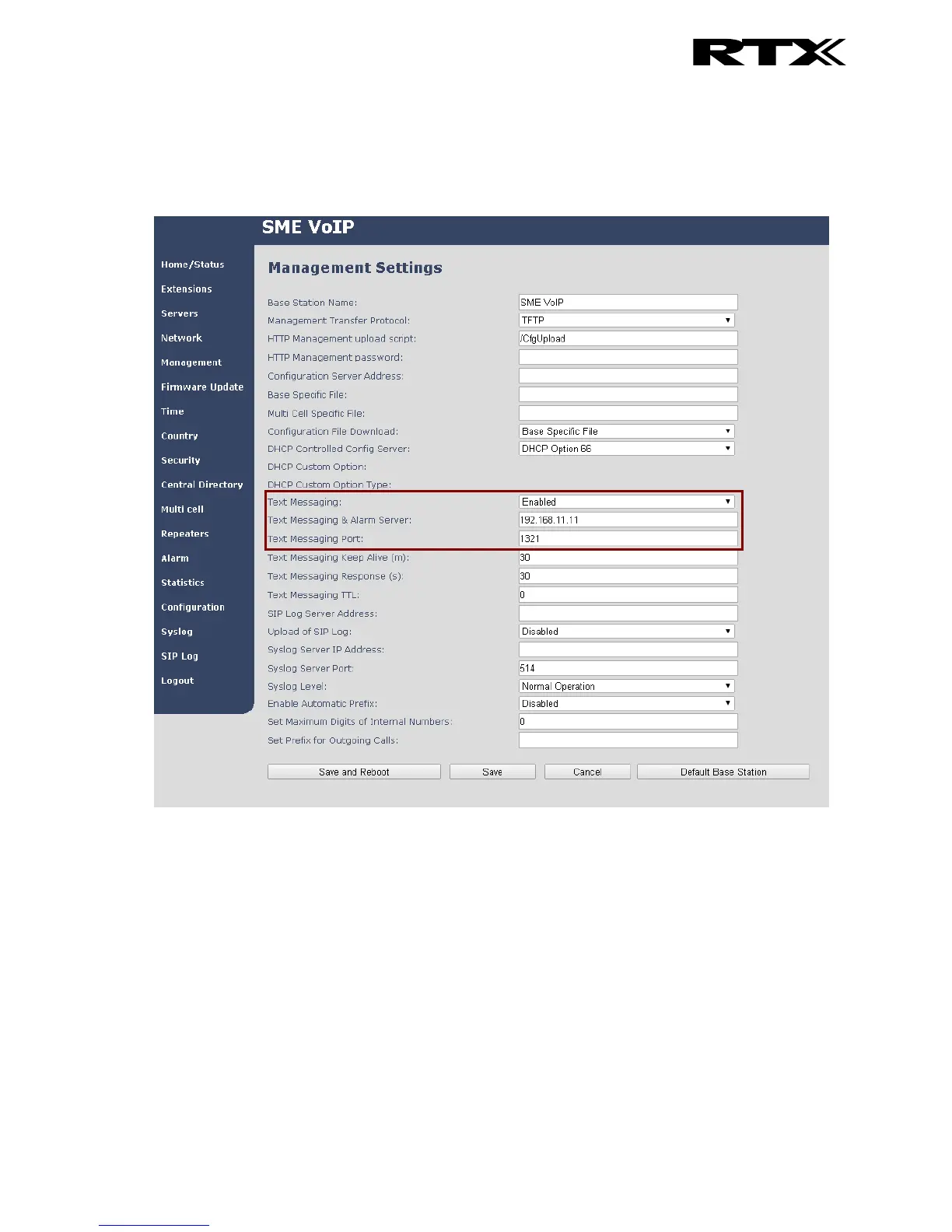
Additionally, it is possible to send the text messages via a text messaging server (MobiCall server)
which enables handsets on different systems of base stations to send text messages to one another.
When using a text messaging server for text messaging the “Text Messaging” must be “Enabled”, the
“Text Messaging & Alarm Server” needs to be filled out, and the correct port number must be entered
in “Text Messaging Port”. An example of this is seen below:
For further information on the text messaging feature and setup on the base station see the base
station manual via reference [3].
6.6.2 How to Write a New Message
When opening the menu ‘Messaging’ the menu ‘Drafts’ is reached, and it is possible to write a new
message by pressing the middle navigation key, or the middle softkey called “New”.



 To Next Page