Version 1.4 Page | 62
6.9 Alarm List
The handset can receive emergency alarms. These different emergency settings are defined and
controlled from the web interface of the base station. For further explanation about the emergency
settings and the different types of alarms, please see the base station manual via reference [3].
6.9.1 The Alarm List Menu
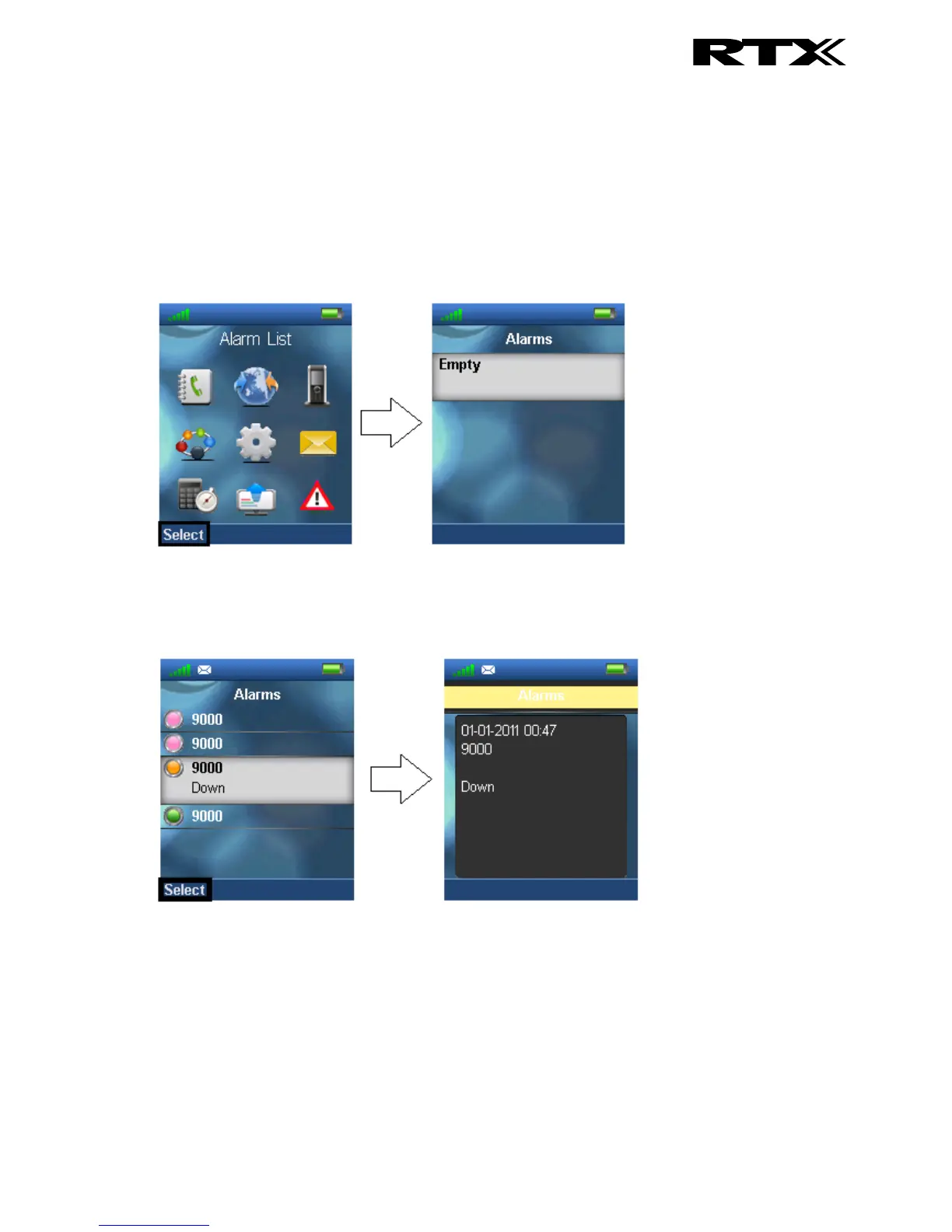
The “Alarm List” menu is reached from the menu, and in this submenu the alarms that the handset has
received are displayed. Below it is displayed if there are no alarms on the handset.
If any alarms has been received on the handset these is displayed in the “Alarms” menu. Additionally,
each alarm is indicated with a specific color according to the specific priority of each alarm which is
displayed below.
By selecting a specific alarm the details regarding it is displayed as seen above.
6.9.2 An Incoming Alarm
When the handset receives an alarm a specific alarm tone is played, and the alarm can be green,
yellow, or red as displayed below. The alarm can be viewed by pressing the left softkey “Ok”, or it can
be rejected by pressing the middle softkey “Reject” whereas it is not saved in the “Alarms” menu.



 To Next Page