Version 1.4 Page | 27
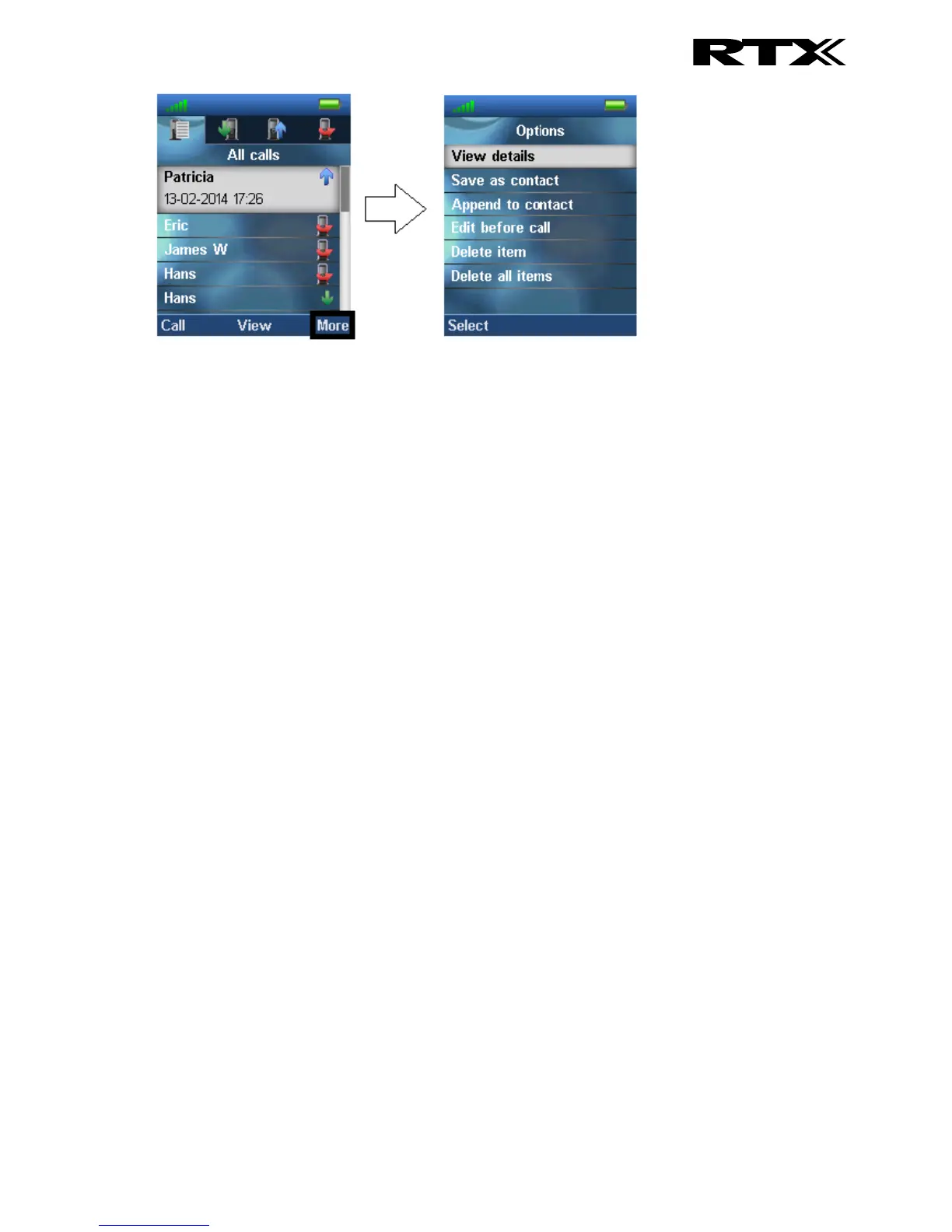
View details
This shows the same details about the call as the “View” function explained in 7.3.1 Call/View.
Save as contact
With this feature it is possible to save the number in the call list as a contact.
Append to contact
This function makes it possible to add the number in the call list to an existing contact.
Send message
With this feature a text message can be sent to the selected number in the call list.
Edit before call
With this function the number in the call list can be edited before calling.
Delete item
By selecting “Delete item” the following text message is displayed: “Delete current item from list?”
To delete the item from the call list, press the left softkey “Yes”.
To return to the call list, press the right softkey “No”.
Delete all items
This feature makes it possible to delete all items in the specific call list. By selecting “Delete all items”
the following text message is displayed: “Delete all items in this list?”
To delete all items in the specific list, press the left softkey “Yes”.
To return to the call list, press the right softkey “No”.



 To Next Page