16
Introducing the ZoneFlex Access Point
Getting to Know the Access Point Features
ZoneFlex 7762-AC Access Point
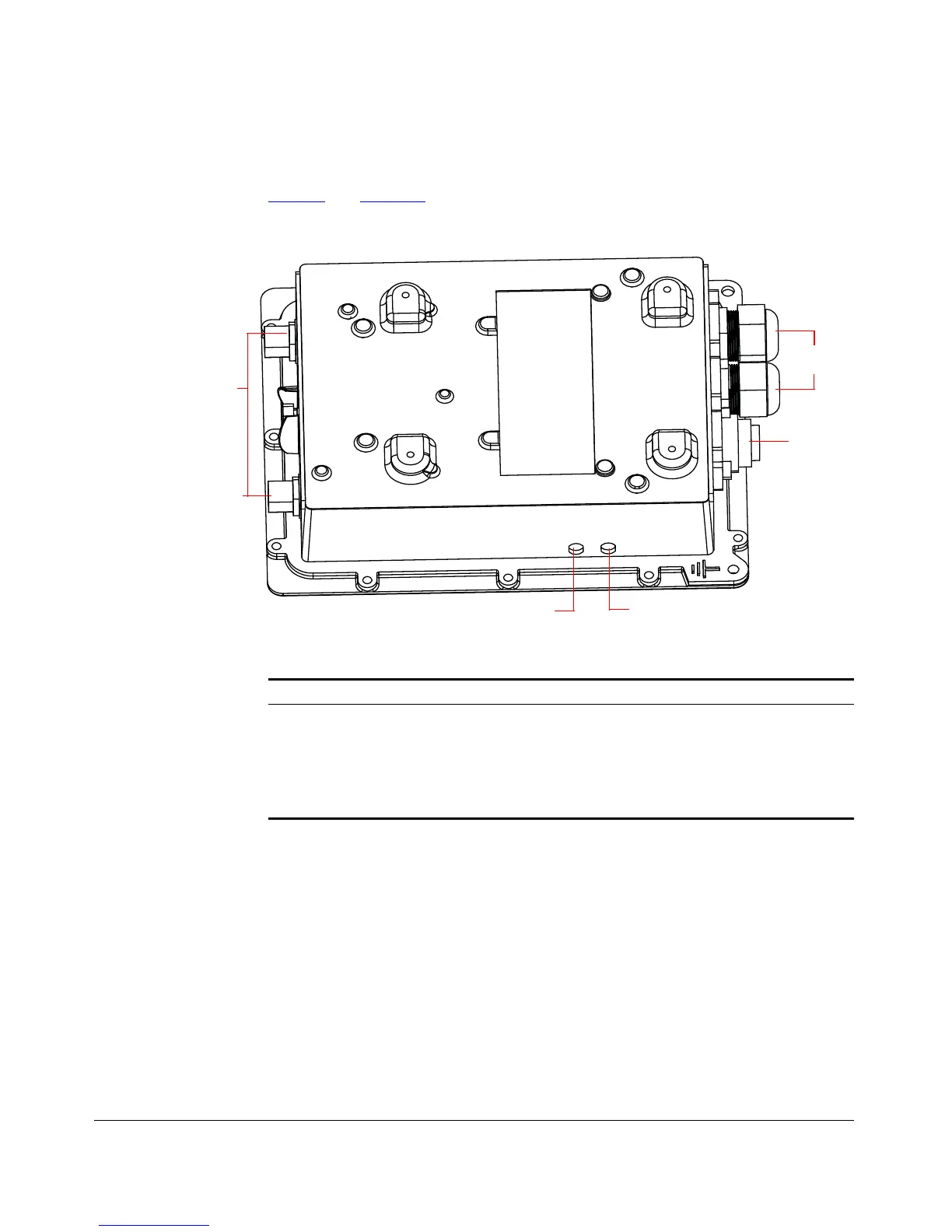
Figure 9 and Figure 10 identify the AP external features.
Figure 9. 7762-AC Access Point parts
Power LED
Status LED
RJ-45/PoE
Connectors
5GHz External
Antenna
Connectors
AC Power
Connector
Table 8. LEDs and connectors on the 7762-AC AP
Label Description
Power LED
•Off: No power is available, or the AP is not connected to a power
source.
•Red: The AP is powering on.
• Green: The AP is connected to a power source and has
completed its power-on sequence.











 To Next Page