93
Managing the Access Point
Upgrading the Firmware
Upgrading the Firmware
You can use the Web interface to check for software updates/upgrades for the
firmware built into the AP. You can then apply these updates to the AP in one of two
ways: (1) manual updating on an as-needed basis or (2) automating a regularly
scheduled update.
Before starting, decide which option you want to take:
■ Automate a regularly scheduled update
■ Run a one-time manual update right now
By default, the automatic upgrade option is disabled.
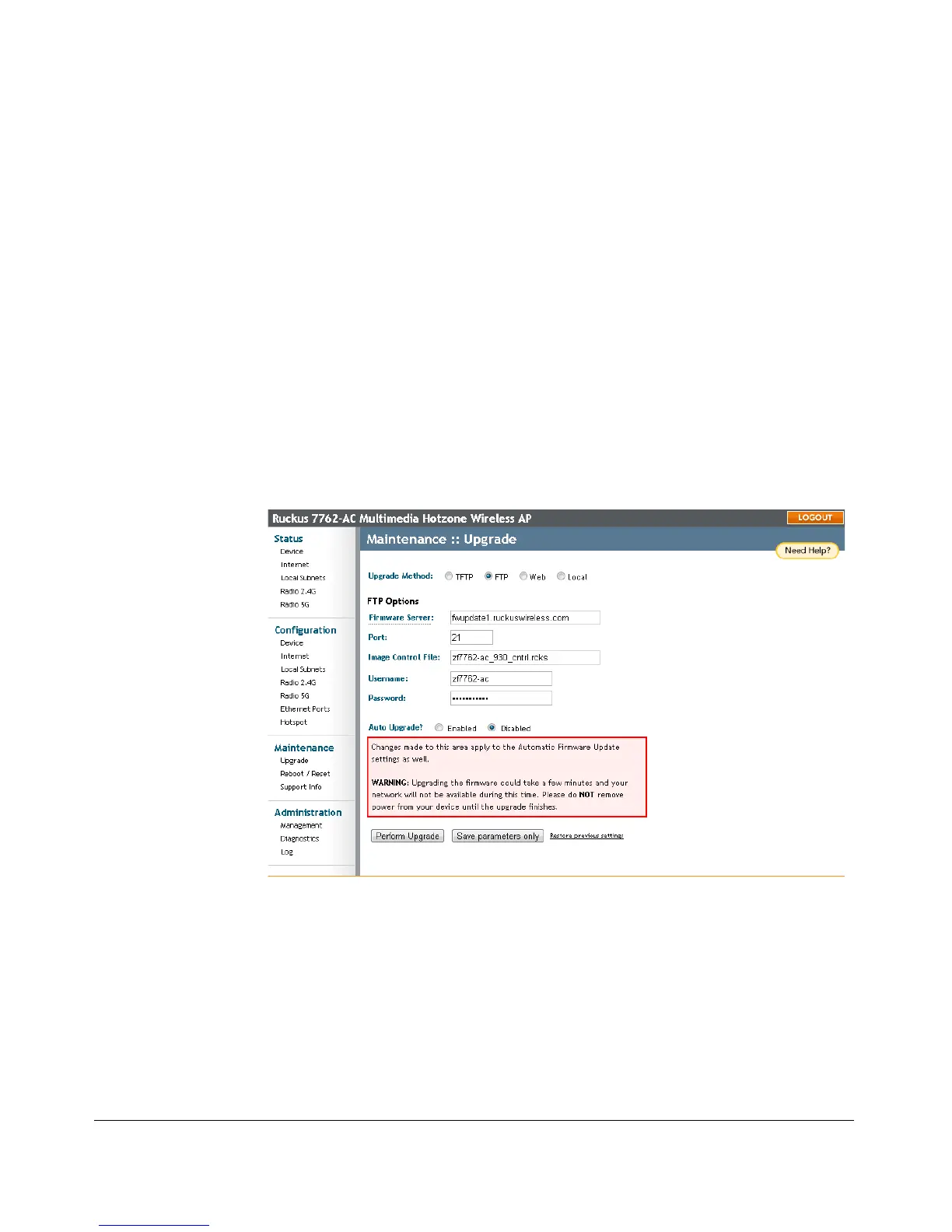
To get started with upgrading the firmware, go to Maintenance > Upgrade. When
the Maintenance > Upgrade options appear, decide which upgrade method to use.
Each of the upgrade options listed on the Upgrade page are discussed in the
succeeding sections.
Figure 46. The Maintenance > Upgrade page











 To Next Page