37
Configuring the Access Point
Configuring Internet Settings
• Current Password: When you are entering a New Password, type the new
existing password. The default password is sp-admin.
• New Password: Type the new password that you want to use. The password
must consist of six to 32 alphanumeric characters only.
• Confirm New Password: Retype the new password to confirm.
5. Click Update Settings to save and apply your changes.
Configuring Internet Settings
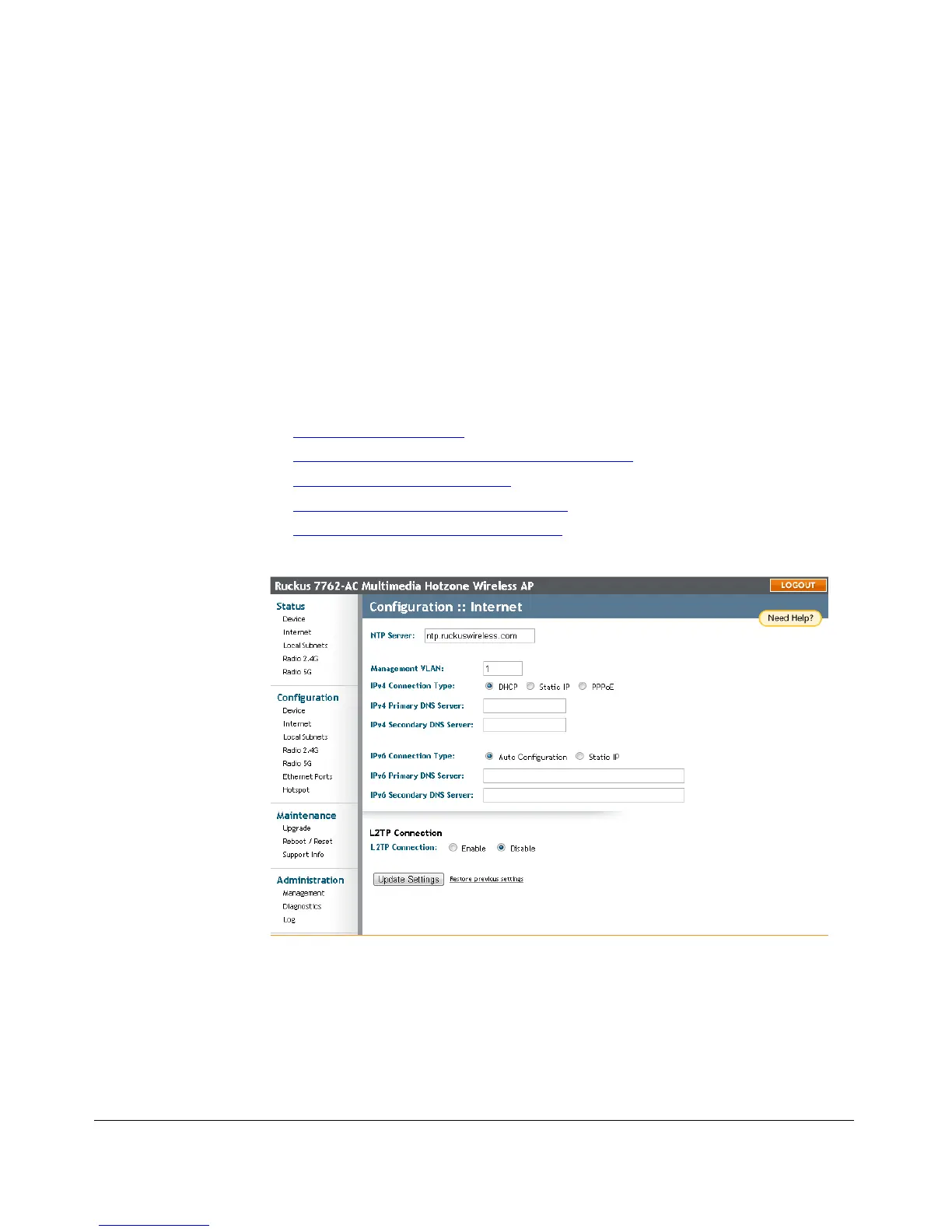
Internet settings define how the Access Point connects to your local area network and
to the Internet. This section describes how to view and configure the Access Point’s
Internet settings. Topics discussed include:
■ VLAN Settings Overview
■ Configuring NTP Server and Management VLAN
■ Default IP Addressing Behavior
■ Obtaining and Assigning an IP Address
■ Configuring L2TP Connection Settings
Figure 19. The Configuration > Internet page











 To Next Page