75
Configuring the Access Point
Configuring the Hotspot Service
To remove entries from the Walled Garden hosts table
1. Click the check box next to the entry you want to remove, under the Remove?
column.
2. Click Update. The entry is removed from the list.
Allowing Unrestricted Access by MAC Address
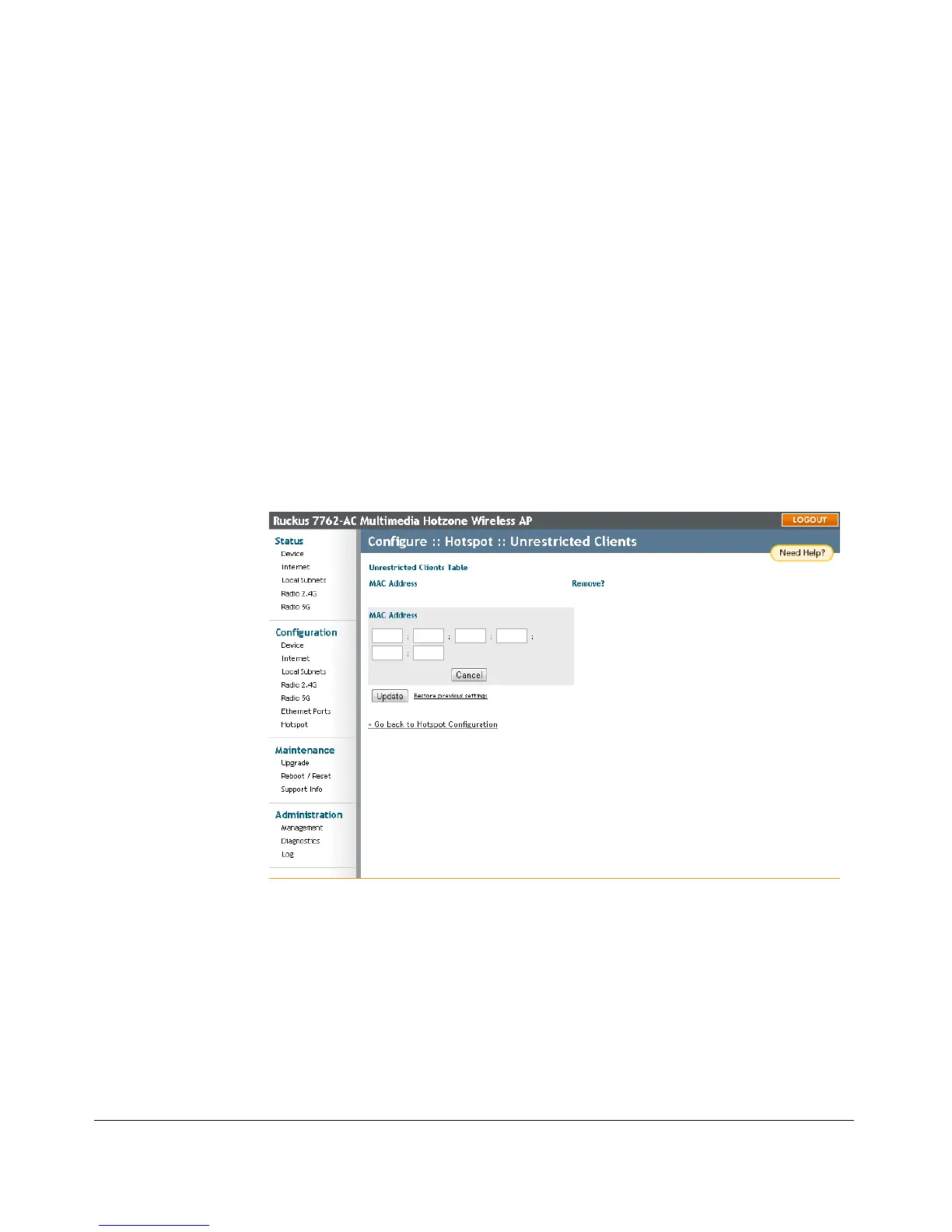
To allow selected clients unrestricted access to your Hotspot service:
1. Go to Configuration > Hotspot > Unrestricted Clients.
2. Click Add new entry.
3. Enter the MAC address of the client.
4. Click Update to save your changes.
5. Repeat the preceding steps as required.
Figure 36. Configuring Hotspot unrestricted clients table











 To Next Page