49
Configuring the Access Point
Configuring Wireless Settings
Reviewing Common Advanced Settings
Advanced wireless settings should only be changed by an experienced administrator.
Incorrect settings can severely impact wireless performance. It is recommended that
the default settings be retained for best performance.
CAUTION: To fully benefit from the Access Point’s capabilities, it is advisable not to
change these values unless absolutely necessary.
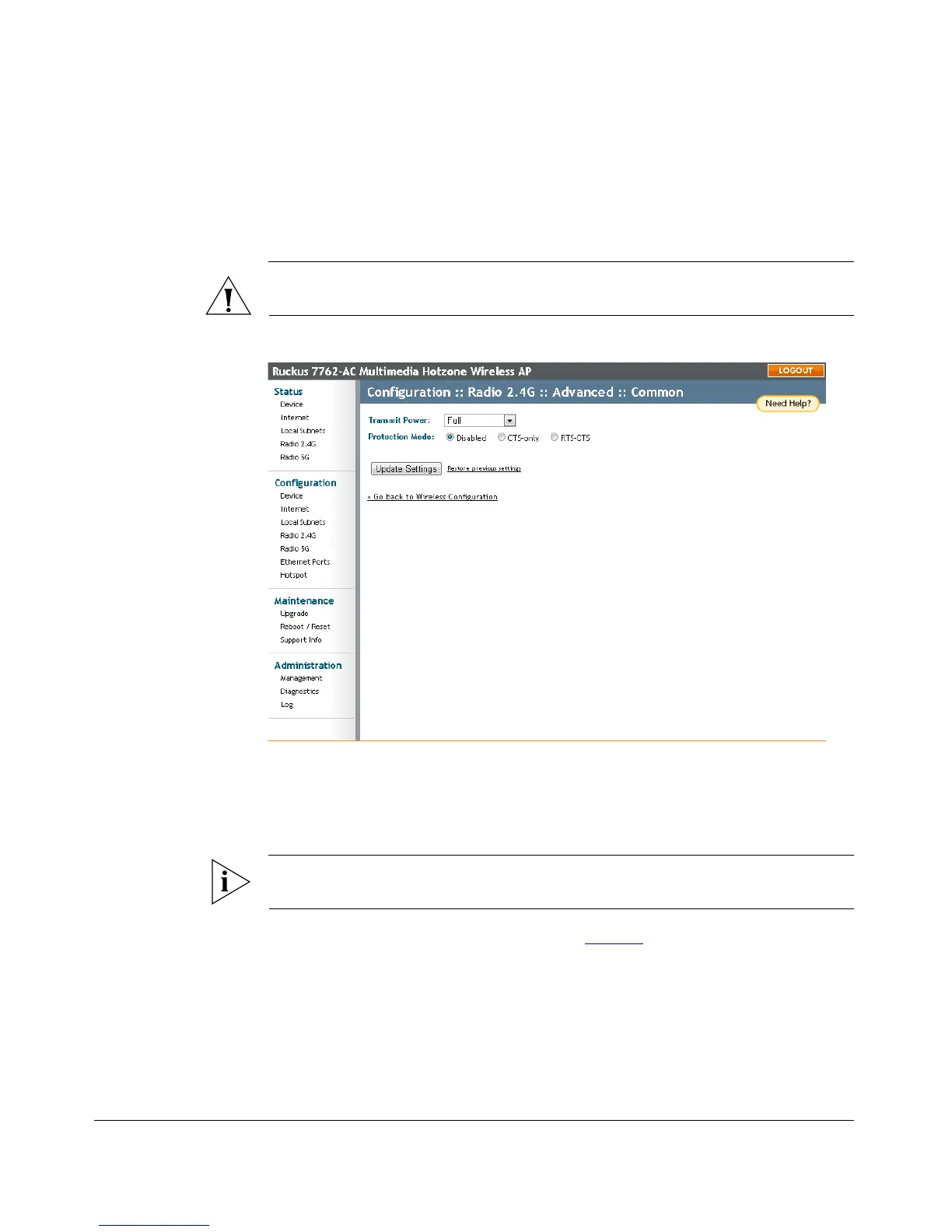
Figure 24. The Configuration > Wireless > Advanced > Common page
To configure the advanced common options
1. On the Configuration > Wireless page, click Edit Common Settings. The
Configuration > Wireless > Advanced > Common page appears.
NOTE: If you are using a dual band ZoneFlex AP, go to Configuration > Radio 2.4G
or Configuration > Radio 5G > Edit Common Settings.
2. Configure the advanced settings listed in Table 14 as required.











 To Next Page