63
Configuring the Access Point
Configuring Wireless Settings
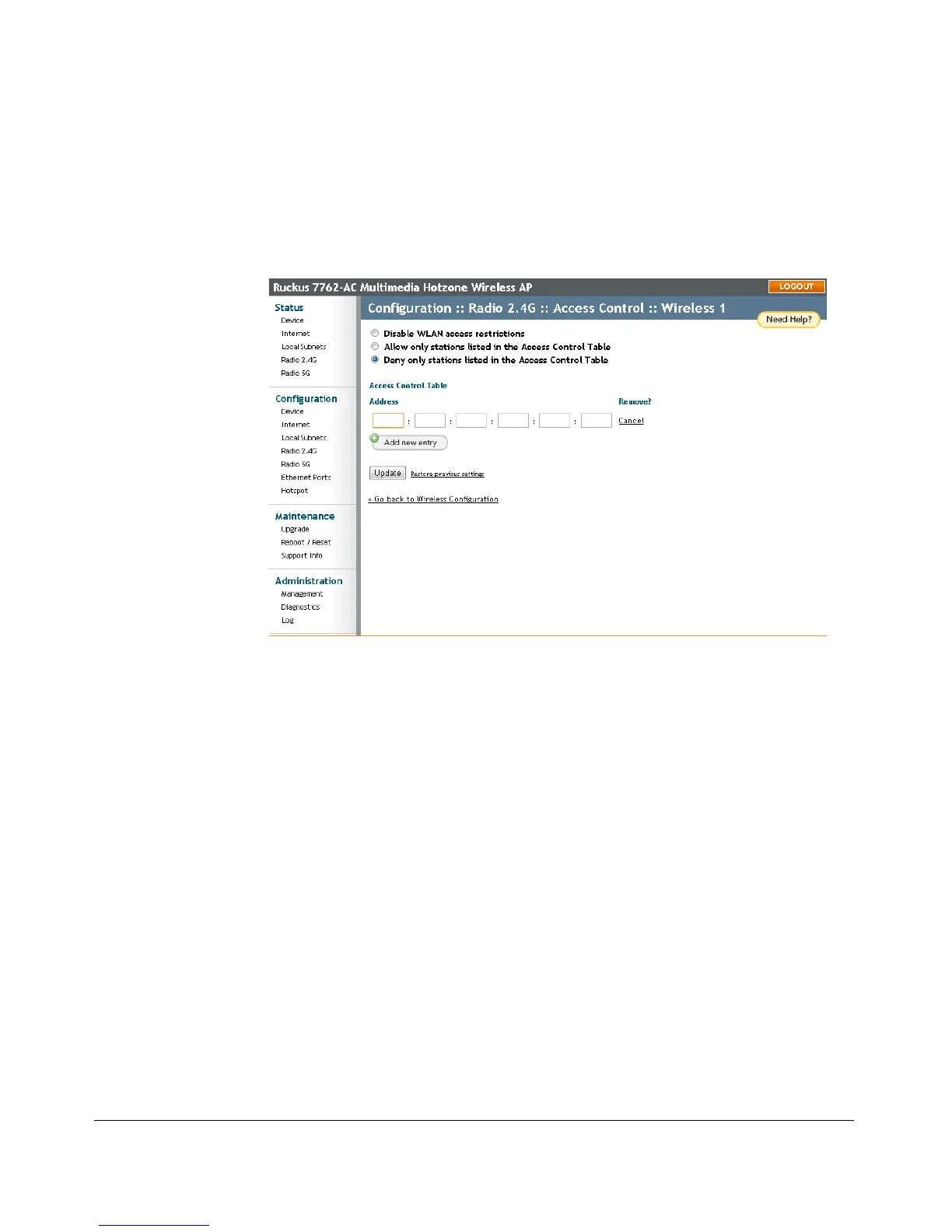
Changing the Access Controls for a WLAN
By default, the Disable WLAN access restrictions option is selected, which allows
any wireless station to gain access to the wireless network. If you want to change this
setting, follow the instructions below.
Figure 31. Access control settings











 To Next Page