73
Configuring the Access Point
Configuring the Hotspot Service
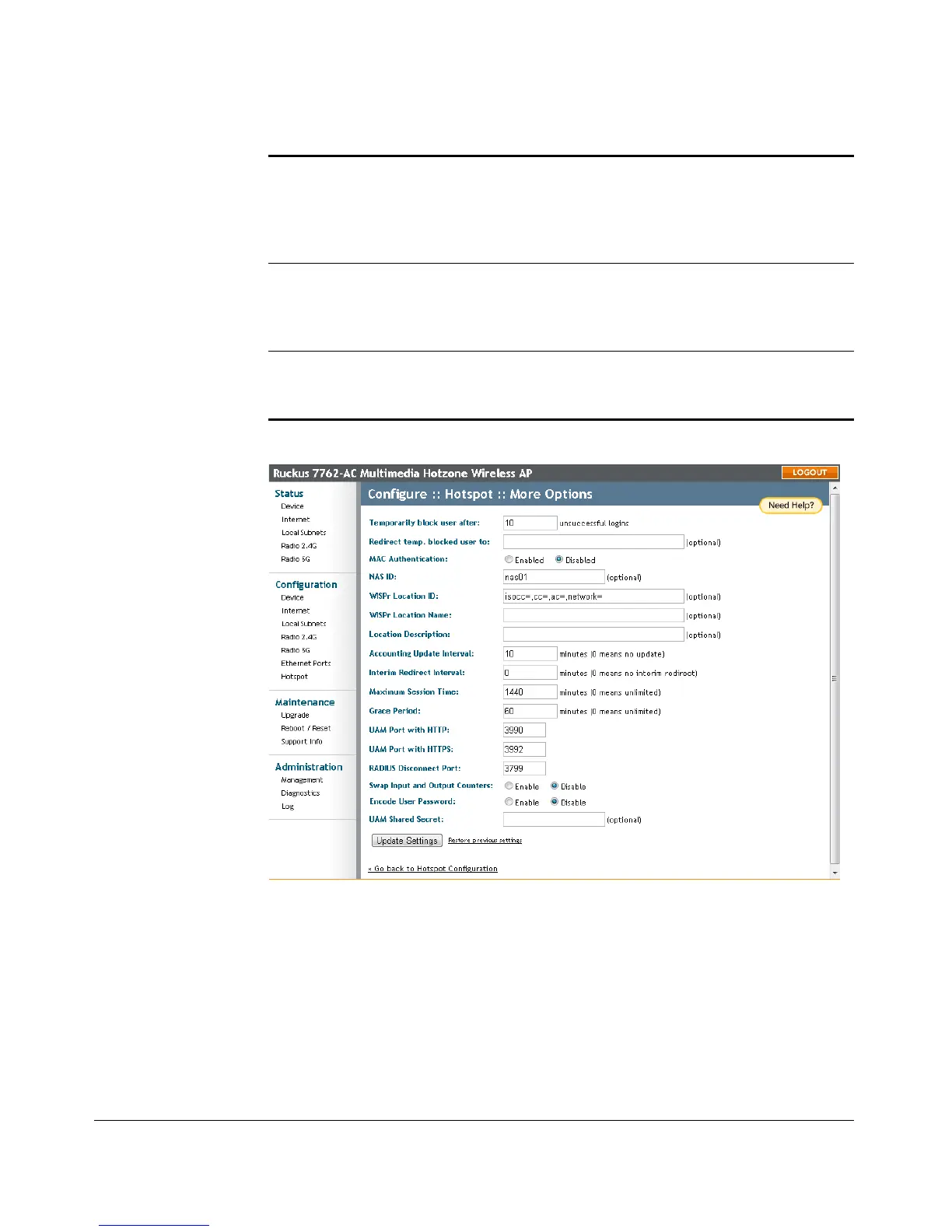
Figure 34. Configuring optional Hotspot options
Swap Input and Output
Counters
Swap the value of input counters (packets, octets and
giga words) and output counters in RADIUS
accounting requests. This option is mainly for
backward compatibility with existing Chillispot
deployments. Default = Disable.
Encode User Password Encode user password with challenge string, if UAM
secret is not specified; otherwise, encode user
password with both challenge string and UAM secret.
Default = Disable.
UAM Shared Secret The UAM Shared Secret is the shared secret between
this Access Point and the HTTP server for the
Redirection URL. Default = (none).











 To Next Page