12
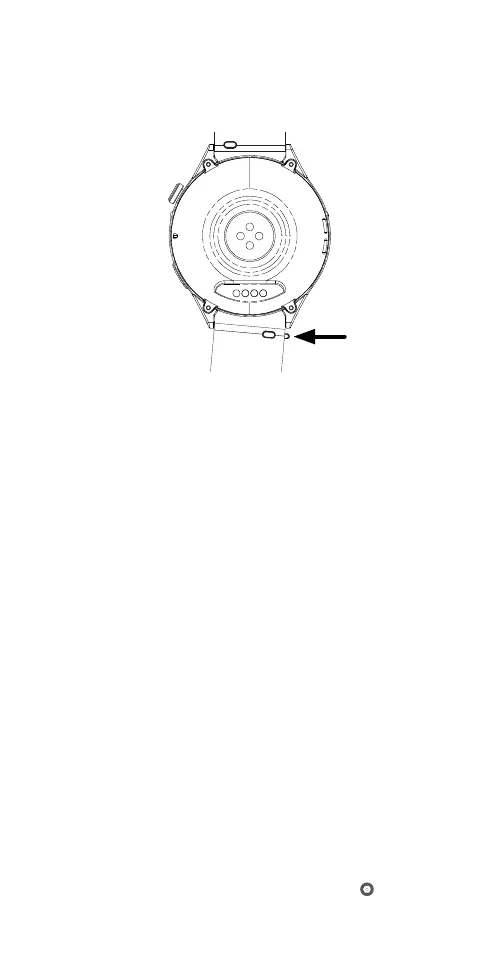
1.6.1 CHANGING THE STRAP
The smartwatch uses 20mm wide quick-release straps.
If you wish to replace the watch strap, please follow the
steps below:
1) First, flip the smartwatch over to show the underside
of the strap. Push the quick-release pin inwards and
pull the strap away.
2) To install a new strap, reverse the steps of strap
removal. Insert one end of the quick-release pin
of the new strap into one of the holes of the strap
holder. Then insert the other end of the quick-release
pin into the other hole by pushing the quick-release
pin inwards. Ensure that the new watch strap is
secured.
2.0 RYZE WATCH FEATURES
2.1 DATE AND TIME
Automated date and time sync
The date and time settings are automatically updated
when the smartwatch is connected to the Ryze Fit App
when a manual date and time has not been set with the
smartwatch.
To reset the smartwatch for automated date and time
sync with the App, first unpair the smartwatch from the
App and then pair it again with the App.
Setting date and time manually with your smartwatch
Swipe down on the smartwatch home screen to reveal
the quick settings panel. Find and tap the
Settings



 To Next Page