21
2.5.3 SETTING INCOMING CALL ALERT
When call notification is enabled and the smartwatch
is connected to the Ryze Fit App, you will receive a call
alert on the smartwatch when you receive an incoming
call on your smartphone. The Ryze Fit App must be set
to enable phone permission, contact book permission
and call record permission running in the background
and with unrestricted battery use (for Android phones).
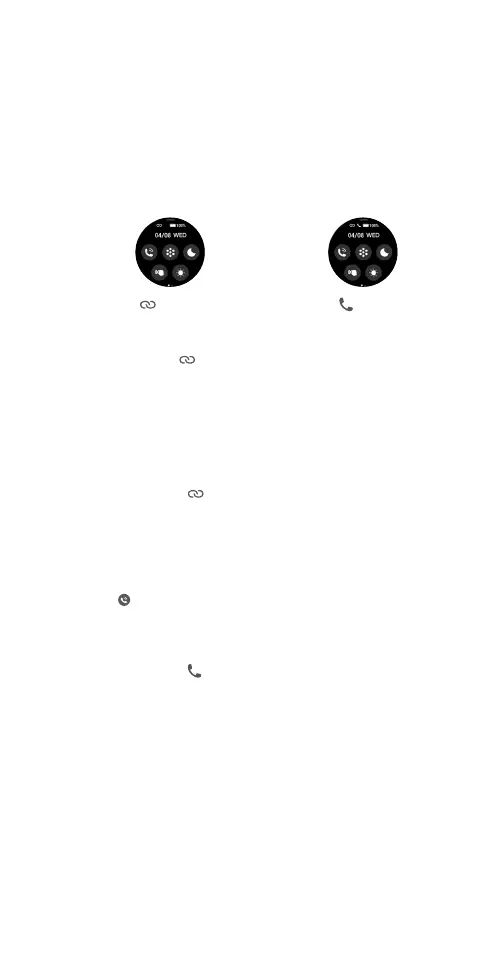
1) Checking watch connection with the App:
Swipe down the smartwatch home screen and
ensure the
icon has turned white, indicating a
connection with the App. If not, complete the pairing
process first.
2) Enabling the watch Bluetooth for phone audio:
Swipe down the smartwatch home screen and tap
to turn on the device Bluetooth.
3) Checking watch connection with the phone:
Swipe down the smartwatch home screen and
ensure the
icon has turned white, indicating a
connection with a phone audio. If not, follow the
instructions below.
On Android phones:
• Open phone Settings > Bluetooth. Wait for the
smartphone to search for nearby Bluetooth
devices. Under the Available Devices list, look for
and tap on Ryze Wave to complete Bluetooth
pairing with the smartwatch. When prompted,
allow access to contacts.
A grey
icon means
the smartwatch is not
connected with the
App. A white
icon
means the smartwatch is
currently connected with
the App.
A white
icon appears
when the smartwatch
is connected to the
smartphone’s Bluetooth
for audio functions such
as Bluetooth calling.



 To Next Page